
What is MuseVideo.art?
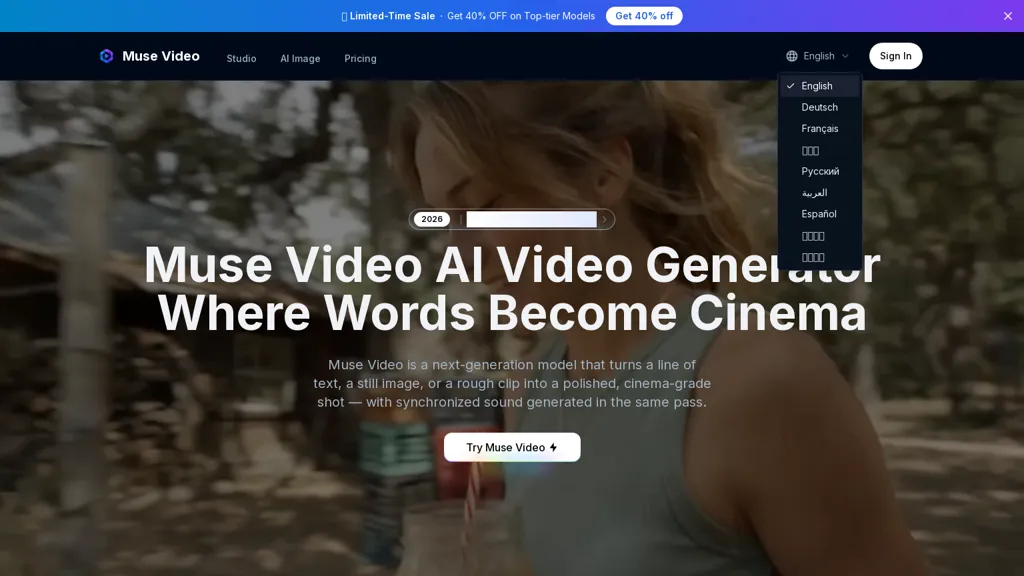
MuseVideo.art is an AI video generator that converts text, images, or short clips into synchronized, cinema-style scenes.It supports text-to-video, image-to-video, and video-to-video generation with native synchronized audio and lip-synced dialogue produced in the same render pass.
Users can control shot composition, lens and focus, camera motion, genre and color grade via prompts, and choose aspect ratios (portrait, landscape, square) and resolutions up to 4K.Reframing and remix workflows allow changing aspect ratios, restyling settings, swapping characters from a single photo, or extending clips while preserving original motion and staging.
Model and quality modes let creators balance fidelity and speed for ads, social hooks, film, VFX, explainers, architecture visualization, and educational videos.Prompting guidance maps cinematography terms (dolly, handheld, shallow depth of field) to directable camera work and shot-to-shot consistency.
The pipeline accepts multimodal inputs and exports finished videos for publication.
MuseVideo.art details
- Built for
- Individuals
MuseVideo.art tech specs
- Works with
- OpenAI / Sora Google / Veo Google / Nano Banana ByteDance / Seedance
MuseVideo.art pricing
Free trialVerify on the official pricing page.
Start free trialMuseVideo.art's key features
-
Text-to-video, image-to-video, and video-to-video generation (multimodal input)
-
Native synchronized audio and lip-synced dialogue produced in the same render pass
-
Prompt-driven cinematography controls (shot composition, lens/focus, camera motion, genre, color grade)
-
Reframing and remix workflows: change aspect ratios, restyle, swap characters from a single photo, and extend clips while preserving original motion and staging
-
Model and quality modes to balance fidelity and speed for different output types
MuseVideo.art use cases
-
Create cinematic product demo and promo videos from plain text scripts using Muse Video's text-to-video and lip-synced dialogue, applying controllable shot composition, camera motion and 4K color grading for polished marketing assets
-
Turn static images or short clips into social-media-ready reels and ads with Muse Video's image-to-video and video-to-video editing, using automatic reframing, aspect-ratio presets and remix workflows to generate multiple platform-specific variations quickly
-
Localize training, e-learning or explainer videos by converting translated scripts into lip-synced scenes with native audio, matching shot composition and camera moves, then export in different resolutions and aspect ratios for global distribution
MuseVideo.art user reviews
Would you recommend MuseVideo.art?
Who is MuseVideo.art for?
-
Filmmakers and directors
-
Cinematographers and videographers
-
Vfx artists and post-production studios
-
Social media creators and influencers
-
Indie creators and hobbyists
MuseVideo.art FAQ
Is MuseVideo.art free?
Not permanently. MuseVideo.art gives you a free trial, after which a paid plan is required. Plans include Hobby at $39.9/$18/mo, Popular at $59.9/$30/mo and Pro max at $119.9/$60/mo.
What are the best alternatives to MuseVideo.art?
The closest alternatives to MuseVideo.art are Artta AI, Video Generator - A2E.ai , MuseVideo, Clipfly AI Video Generator and Imagine.art. You can compare them side by side in the alternatives section further down this page.
What does MuseVideo.art do with my data?
Data may be shared with third-party service providers that help run the product.
Which AI models does MuseVideo.art use?
MuseVideo.art is built on OpenAI / Sora, Google / Veo, Google / Nano Banana and ByteDance / Seedance. Which models you can reach may depend on your plan.
Compliance, privacy and billing terms are as stated in each product's own published documentation and have not been independently verified by TopAI.tools.


