
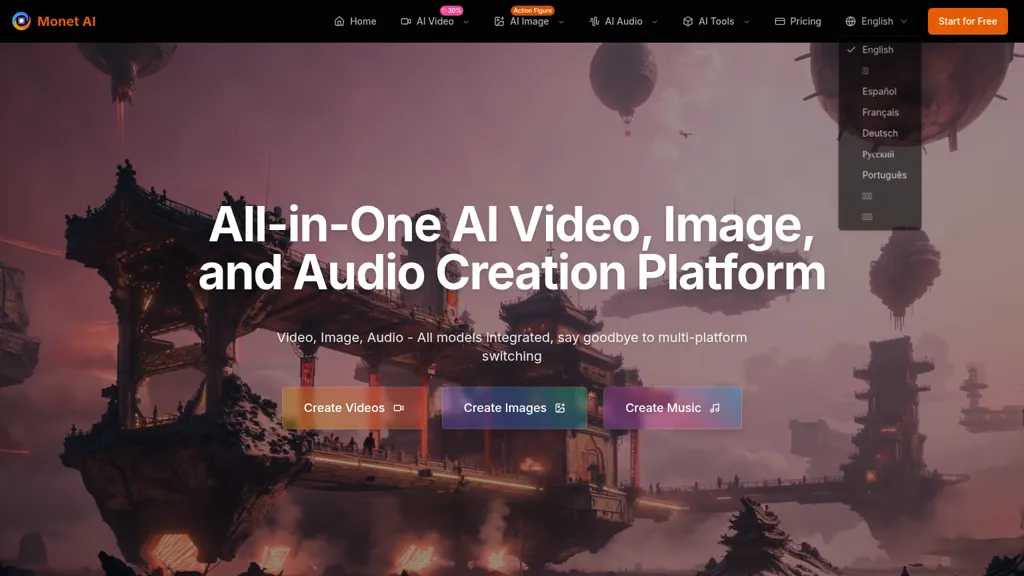
What is Monet AI?
Monet AI is an all-in-one AI creation platform for video, image, and audio generation. It integrates models such as GPT-4o, DALL·E, Google Gemini, StabilityAI, Flux, Replicate, Runway, ElevenLabs and Azure TTS for multi-model workflows. The platform supports text-to-video, image-to-video, text-to-image, text-to-speech, music generation, and style transfer presets (Ghibli, anime, cyberpunk, watercolor, comic, cel-shading, synthwave).
Key features include multi-model comparison, cross-model collaboration, batch processing, unified parameter controls and a centralized material library. A unified API and interface enable developers and enterprises to manage model selection, scheduling and workflow integration.
The platform targets content creators, e-commerce teams, enterprise marketing, designers and video producers to streamline production and maintain consistent brand assets. SEO keywords, AI video generation, AI image generator, text-to-video, text-to-image, text-to-speech, multi-model AI platform, style transfer, API integration.
Monet AI details
- Built for
- Individuals
Monet AI tech specs
- Works with
- OpenAI / GPT OpenAI / DALL-E Google / Gemini Google / Veo Google / Nano Banana Stability AI Kling ByteDance / Seedance MiniMax / Hailuo Ideogram Recraft ElevenLabs
- Cloud
- Azure
Monet AI pricing
FreemiumMonet AI offers a free plan with paid upgrades available.
Verify on the official pricing page.
View plansMonet AI's key features
-
Integrated video, image, and audio generation using multiple leading AI models
-
Multi-model simultaneous generation with side-by-side comparison
-
Cross-model collaborative pipelines (e.g., image generation → animation processing)
-
Multiple creation modes: text-to-video, image-to-video, text-to-speech, and one-click style transfer
-
Unified API and parameter interface with batch processing and standardized output formats
Monet AI use cases
-
Produce a batch of branded short-form video ads by converting campaign copy into text-to-video, applying style-transfer presets for a consistent look, adding generated music and text-to-speech voiceovers, and exporting multiple size variants via batch processing while managing logos and assets in the centralized library and automating deployment through the unified API
-
Author complete narrated e-learning modules by turning lesson scripts into text-to-video and image-to-video slides, using the text-to-speech studio for natural narration, applying unified style presets for cohesive visuals, batch-rendering course units, and storing reusable assets in the centralized library for easy LMS integration via the API
-
Create social media content packs by generating campaign imagery with text-to-image, animating posts with image-to-video, adding custom music and voiceovers, producing platform-specific formats in bulk with batch processing, and orchestrating cross-model workflows and asset reuse through the centralized library and unified API
Monet AI user reviews
Would you recommend Monet AI?
Who is Monet AI for?
-
Content creators
-
Digital marketers
-
Video producers
-
Graphic designers
-
Social media managers
-
Ai artists
-
Developers
-
Creative agencies
Monet AI FAQ
Is Monet AI free?
Partly. Monet AI has a free plan with usage limits, and paid plans unlock the full feature set.
What are the best alternatives to Monet AI?
The closest alternatives to Monet AI are MixHub AI, HeyGen, GenMix AI, Video Generator - A2E.ai and Artta AI. You can compare them side by side in the alternatives section further down this page.
Does Monet AI have an API?
Yes. Monet AI offers an API, so you can call it from your own applications instead of using the interface directly.
Which AI models does Monet AI use?
Monet AI is built on OpenAI / GPT, OpenAI / DALL-E, Google / Gemini, Google / Veo, Google / Nano Banana, Stability AI, Kling, ByteDance / Seedance, MiniMax / Hailuo, Ideogram, Recraft and ElevenLabs. Which models you can reach may depend on your plan.


