
What is Molla?
Molla
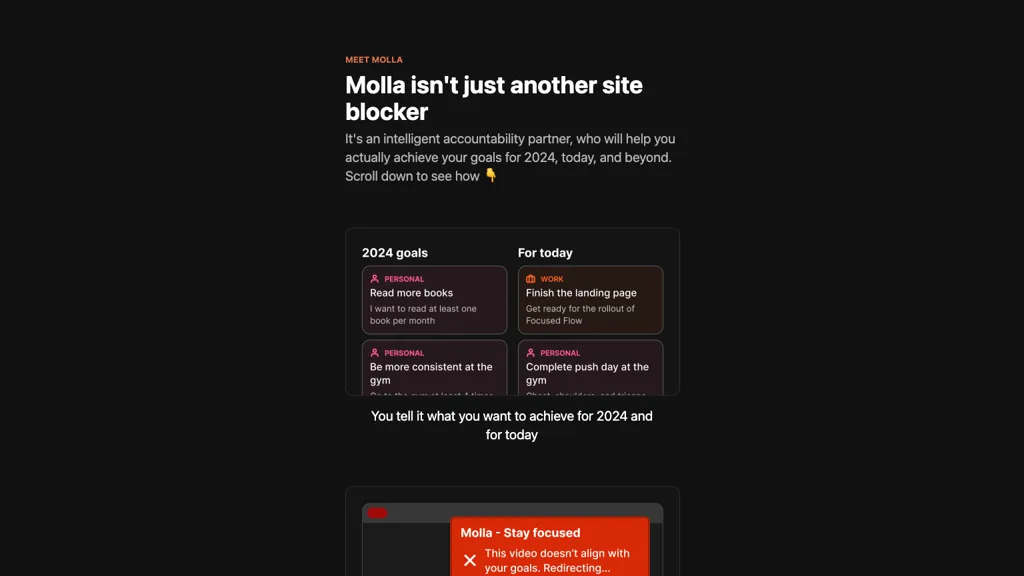
Molla is a Chrome extension that supports goal setting and productivity by redirecting users away from content that conflicts with their objectives. Users enter their 2024 targets and daily priorities, and Molla applies smart redirection rules that allow access to resources that align with those goals while blocking non‑aligned sites.
The tool includes a chat interface for discussing goals and receiving actionable advice. It can be set as the default new‑tab page in Chrome for immediate access. Molla is useful for professionals, students, and anyone seeking to reduce digital distractions and stay focused on personal and professional objectives.
Molla pricing
FreemiumMolla offers a free plan with paid upgrades available.
Verify on the official pricing page.
View plansMolla's key features
-
Smart redirection from non-aligned sites
-
Goal-based content engagement
-
Chat interface for goal support
-
Default new tab page integration
-
Chrome extension add-on
-
Account login functionality
Molla use cases
-
Create a distraction‑free workspace for completing your 2024 client deliverables by blocking irrelevant sites, setting daily priorities, and using the chat‑based goal discussion for actionable project advice
-
Create an efficient study routine for exam prep by setting a 30‑day learning goal, blocking non‑academic sites, and having Molla redirect to relevant resources while tracking daily progress
-
Create a seamless content‑creation workflow by blocking non‑productive sites, redirecting to research databases, and using the chat feature to brainstorm ideas and stay on schedule with your publication timeline
Molla user reviews
Would you recommend Molla?
Who is Molla for?
-
Product designers
-
E-commerce sellers
-
Content creators
-
Time managers
-
Accountability coaches
Molla FAQ
Is Molla free?
Partly. Molla has a free plan with usage limits, and paid plans unlock the full feature set.
What are the best alternatives to Molla?
The closest alternatives to Molla are Ashdeck, Focus Buddy, Lock-in, Quick Access Ai and AIPal. You can compare them side by side in the alternatives section further down this page.


