
What is Mapify.so?
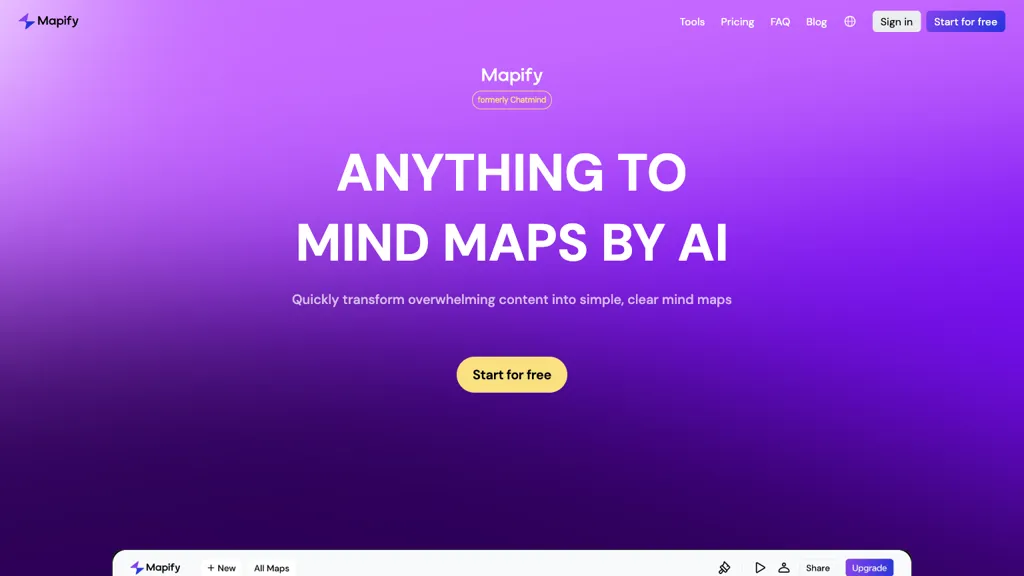
Mapify is an AI‑powered mind map summarizer that converts YouTube videos, PDFs, Docs, URLs, podcasts, and meeting recordings into visual outlines in seconds. It uses GPT, Gemini, or other large language models to extract key points, generate accurate transcriptions, and add source links from an online search.
The tool can translate foreign documents into 30 + languages, allow chat‑style interaction with files, and support timestamp‑based navigation of video content. Users can expand any branch in one click, customize structure and layout, and export the map as an image, PDF, or Markdown file.
Additional capabilities include turning web pages, audio, or images into mind maps, generating illustrative images, and converting maps into slide decks for presentations. Cross‑platform access keeps maps synced across web, mobile, and browser extensions, making it useful for students, researchers, and professionals who need quick, structured summaries of complex material.
Mapify.so details
- Company
- SUPERMIND PTE. LIMITED
- Built for
- Individuals
- Stated compliance
- GDPR, ISO 27001
Compliance as stated in Mapify.so's own published documentation.
Mapify.so tech specs
- Works with
- Google / Gemini
Mapify.so pricing
Subscription- Auto-renewal
- Yes
Verify on the official pricing page.
View plansMapify.so's key features
-
Summarizes documents into mind maps
-
Translates foreign documents
-
Chats with uploaded files
-
Auto transcribes audio
-
Enriches maps with web search
-
Exports to PDF, image, markdown
-
Converts videos via timestamps
Mapify.so use cases
-
Create an interactive slide deck from a corporate training video by converting it into a mind map and exporting to PDF, then using the slide deck export to quickly generate presentation slides with timestamp navigation.
-
Generate a multilingual study guide from a podcast episode by translating the extracted mind map into Spanish and exporting to Markdown for easy integration into a learning management system.
-
Summarize a lengthy PDF research paper into a visual mind map, then share it via chat interaction with team members, allowing them to drill into specific timestamps for detailed review.
Mapify.so user reviews
Based on 17 reviews, 82% of users recommend Mapify.so, rated highly for value for money.
Liked for
Disliked for
Would you recommend Mapify.so?
Mapify.so playbooks
1Step-by-step guides to get the most out of Mapify.so
Who is Mapify.so for?
-
Content creators
-
Product designers
-
Project managers
-
E-commerce sellers
-
Research analysts
Mapify.so FAQ
How much does Mapify.so cost?
Mapify.so is a paid product with no free plan. Plans include Basic at 599€/mo, Pro at 1199€/mo and Unlimited at 1799€/mo.
Is Mapify.so safe to use?
Mapify.so states GDPR and ISO 27001 compliance in its own published documentation. Mapify.so is operated by SUPERMIND PTE. LIMITED. Mapify.so carries the TopAI.tools verified mark, which we award after a manual review of pricing transparency, published terms, public following and working functionality.
Is Mapify.so good?
Mapify.so has an 82% recommendation rate from 17 reviewers on TopAI.tools. Reviewers rate it highest on value for money and ease of use.
What are the best alternatives to Mapify.so?
The closest alternatives to Mapify.so are Notegpt, GitMind, AI Mind Mapper, MindmapAI and AmyMind. You can compare them side by side in the alternatives section further down this page.
What does Mapify.so do with my data?
Its privacy policy states that personal data is not sold or shared for marketing purposes. Data may be shared with third-party service providers that help run the product.
Does Mapify.so auto-renew or offer refunds?
Mapify.so subscriptions renew automatically until you cancel.
Is there a mobile app for Mapify.so?
Yes. Mapify.so has a mobile app alongside its web version.
Who made Mapify.so?
Mapify.so is built and operated by SUPERMIND PTE. LIMITED.
Which AI models does Mapify.so use?
Mapify.so is built on Google / Gemini. Which models you can reach may depend on your plan.
Compliance, privacy and billing terms are as stated in each product's own published documentation and have not been independently verified by TopAI.tools.


