
What is Lovelace?
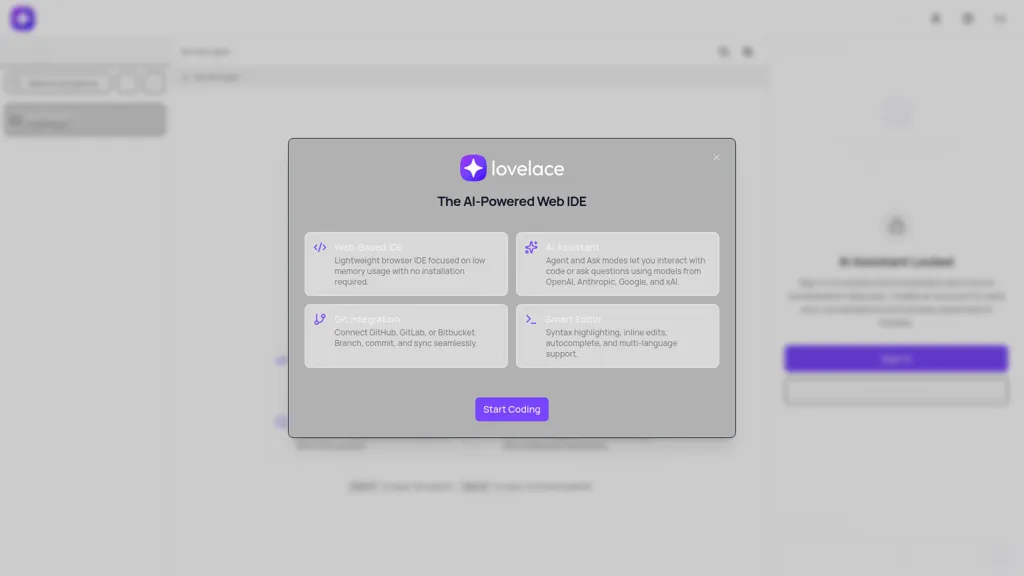
Lovelace is a web-based IDE that runs in the browser with low memory usage and no installation required. It combines a smart code editor with syntax highlighting, autocomplete, inline AI edits, and multi-language support to accelerate development workflows.
The integrated AI assistant provides Ask and Agent modes for code queries, automated refactors, and model-driven edits using OpenAI, Anthropic, Google, and xAI models. Built-in Git integration connects to GitHub, GitLab, and Bitbucket to branch, commit, and sync changes across projects.
Lovelace pricing
FreemiumLovelace offers a free plan with paid upgrades available.
Verify on the official pricing page.
View plansLovelace's key features
-
Smart editor with syntax highlighting, autocomplete, inline AI edits, and multi-language support
-
AI assistant with Agent and Ask modes to interact with and modify code using multiple models (OpenAI, Anthropic, Google, xAI)
-
Quick navigation and command palette (Cmd+P file search, Cmd+K command palette)
-
Built-in Git integration: connect GitHub, GitLab, or Bitbucket; branch, commit, and sync
-
Web-based lightweight IDE with no installation required and low memory usage
Lovelace use cases
-
Create a production-ready web component or small full-stack prototype in Lovelace without any setup, using the browser-based IDE's autocomplete and inline AI edits to scaffold UI and backend code, collaborate in real-time with teammates, and push changes through integrated Git workflows and version tracking
-
Refactor and modernize an existing codebase in Lovelace by running automated code refactoring and inline AI-assisted edits across files, using the multi-model Ask/Agent assistant to suggest safe migrations, generate unit tests, and create Git branches/PRs for review and merge
-
Accelerate bug-fixing and onboarding by using Lovelace's quick navigation, syntax highlighting, and Ask/Agent assistant to explain unfamiliar code, produce reproducible fixes and test cases inline, then coordinate reviews and merges via the collaborative workspace and Git integration
Lovelace user reviews
Would you recommend Lovelace?
Who is Lovelace for?
-
Developers
-
Software engineers
-
Coding students
-
Data scientists
-
Educators
-
Development teams
-
Project managers
-
Remote collaborators
-
Open source contributors
Lovelace FAQ
Is Lovelace free?
Partly. Lovelace has a free plan with usage limits, and paid plans unlock the full feature set.
What are the best alternatives to Lovelace?
The closest alternatives to Lovelace are Replit, CodeAssist, Claude Code, Trae AI and Github Copilot. You can compare them side by side in the alternatives section further down this page.


