
What is Kling 4?
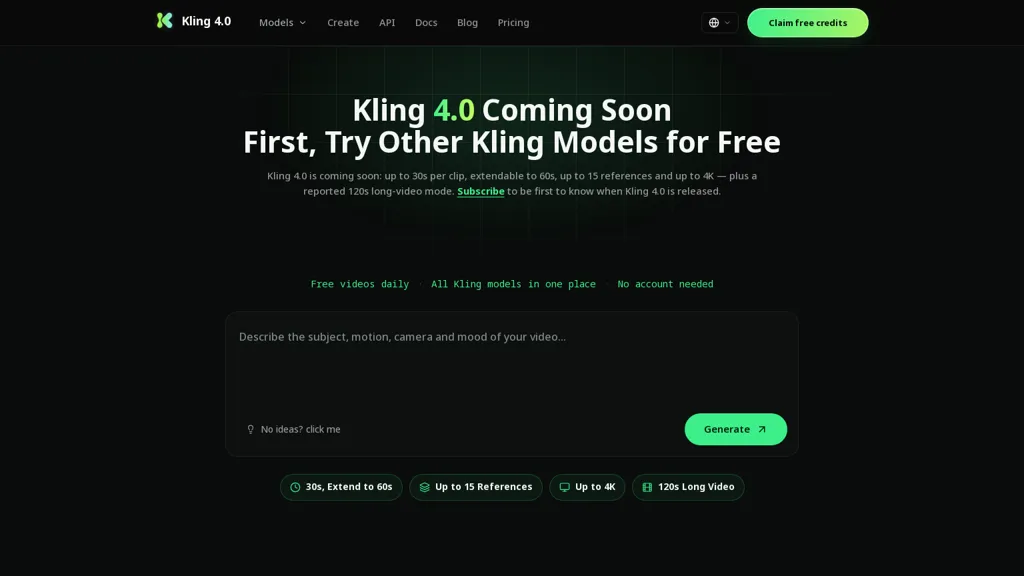
Kling 4.0 is an upcoming AI video generation model reported to add longer single-take clips, expanded reference control, and improved scene and character consistency. The release is described as offering multiple modes (Preview, Flash, Image) to support short drafts, longer edits, and image-series generation.
Reference control and multi-keyframe editing are reported to let users combine image and video inputs to lock looks and continuity across a clip. Audio features are said to include multiple voice references, native audio generation, and local in-clip edits with automatic continuation.
A built-in director is reported to expand short prompts and provide multilingual text generation for scripted content. API documentation on the platform outlines the current generation workflow and supported models while noting that final 4.0 specifications and availability have not been officially confirmed.
Current Kling models and tools remain available on the site for testing until 4.0 is released.
Kling 4 pricing
FreemiumVerify on the official pricing page.
View plansKling 4's key features
-
Longer single-take clip generation
-
Expanded reference control and multi-keyframe editing to combine image/video inputs and lock looks and continuity
-
Multiple generation modes (Preview, Flash, Image) for short drafts, longer edits, and image-series generation
-
Audio capabilities: multiple voice references, native audio generation, and local in-clip edits with automatic continuation
-
Built-in director for expanding short prompts and multilingual scripted text generation
Kling 4 use cases
-
Produce character-driven short films and single-take scenes using Kling 4.0 without a full production crew, leveraging long single-take video, reference-based generation and multi-keyframe control for consistent scenes and characters, plus native audio generation and in-clip audio editing for polished sound
-
Create multilingual marketing videos and product demos using Kling 4.0, generating brand-consistent visuals from references, auto-translating director scripts into multiple languages and polishing voiceovers natively with integrated audio tools and in-clip edits
-
Rapidly iterate storyboards, animatics and image-series with Kling 4.0 by switching draft-to-image-series modes, using multi-keyframe editing for precise pose and scene control, and exporting long single-take animatics with director-generated multilingual scripts and native audio for stakeholder reviews
Kling 4 user reviews
Would you recommend Kling 4?
Who is Kling 4 for?
-
Independent filmmakers
-
Video editors
-
Social media creators (youtubers, tiktokers)
-
Advertisers and marketing teams
-
Animators and vfx artists
-
Game developers and cinematic designers
-
Screenwriters and directors
-
Localization and multilingual content producers
-
Audio producers and voice directors
-
Developers and ai integration engineers
-
Early adopters and product testers
Kling 4 FAQ
Is Kling 4 free?
Partly. Kling 4 has a free plan with usage limits, and paid plans unlock the full feature set. Plans include Lite at $8.33/mo, Pro popular at $24.0/mo and Ultra best value at $30.0/mo.
What are the best alternatives to Kling 4?
The closest alternatives to Kling 4 are OmniFlash.ai, HeyGen, VideoAI, AIReel and Focal AI. You can compare them side by side in the alternatives section further down this page.
Does Kling 4 have an API?
Yes. Kling 4 offers an API, so you can call it from your own applications instead of using the interface directly.


