
What is Integrito?
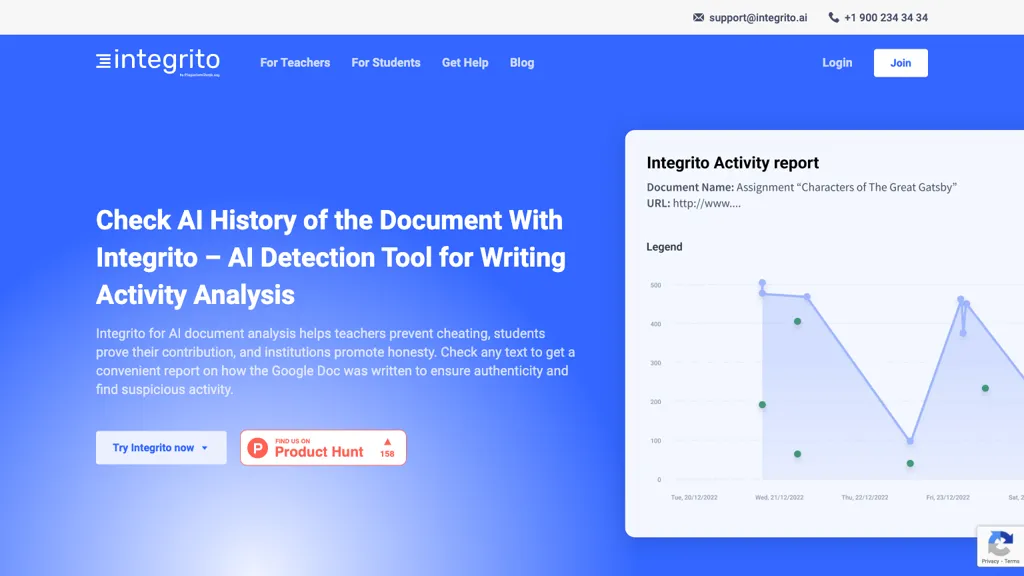
Integrito tracks the evolution of a Google Docs document and presents a comprehensive Activity Report, showing total editing time, session durations, and the order of changes.
The tool flags large content insertions, abrupt edits, or sudden text blocks that may indicate copy‑pasting or AI generation, helping educators identify suspicious events.
Teachers can verify single‑author work, detect contract cheating by listing all contributors, and apply plagiarism or AI detection checks to specific sections when the activity report raises questions.
Students use the Activity Report to demonstrate their writing process and prove individual contribution during assignments or examinations.
Institutions benefit from a unified view of document histories, enabling consistent enforcement of academic integrity policies across courses and departments.
Integrito is available as a browser extension for Chrome, Firefox, and Edge, and integrates with Google Docs for quick, on‑the‑spot analysis.
Integrito details
- Company
- Teaching Writing Online Ltd
- Jurisdiction
- England and Wales
- Stated compliance
- GDPR
Compliance as stated in Integrito's own published documentation.
Integrito pricing
FreemiumIntegrito offers a free plan with paid upgrades available.
Verify on the official pricing page.
View plansIntegrito's key features
-
Chrome, Firefox, Edge extensions
-
Google Docs Activity Report
-
AI detection of machine-generated text
-
Plagiarism detection of copied content
-
Track writing time and stages
-
Detect contract cheating by contributors
-
LMS integration for Canvas, Brightspace
Integrito use cases
-
Track each student's edit session in Google Docs, generating detailed activity reports that highlight session length, time spent, and sequence of changes, enabling instructors to assess genuine engagement versus last‑minute copy‑pasting
-
Automatically flag unusually large insertions, abrupt edits, or AI‑generated text in student submissions, allowing teachers to quickly pinpoint potential plagiarism or cheating before grading
-
Leverage the browser extension to review document history across class assignments, providing visual timelines and author attribution that verify student authorship and support academic integrity policies
Integrito user reviews
Would you recommend Integrito?
Who is Integrito for?
-
Software developers
-
Business analysts
-
Operational administrators
-
Academic educators
-
College students
Integrito FAQ
Is Integrito free?
Partly. Integrito has a free plan with usage limits, and paid plans unlock the full feature set.
Is Integrito safe to use?
Integrito states GDPR compliance in its own published documentation. Integrito is operated by Teaching Writing Online Ltd, registered in England and Wales.
What are the best alternatives to Integrito?
The closest alternatives to Integrito are Copyleaks, Originality.AI, Plagiarism Guard, Document CoPilot and editGPT. You can compare them side by side in the alternatives section further down this page.
What does Integrito do with my data?
Its privacy policy states that personal data is not sold or shared for marketing purposes. Data may be shared with third-party service providers that help run the product.
Does Integrito have an API?
Yes. Integrito offers an API, so you can call it from your own applications instead of using the interface directly.
Who made Integrito?
Integrito is built and operated by Teaching Writing Online Ltd, a company registered in England and Wales.
Compliance, privacy and billing terms are as stated in each product's own published documentation and have not been independently verified by TopAI.tools.


