
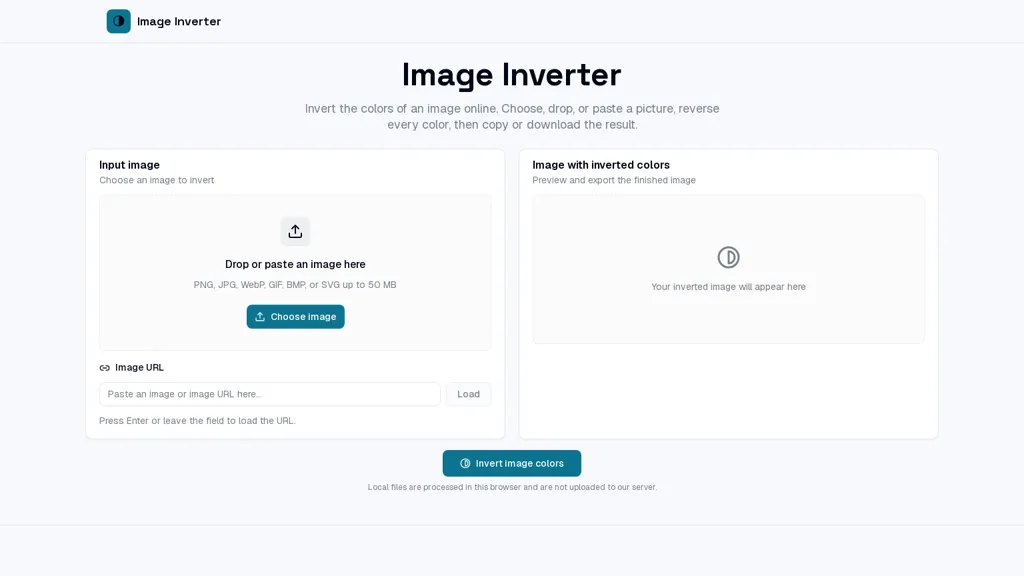
What is Image Inverter?
Image Inverter inverts image colors online, reversing RGB values to produce a negative image while preserving original dimensions and alpha transparency.Upload via drag-and-drop, paste from clipboard, or load by image URL; supports PNG, JPG, WEBP, GIF, BMP, SVG (up to 50 MB).
Processing runs in the browser, applies a 255-minus channel inversion to each pixel, and keeps transparent areas intact.Live preview with zoom, fit, and pan lets designers and photographers inspect tonal shifts, contrast, and complementary colors.
Export options include copying the inverted image to the clipboard or downloading as PNG, JPG, BMP, or WEBP without changing canvas size.Use cases include accessibility checks, negative/film effects, visual experiments, thumbnails, posters, classroom demonstrations, and quick color studies.
Image Inverter pricing
FreemiumImage Inverter offers a free plan with paid upgrades available.
Verify on the official pricing page.
View plansImage Inverter's key features
-
Performs color inversion by reversing RGB values using a 255-minus per-channel operation on each pixel in the browser
-
Preserves original image dimensions and alpha transparency during processing
-
Accepts uploads via drag-and-drop, clipboard paste, or image URL and supports PNG, JPG, WEBP, GIF, BMP, SVG (up to 50 MB)
-
Runs entirely client-side in the browser with live preview including zoom, fit, and pan
-
Exports inverted images by copying to clipboard or downloading as PNG, JPG, BMP, or WEBP without changing canvas size
Image Inverter use cases
-
Create artistic negative versions of photos and graphics using Image Inverter in-browser without installing software, preserving transparency and dimensions for seamless overlay use in web and print designs
-
Generate dark-mode or night-friendly assets by inverting colors of icons and UI elements while keeping alpha channels intact, using Image Inverter's live zoom/pan preview to fine-tune and export web-ready PNG/WebP files
-
Quickly produce photonegative images for visual effects, debugging, or testing computer-vision workflows across common formats (PNG, JPG, WEBP, GIF, BMP, SVG), leveraging Image Inverter's per-pixel 255-minus RGB inversion and export capabilities
Image Inverter user reviews
Would you recommend Image Inverter?
Who is Image Inverter for?
-
Graphic designers
-
Photographers
-
Product designers
-
Visual artists
-
Content creators
Image Inverter FAQ
Is Image Inverter free?
Partly. Image Inverter has a free plan with usage limits, and paid plans unlock the full feature set.
What are the best alternatives to Image Inverter?
The closest alternatives to Image Inverter are Pixelied Image AI, Convertfiles.ai, stripbackground.com, Kolorize and Image Color Picker. You can compare them side by side in the alternatives section further down this page.


