
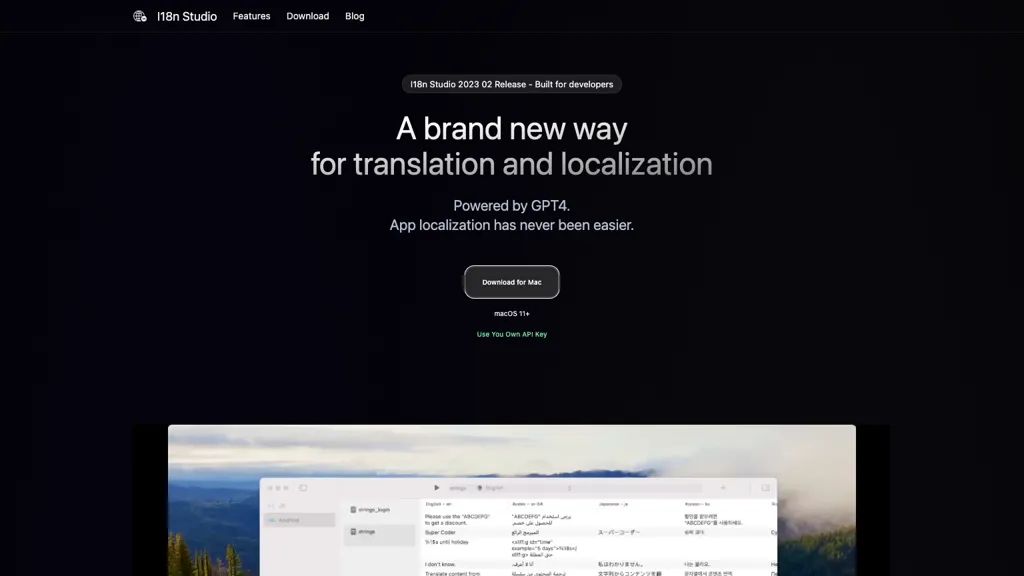
What is I18n Studio?
I18n Studio is a translation and localization tool that uses GPT‑4 for accurate, context‑aware translations. It supports key features such as comment‑based translation context, “do not translate” markers, and capitalization rules for content. The application works with common localization file formats, including JSON, XML, Localizable.
strings, and String Catalog files, and offers seamless integration with Xcode, VSCode, and Android Studio. Users can translate individual values, keys, entire languages, or all languages with a single button click, streamlining batch translation workflows.
The workflow consists of loading multilingual files, performing batch translations, and writing the results back to the original files. I18n Studio runs on macOS 11+ and allows developers to use their own API keys, giving them full control over the translation process.
I18n Studio tech specs
- Works with
- OpenAI / GPT
I18n Studio pricing
FreemiumI18n Studio offers a free plan with paid upgrades available.
Verify on the official pricing page.
View plansI18n Studio's key features
-
Use your own API key
-
Contextual translation via comments
-
Selective value translation button
-
Batch translation into multiple languages
-
Integrates with Xcode, VSCode, Android Studio
-
Supports JSON, XML, strings, catalogs
-
Translate all languages in one minute
I18n Studio use cases
-
Translate all iOS app string resources via Xcode integration, using comment-based context to clarify UI wording and applying capitalization rules automatically across all target languages
-
Batch‑translate Android XML resource files directly inside Android Studio, leveraging skip markers to preserve code snippets and comment cues for accurate localization
-
Localize a large web project’s JSON translation files in VSCode, with the tool applying context‑aware GPT‑4 translations, respecting do‑not‑translate markers for brand names, and exporting ready‑to‑use files for CI/CD
I18n Studio user reviews
Would you recommend I18n Studio?
Who is I18n Studio for?
-
Software developers
-
Localization engineers
-
Content editors
-
Product designers
-
Technical writers
I18n Studio FAQ
Is I18n Studio free?
Partly. I18n Studio has a free plan with usage limits, and paid plans unlock the full feature set.
What are the best alternatives to I18n Studio?
The closest alternatives to I18n Studio are Notegpt, Chatgpt Work, Speaks, TextSynth and editGPT. You can compare them side by side in the alternatives section further down this page.
Does I18n Studio have an API?
Yes. I18n Studio offers an API, so you can call it from your own applications instead of using the interface directly.
Is there a mobile app for I18n Studio?
Yes. I18n Studio has a mobile app alongside its web version.
Which AI models does I18n Studio use?
I18n Studio is built on OpenAI / GPT. Which models you can reach may depend on your plan.


