
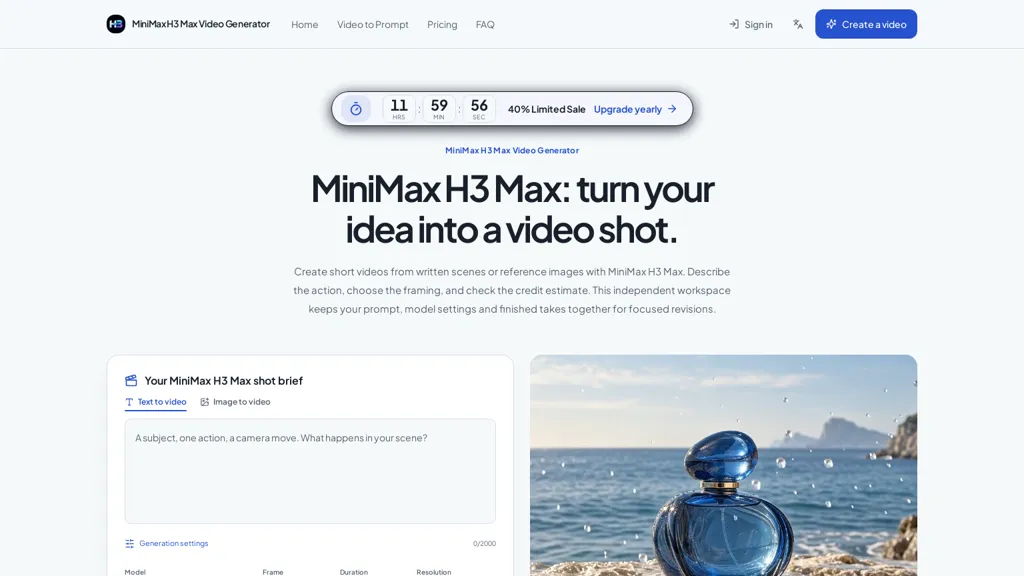
What is MiniMax H3 Max?
MiniMax H3 Max generates short videos from text descriptions or reference images, letting you define subject action and camera movement. It supports anchoring with optional first and last frames to control composition and guide motion between them.
Editable shot briefs and camera controls simplify creation of product films, vertical stories, close-ups, and establishing shots. An independent workspace stores prompts, model settings, and completed takes for focused revision and iteration.
Preview short drafts, compare takes, and extend scenes after reviewing results. Exportable MP4s and a task history record make downstream editing and version tracking straightforward. Built-in guidance covers prompt structure, framing, and motion to help refine generations.
MiniMax H3 Max details
- Built for
- Individuals
MiniMax H3 Max tech specs
- Works with
- MiniMax
MiniMax H3 Max pricing
Freemium- Auto-renewal
- Yes
Verify on the official pricing page.
View plansMiniMax H3 Max's key features
-
Generates short videos from text descriptions or reference images; configurable subject action and camera movement
-
Anchoring with optional first and last frames to control composition and guide motion
-
Editable shot briefs and camera controls for creating product films, vertical stories, close-ups, and establishing shots
-
Independent workspace that stores prompts, model settings, and completed takes for revision and iteration
-
Preview short drafts, compare takes, extend scenes, export MP4s, and maintain a task history for version tracking
MiniMax H3 Max use cases
-
Create product-demo shorts for e-commerce using MiniMax H3 Max from text or reference images, define subject action and camera movement with frame-anchored first/last frames to showcase features, iterate via editable shot briefs and versioned takes to compare angles, then export MP4s ready for listings and ads
-
Produce attention-grabbing social media and ad shorts using MiniMax H3 Max, quickly convert campaign copy or mood images into multiple camera-driven takes, preview and refine shots, store prompts for consistent brand voice, and export platform-optimized MP4s
-
Develop explainer micro-lessons and onboarding clips with MiniMax H3 Max, anchor key frames for consistent compositions, control camera motion to highlight step-by-step actions, collaborate on editable shot briefs, iterate with versioned takes, and download polished MP4s for training libraries
MiniMax H3 Max user reviews
Based on 1 review, 100% of users recommend MiniMax H3 Max, rated highly for ease of use.
Liked for
Would you recommend MiniMax H3 Max?
Who is MiniMax H3 Max for?
-
Product marketers
-
E-commerce teams and product photographers
-
Social media creators and influencers
-
Video editors and indie filmmakers
-
Creative agencies and advertising teams
-
Motion designers and animators
-
Content studios and production teams
MiniMax H3 Max FAQ
Is MiniMax H3 Max free?
Partly. MiniMax H3 Max has a free plan with usage limits, and paid plans unlock the full feature set. Plans include Starter at $20/mo, Pro at $40/mo and Enterprise at $150/mo.
What are the best alternatives to MiniMax H3 Max?
The closest alternatives to MiniMax H3 Max are HeyGen, imagetovideo-ai.org, www-veo3.com, AIImageToVideo Pro and Hailuo-3.com. You can compare them side by side in the alternatives section further down this page.
What does MiniMax H3 Max do with my data?
Its privacy policy states that personal data is not sold or shared for marketing purposes. Data may be shared with third-party service providers that help run the product.
Does MiniMax H3 Max auto-renew or offer refunds?
MiniMax H3 Max subscriptions renew automatically until you cancel.
Which AI models does MiniMax H3 Max use?
MiniMax H3 Max is built on MiniMax. Which models you can reach may depend on your plan.
Compliance, privacy and billing terms are as stated in each product's own published documentation and have not been independently verified by TopAI.tools.


For a short travel clip, I asked for a suitcase being opened, a map being unfolded, and a plane taking off. The final video could not fit every action, so a timing or prompt-length warning would be useful.