
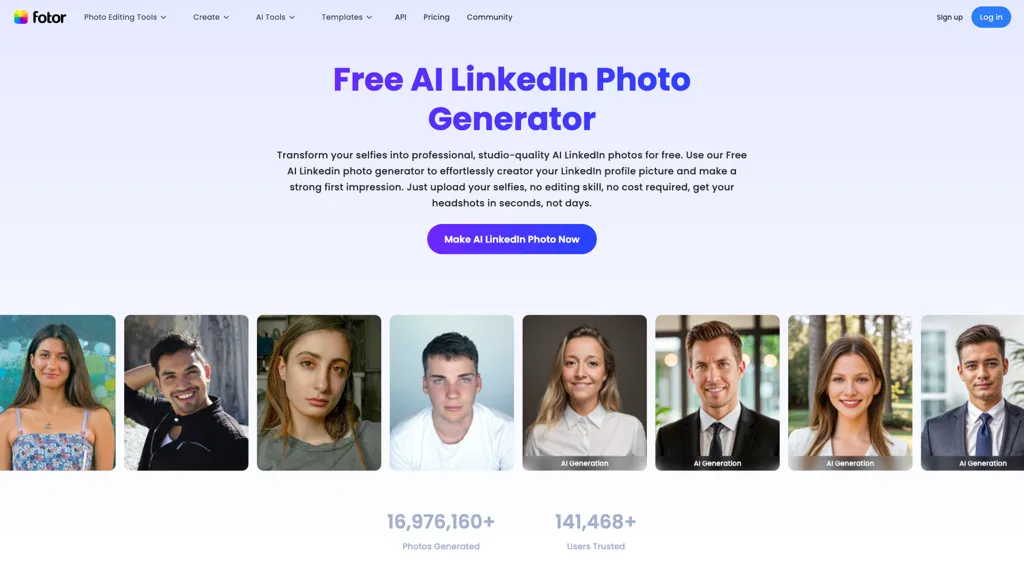
What is Fotor AI LinkedIn Photo Generator?
Fotor AI LinkedIn Photo Generator helps you transform your selfies into polished, studio-quality headshots designed specifically for LinkedIn and other professional platforms.With just a few clicks, you can choose from a variety of professional styles that align with your industry and personal brand.
The tool uses advanced AI to perfect every detail—from facial expression and lighting to background and clothing—ensuring a confident and approachable look.Whether you work in tech, finance, education, or the creative field, Fotor helps you create a strong first impression online, all without the cost and hassle of a traditional photoshoot.
Fotor AI LinkedIn Photo Generator details
- Jurisdiction
- PRC
- Built for
- Individuals
- Data residency
- USA
Fotor AI LinkedIn Photo Generator tech specs
- Works with
- Google / Gemini Google / Veo Google / Nano Banana xAI / Grok Qwen Black Forest Labs / Flux Midjourney Kling ByteDance / Seedance ByteDance / Seedream MiniMax / Hailuo Ideogram MiniMax
Fotor AI LinkedIn Photo Generator pricing
FreemiumFotor AI LinkedIn Photo Generator offers a free plan with paid upgrades available.
- Refund window
- 0 days
- Auto-renewal
- Yes
Verify on the official pricing page.
View plansFotor AI LinkedIn Photo Generator's key features
-
Photo upload
-
Style selection
-
Facial feature analysis
-
Editing features
-
Secure image processing
Fotor AI LinkedIn Photo Generator use cases
-
Transform your casual selfies into polished professional profile pictures for LinkedIn, enhancing your online presence without needing a professional photographer
-
Easily create a range of headshots by experimenting with different styles and backgrounds, all tailored to reflect your personal brand and career aspirations
-
Quickly edit and enhance your LinkedIn photos with cropping and resizing tools, ensuring your profile picture fits perfectly and meets the platform's requirements
Fotor AI LinkedIn Photo Generator user reviews
Based on 6 reviews, 50% of users recommend Fotor AI LinkedIn Photo Generator, rated highly for quality results.
Liked for
Disliked for
Would you recommend Fotor AI LinkedIn Photo Generator?
Who is Fotor AI LinkedIn Photo Generator for?
-
Graphic designers
-
Social media managers
-
Marketing professionals
-
Small business owners
-
Remote workers
Fotor AI LinkedIn Photo Generator FAQ
Is Fotor AI LinkedIn Photo Generator free?
Partly. Fotor AI LinkedIn Photo Generator has a free plan with usage limits, and paid plans unlock the full feature set.
What are the best alternatives to Fotor AI LinkedIn Photo Generator?
The closest alternatives to Fotor AI LinkedIn Photo Generator are Headshot Photo, AI Portrait Gen, PhotoAI, Remaker AI Headshot Generator and Persona AI. You can compare them side by side in the alternatives section further down this page.
What does Fotor AI LinkedIn Photo Generator do with my data?
Fotor AI LinkedIn Photo Generator states that customer content is not used to train its models. Its privacy policy states that personal data is sold or shared for marketing purposes. Data may be shared with third-party service providers that help run the product. Customer data is held in USA.
Does Fotor AI LinkedIn Photo Generator auto-renew or offer refunds?
Fotor AI LinkedIn Photo Generator subscriptions renew automatically until you cancel. It states a 0-day refund window.
Which AI models does Fotor AI LinkedIn Photo Generator use?
Fotor AI LinkedIn Photo Generator is built on Google / Gemini, Google / Veo, Google / Nano Banana, xAI / Grok, Qwen, Black Forest Labs / Flux, Midjourney, Kling, ByteDance / Seedance, ByteDance / Seedream, MiniMax / Hailuo, Ideogram and MiniMax. Which models you can reach may depend on your plan.
Compliance, privacy and billing terms are as stated in each product's own published documentation and have not been independently verified by TopAI.tools.


