
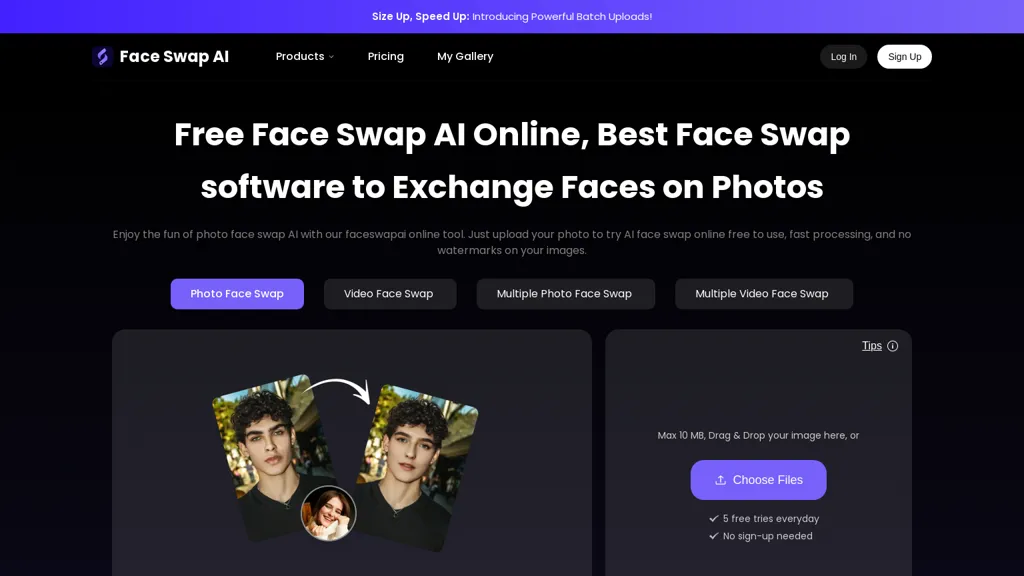
What is FaceSwapai.online?
Faceswap AI Online is a browser-based AI face swap tool for photo, video and GIF editing.
It supports batch uploads and multi-face detection for group photos and video clips.
Automated face mapping aligns eyes, nose, mouth and facial contours to preserve expressions and head angles.
Skin-tone, lighting and shadow matching blends source faces into targets for consistent results.
Use cases include memes, social media content, marketing assets, portrait corrections and creative projects.
A step-by-step interface guides uploads, face selection and swap processing without external software.
Exports edited photos and video clips formatted for sharing and cross-platform use.
FaceSwapai.online pricing
FreemiumFaceSwapai.online offers a free plan with paid upgrades available.
Verify on the official pricing page.
View plansFaceSwapai.online's key features
-
Browser-based AI face swap for photos, videos, and GIFs
-
Batch uploads and multi-face detection for group photos and videos
-
Automated face mapping aligning eyes, nose, mouth and facial contours to preserve expressions and head angles
-
Automatic skin-tone, lighting and shadow matching for seamless blending
-
Export of edited photos and video clips formatted for sharing and cross-platform use
FaceSwapai.online use cases
-
Create personalized marketing and ad creatives using Faceswap AI Online without coding—batch-swap faces into photos, videos, and GIFs while automated facial mapping preserves expressions and head angles and lighting/skin-tone blending delivers export-ready assets for A/B testing across channels
-
Produce viral social media posts and GIF memes with Faceswap AI Online by swapping friends' or influencer faces into trending clips and GIFs, leveraging multi-face detection and batch uploads to generate many realistic variations quickly with seamless skin-tone matching
-
Streamline indie film and content post-production using Faceswap AI Online to replace stunt doubles, anonymize extras, or composite actors in bulk—automated facial mapping and lighting blending preserve performance nuances and produce export-ready video outputs
FaceSwapai.online user reviews
Would you recommend FaceSwapai.online?
Who is FaceSwapai.online for?
-
Content creators
-
Meme creators
-
Photographers
-
Video editors
-
Digital artists
FaceSwapai.online FAQ
Is FaceSwapai.online free?
Partly. FaceSwapai.online has a free plan with usage limits, and paid plans unlock the full feature set.
What are the best alternatives to FaceSwapai.online?
The closest alternatives to FaceSwapai.online are Video Face Swap, AI Face Swap, FaceAI.art, swapfaces.ai and Face Swapper AI. You can compare them side by side in the alternatives section further down this page.
Does FaceSwapai.online have an API?
Yes. FaceSwapai.online offers an API, so you can call it from your own applications instead of using the interface directly.


