
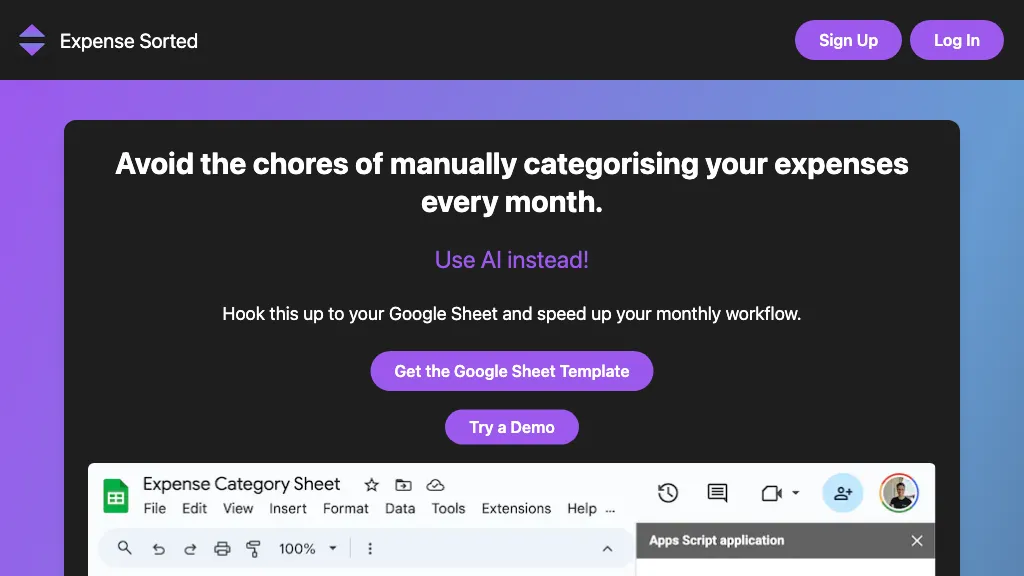
What is Expense Sorted?
ExpenseSorted is a spreadsheet‑centric tool that calculates your financial runway by dividing total savings by monthly expenses, giving you a clear measure of how many months of freedom you have. It provides a custom Google Sheets template that updates automatically via a lightweight extension, which imports and categorizes bank data with a single click and applies AI‑driven expense classification.
Users can also run the same logic locally through a desktop application that stores data in an encrypted local database, enabling offline use and ensuring data never leaves the device. The platform supports import of Interactive Brokers statements and CSV files for comprehensive investment portfolio tracking, with real‑time portfolio analytics and asset‑allocation visualizations.
Expense Sorted details
- Jurisdiction
- Singapore
- Built for
- Individuals
- Data residency
- on the user's machine
Expense Sorted tech specs
- Works with
- OpenAI / GPT Anthropic / Claude
Expense Sorted pricing
Free trialExpense Sorted offers a 14-day free trial before requiring payment.
- Free trial
- 14 days
Verify on the official pricing page.
Start free trialExpense Sorted's key features
-
AI-Powered Expense Categorization
-
Real-Time Bank Transaction Import
-
Client & Project Profitability Tracking
-
Real-Time Cash Flow Monitoring
-
Automated Monthly and Quarterly Reporting
-
Integration with Payroll and Payment Processors
-
Customizable Category and Vendor Recognition
Expense Sorted use cases
-
Track your startup’s cash runway in real time by importing all Interactive Brokers trades into a custom Google Sheets dashboard, auto‑classifying every expense and instantly updating runway calculations to keep you one step ahead of runway depletion
-
Use ExpenseSorted as a secure, offline encrypted personal finance tracker that pulls your monthly statements, applies AI‑driven expense classification, and visualizes your portfolio allocation across assets within a fully customizable spreadsheet
-
Integrate ExpenseSorted’s API into your accounting software to automate expense categorization, generate real‑time runway reports, and feed the data into your existing financial dashboards for a holistic view of both cash flow and investment performance
Expense Sorted user reviews
Would you recommend Expense Sorted?
Who is Expense Sorted for?
-
Financial analysts
-
Small business owners
-
E-commerce sellers
-
Budget planners
-
Data managers
Expense Sorted FAQ
Is Expense Sorted free?
Not permanently. Expense Sorted gives you a free trial of 14 days, after which a paid plan is required.
What are the best alternatives to Expense Sorted?
The closest alternatives to Expense Sorted are PortfolioPilot, Financial Fitness Passport, F.I.R.E on track, Finance Rants and FlowCog. You can compare them side by side in the alternatives section further down this page.
What does Expense Sorted do with my data?
Expense Sorted states that customer content is not used to train its models. Its privacy policy states that personal data is not sold or shared for marketing purposes. Data may be shared with third-party service providers that help run the product. Customer data is held in on the user's machine.
Does Expense Sorted have an API?
Yes. Expense Sorted offers an API, so you can call it from your own applications instead of using the interface directly.
Which AI models does Expense Sorted use?
Expense Sorted is built on OpenAI / GPT and Anthropic / Claude. Which models you can reach may depend on your plan.
Compliance, privacy and billing terms are as stated in each product's own published documentation and have not been independently verified by TopAI.tools.


