
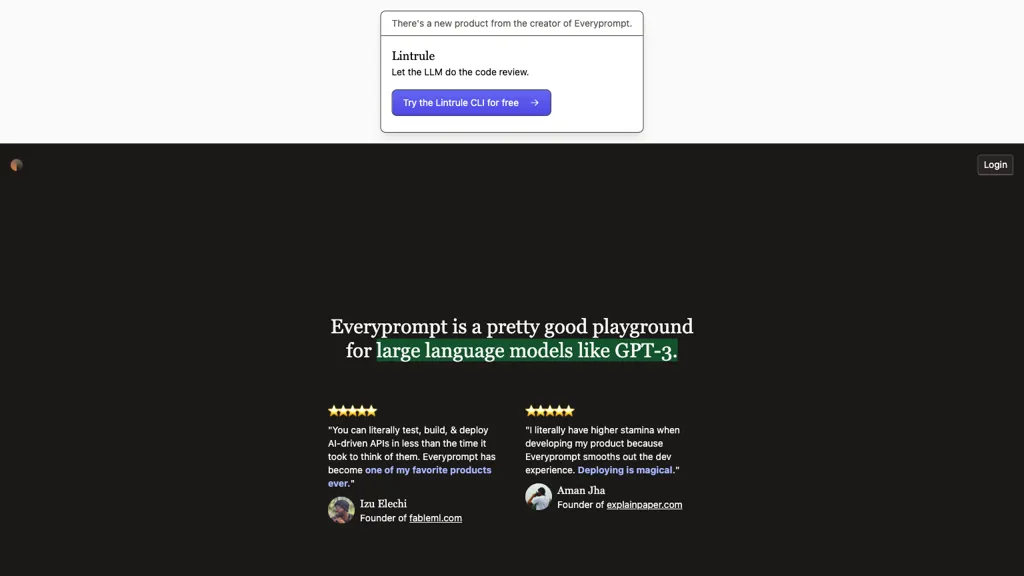
What is Everyprompt?
Everyprompt
Everyprompt provides a web‑based playground for GPT‑3 and newer language models, allowing developers to test, build, and deploy AI‑driven APIs directly from the interface.
The platform includes continuous integration/continuous deployment (CI/CD) capabilities, letting teams ship changes from the playground to production with a single command.
Active deployment dashboards display real‑time status and usage metrics for each deployed model.
Built‑in tools such as the Explain SQL feature convert natural‑language queries into SQL statements and offer explanations of the generated code.
Lintrule CLI integration performs automated code reviews for language model outputs, improving code quality and consistency.
Intuitive settings enable quick adjustment of temperature, stopping tokens, and response length, making the tool accessible to developers with varying levels of expertise.
Users can organize code into folders, manage datasets for fine‑tuning, and leverage dedicated support for team collaboration.
Everyprompt details
- Company
- Everyprompt, Inc.
- Jurisdiction
- State of Iowa
- Built for
- Individuals
Everyprompt tech specs
- Works with
- OpenAI / GPT
Everyprompt pricing
FreemiumVerify on the official pricing page.
View plansEveryprompt's key features
-
GPT-3 playground environment
-
AI-driven API build and deploy
-
Production CI/CD integration
-
Active deployment management
-
SQL query explanation
-
LLM-based code review CLI
Everyprompt use cases
-
Create an end‑to‑end GPT‑powered chatbot for customer support, iteratively refining its responses in the live dashboard and automatically deploying updates through CI/CD pipelines while managing conversation datasets within folder organization.
-
Automate the generation of SQL queries from natural language business questions using Everyprompt’s SQL generator, then validate and deploy the queries via the CI/CD workflow with real‑time monitoring of model usage on the dashboard.
-
Set up a collaborative fine‑tuning workflow for a specialized legal document summarization model, coordinating team contributions through folder organization, automated code reviews, and continuous deployment while tracking usage metrics on the dashboard.
Everyprompt user reviews
Would you recommend Everyprompt?
Who is Everyprompt for?
-
Software developers
-
Data analysts
-
Product managers
-
Business analysts
-
Technical architects
Everyprompt FAQ
Is Everyprompt free?
Partly. Everyprompt has a free plan with usage limits, and paid plans unlock the full feature set. Plans include Personal at $10 per user/mo and Team at up to 100k tokens/mo.
Is Everyprompt safe to use?
Everyprompt is operated by Everyprompt, Inc., registered in State of Iowa.
What are the best alternatives to Everyprompt?
The closest alternatives to Everyprompt are Chatplayground.ai, GPTConsole.ai, GlobalGPT, Use.ai and FreedomGPT. You can compare them side by side in the alternatives section further down this page.
What does Everyprompt do with my data?
Its privacy policy states that personal data is not sold or shared for marketing purposes.
Does Everyprompt have an API?
Yes. Everyprompt offers an API, so you can call it from your own applications instead of using the interface directly.
Who made Everyprompt?
Everyprompt is built and operated by Everyprompt, Inc., a company registered in State of Iowa.
Which AI models does Everyprompt use?
Everyprompt is built on OpenAI / GPT. Which models you can reach may depend on your plan.
Compliance, privacy and billing terms are as stated in each product's own published documentation and have not been independently verified by TopAI.tools.


