
What is Dictaphone?
Dictaphone converts recorded audio to text using OpenAI's Whisper API for automatic speech-to-text transcription.
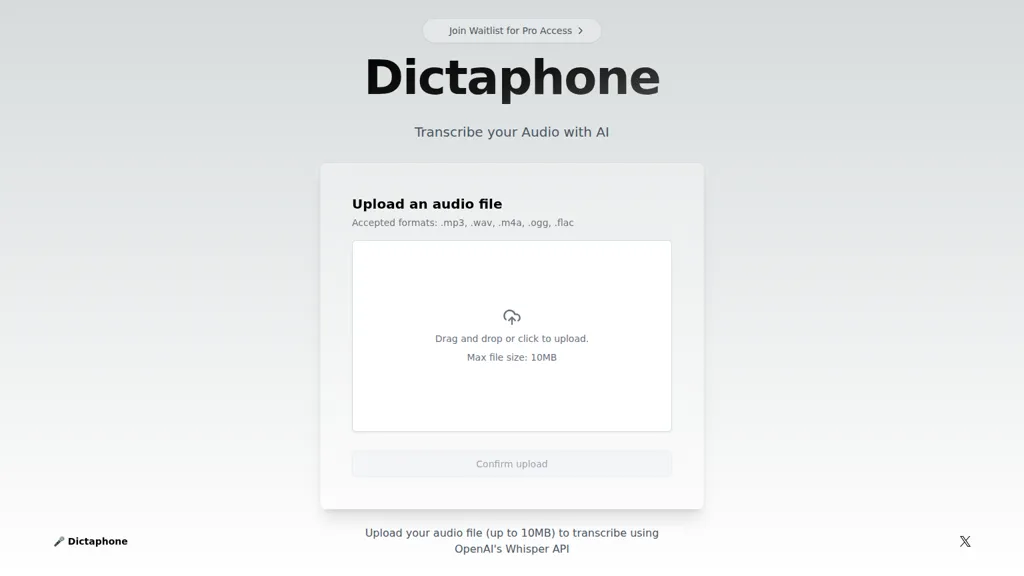
Accepts .mp3, .wav, .m4a, .ogg, and .flac files via drag-and-drop or click-to-upload.
Supports uploads up to 10 MB, suitable for short interviews, voice notes, and meeting clips.
Designed for podcasters, journalists, students, researchers, and content creators who need searchable transcripts and editable text.
Produces plain-text transcripts for note-taking, citation, content repurposing, and research workflows.
File upload interface requires no additional setup and fits into existing transcription workflows.
Dictaphone pricing
FreemiumDictaphone offers a free plan with paid upgrades available.
Verify on the official pricing page.
View plansDictaphone's key features
-
AI transcription using OpenAI's Whisper API
-
Accepts .mp3, .wav, .m4a, .ogg, .flac audio formats
-
Drag-and-drop or click-to-upload interface
-
Maximum upload file size 10MB
-
Upload confirmation step
Dictaphone use cases
-
Transcribe podcast episodes, voice notes, or short audio clips with Dictaphone’s drag-and-drop uploader (mp3/wav/m4a/ogg/flac up to 10 MB) to get plain-text, searchable, editable transcripts for show notes, social excerpts, and SEO-friendly blog posts
-
Use Dictaphone to automatically transcribe interviews and field recordings for journalists and researchers—Whisper-powered accuracy produces editable transcripts for quick quoting, timestamped reference, annotation, and searchable research archives
-
Convert lectures, meetings, and team voice memos into clean, searchable transcripts with Dictaphone to create study notes, meeting minutes, action items, and shareable text for collaboration and documentation
Dictaphone user reviews
Based on 1 review, 0% of users recommend Dictaphone.
Disliked for
Would you recommend Dictaphone?
Who is Dictaphone for?
-
Audio producers
-
Content creators
-
Researchers
-
Students
-
Podcasters
Dictaphone FAQ
Is Dictaphone free?
Partly. Dictaphone has a free plan with usage limits, and paid plans unlock the full feature set.
What are the best alternatives to Dictaphone?
The closest alternatives to Dictaphone are WhisperTranscribe, Whisper AI, WhisperAPI, TranscribetoText.AI and Whisper Web. You can compare them side by side in the alternatives section further down this page.
Does Dictaphone have an API?
Yes. Dictaphone offers an API, so you can call it from your own applications instead of using the interface directly.


