
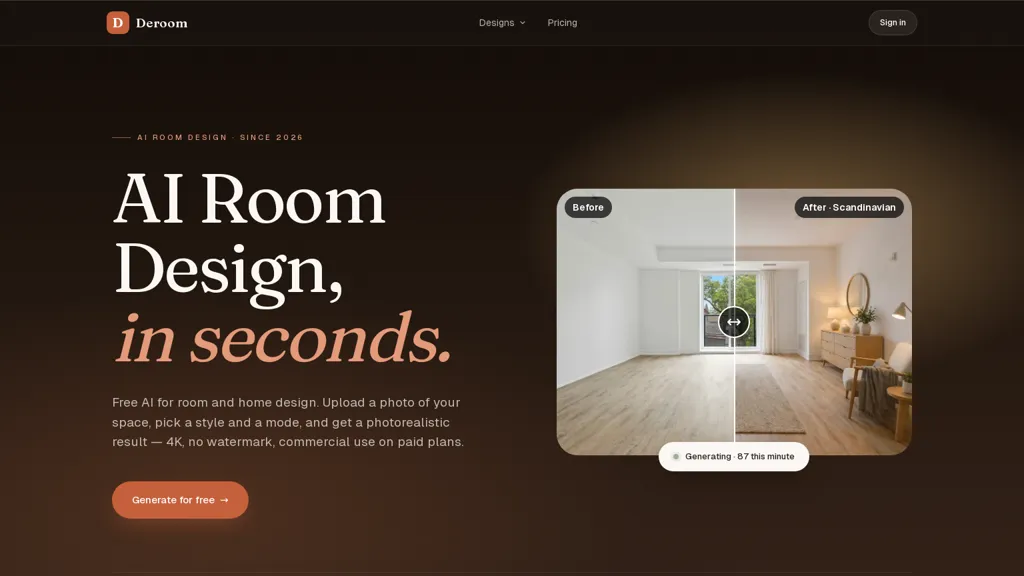
What is Deroom AI?
Deroom AI helps users reimagine room photos into photorealistic renders for rapid room redesign.Upload a JPG, PNG, or WebP photo (up to 10 MB) and receive a 4K render in about 20–40 seconds.Choose from 12 curated styles (modern, minimalist, Scandinavian, Japandi, mid‑century, industrial, bohemian, coastal, rustic, art deco, zen) and five action modes.
full redesign, quick refresh, declutter, recolor, and furniture swap.Each mode preserves different amounts of the original layout and camera angle to maintain room context.Outputs can be regenerated, saved to collections, and exported for kitchen design, bathroom design, bedroom design, office design, closet design, exterior and landscape design workflows.
The tool supports drag‑and‑drop uploads and rapid concept iteration for homeowners, interior designers, and real‑estate professionals seeking photorealistic visuals and export‑ready imagery.
Deroom AI details
- Built for
- Individuals
- Stated compliance
- GDPR, CCPA
Compliance as stated in Deroom AI's own published documentation.
Deroom AI tech specs
- Works with
- OpenAI / GPT Anthropic / Claude Mistral Stability AI xAI / Grok Midjourney
- AI infrastructure
- Hugging Face
- Payment Processors
- PayPal
- Integrations
- Slack Discord
Deroom AI pricing
Freemium- Refund window
- 7 days
- Auto-renewal
- Yes
Verify on the official pricing page.
View plansDeroom AI's key features
-
Photorealistic 4K render generation from room photos in about 20–40 seconds
-
Supports JPG, PNG, and WebP uploads up to 10 MB with drag-and-drop
-
Offers 12 curated design styles (modern, minimalist, Scandinavian, Japandi, mid-century, industrial, bohemian, coastal, rustic, art deco, zen)
-
Five action modes — full redesign, quick refresh, declutter, recolor, furniture swap — with control over layout and camera-angle preservation
-
Outputs can be regenerated, saved to collections, and exported for various design workflows (kitchen, bathroom, bedroom, office, closet, exterior, landscape)
Deroom AI use cases
-
Create client-ready, photorealistic 4K redesign proposals in minutes using AI Room Design's 12 design styles and full redesign/refresh modes while preserving the room layout and camera angle for accurate, export-ready visuals that accelerate approvals and design iterations
-
Produce decluttered and professionally staged 4K renders for property listings by using the declutter and furniture swap modes to highlight space and flow, delivering polished, export-ready images for MLS, brochures, and virtual tours to boost buyer interest
-
Showcase furniture and finish options by swapping pieces and recoloring surfaces across the same room photo to generate high-quality 4K product-in-context images for catalogs, A/B marketing tests, and e‑commerce listings without the need for physical staging
Deroom AI user reviews
Would you recommend Deroom AI?
Who is Deroom AI for?
-
Interior designers
-
Real-estates agents
-
Contractors
-
Design students
-
Homeowners
Deroom AI FAQ
Is Deroom AI free?
Partly. Deroom AI has a free plan with usage limits, and paid plans unlock the full feature set. Plans include Starter at $9.99/mo, Pro at $24.99/mo and Enterprise at $49.99/mo.
Is Deroom AI safe to use?
Deroom AI states GDPR and CCPA compliance in its own published documentation.
What are the best alternatives to Deroom AI?
The closest alternatives to Deroom AI are Remodeled AI, MyRoomDesigner, AI4spaces, Renoai and Reroom. You can compare them side by side in the alternatives section further down this page.
What does Deroom AI do with my data?
Deroom AI states that customer content is not used to train its models. Its privacy policy states that personal data is not sold or shared for marketing purposes. Data may be shared with third-party service providers that help run the product.
Does Deroom AI auto-renew or offer refunds?
Deroom AI subscriptions renew automatically until you cancel. It states a 7-day refund window.
Does Deroom AI have an API?
Yes. Deroom AI offers an API, so you can call it from your own applications instead of using the interface directly.
Which AI models does Deroom AI use?
Deroom AI is built on OpenAI / GPT, Anthropic / Claude, Mistral, Stability AI, xAI / Grok and Midjourney. Which models you can reach may depend on your plan.
What does Deroom AI integrate with?
Deroom AI connects with Slack and Discord.
Compliance, privacy and billing terms are as stated in each product's own published documentation and have not been independently verified by TopAI.tools.


