
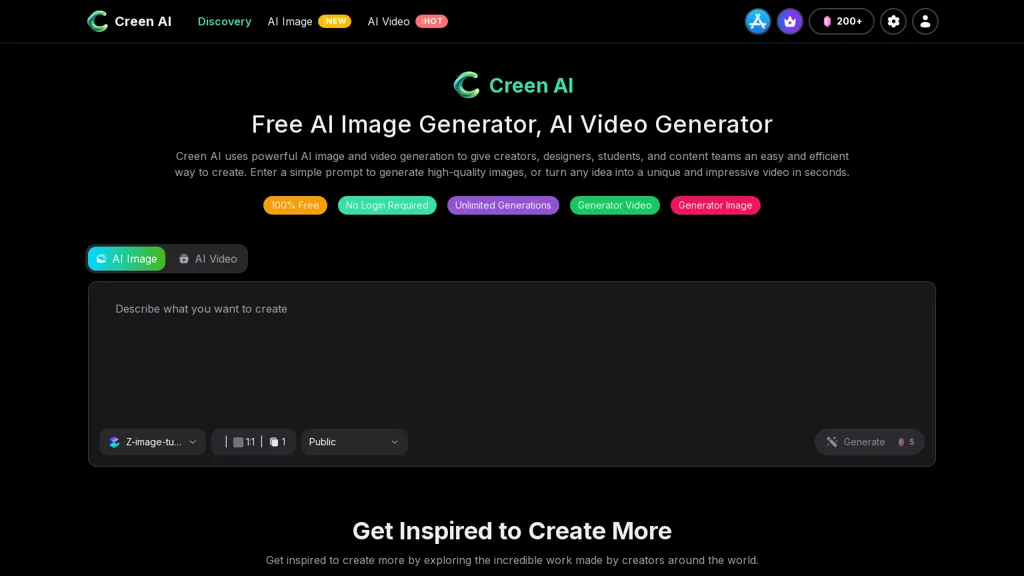
What is Creen AI?
Creen AI is an AI image and video generation platform that converts text prompts and source images into high-resolution visuals.The tool supports text-to-image and text-to-video workflows, multiple model options (Seedream, z-image-turbo, Sora/veo3.2, Wan) and adjustable settings such as aspect ratio and resolution.Output options include image exports up to 4K and short-form video rendering at 1080p up to 10 seconds, suitable for social media and marketing assets.
Features include image refinement and restyling, upscaling, headshot generation, photo restoration, and basic animation for rapid prototyping.A template library and text-driven video editor accelerate production for designers, content teams, social media managers, and students.
The interface and model-switching workflow simplify experimentation across styles while downloadable high-resolution files integrate into publishing and design processes.
Creen AI details
- Company
- CODESAIL LIMITED
- Jurisdiction
- Hong Kong
- Built for
- Individuals
- Data residency
- outside your place of residence
Creen AI tech specs
- Works with
- OpenAI / Sora Google / Gemini Google / Veo Google / Nano Banana Meta xAI / Grok Midjourney Kling ByteDance / Seedance ByteDance / Seedream MiniMax / Hailuo MiniMax
- Integrations
- Shopify
Creen AI pricing
FreemiumCreen AI offers a free plan with paid upgrades available.
Verify on the official pricing page.
View plansCreen AI's key features
-
Text-to-image and text-to-video generation from text prompts and source images
-
Multiple selectable generation models (Seedream, z-image-turbo, Sora/veo3.2, Wan) with model-switching workflow
-
Adjustable output/settings including aspect ratio, resolution, and upscaling
-
Image editing capabilities: refinement, restyling, headshot generation, photo restoration, and basic animation
-
Template library and text-driven video editor with downloadable high-resolution exports (images up to 4K; short videos 1080p up to 10s)
Creen AI use cases
-
Create high-resolution product images and 10s promotional videos from simple text prompts or existing photos, generate up to 4K images, upscale and restore older assets, apply templates and multiple models to match your brand, and export optimized 1080p clips ready for e-commerce and ads
-
Generate professional headshots and staff portraits by uploading a source photo and using headshot generation and restoration tools, automatically retouch, produce multiple aspect ratios and resolutions for LinkedIn, corporate websites, and ID badges without a photoshoot
-
Produce short-form social media videos from text or product copy using the text-driven video editor and basic animation, customize aspect ratios for Reels, Stories and TikTok, leverage templates and upscaling for crisp 1080p output, and create on-brand, ready-to-post clips without advanced editing
Creen AI user reviews
Based on 7 reviews, 57% of users recommend Creen AI, rated highly for ease of use.
Liked for
Disliked for
Would you recommend Creen AI?
Who is Creen AI for?
-
Graphic designers
-
Product designers
-
Content creators
-
Photographers
-
Videographers
Creen AI FAQ
Is Creen AI free?
Partly. Creen AI has a free plan with usage limits, and paid plans unlock the full feature set.
Is Creen AI safe to use?
Creen AI is operated by CODESAIL LIMITED, registered in Hong Kong. It has a substantial audience that is independently measured month to month.
What are the best alternatives to Creen AI?
The closest alternatives to Creen AI are VideoAI, DeepAI, Video Generator - A2E.ai , Krea AI and AIReel. You can compare them side by side in the alternatives section further down this page.
What does Creen AI do with my data?
Creen AI states that customer content may be used to train its models. Its privacy policy states that personal data is not sold or shared for marketing purposes. Data may be shared with third-party service providers that help run the product. Customer data is held in outside your place of residence.
Is there a mobile app for Creen AI?
Yes. Creen AI has a mobile app alongside its web version.
Who made Creen AI?
Creen AI is built and operated by CODESAIL LIMITED, a company registered in Hong Kong.
Which AI models does Creen AI use?
Creen AI is built on OpenAI / Sora, Google / Gemini, Google / Veo, Google / Nano Banana, Meta, xAI / Grok, Midjourney, Kling, ByteDance / Seedance, ByteDance / Seedream, MiniMax / Hailuo and MiniMax. Which models you can reach may depend on your plan.
What does Creen AI integrate with?
Creen AI connects with Shopify.
Compliance, privacy and billing terms are as stated in each product's own published documentation and have not been independently verified by TopAI.tools.


Great image quality, easy to use, free credits to test before committing.