
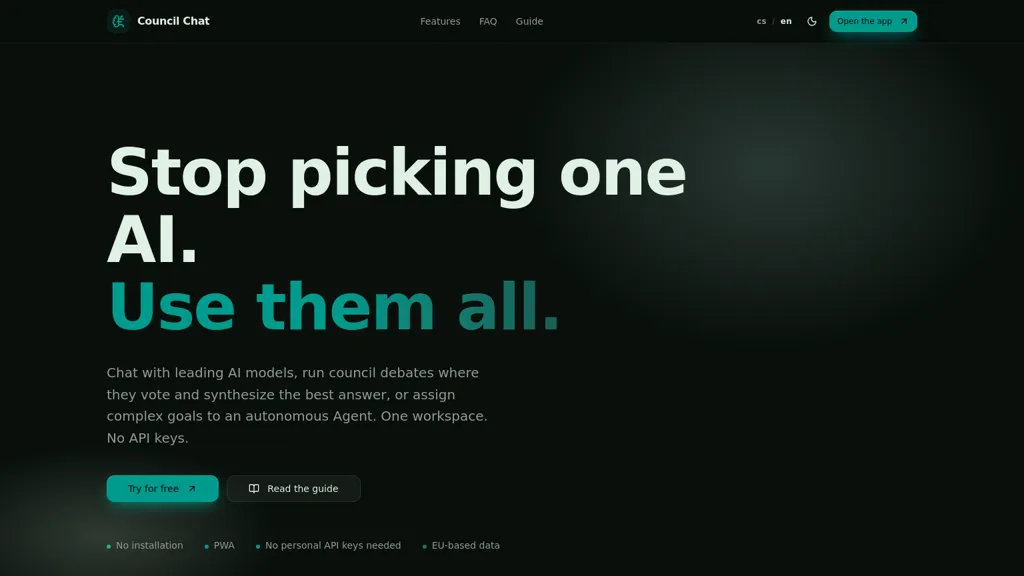
What is Council Chat?
The AI Council Chat is a platform designed for professionals seeking to streamline their workflows with leading AI models. It combines three core components: a standard chat interface, a “Council” for strategic decision support, and an autonomous “Agent” for task automation.
Key features include multi-model comparisons (via the Council), intelligent task orchestration through the Agent, and secure document management within a GDPR-compliant EU-based workspace.
The platform automatically selects the best AI model based on your needs – from quick answers and coding to complex analysis and creative content generation. The “Research Council” provides verified research with source comparisons, while the “Expert Council” offers balanced perspectives for critical evaluation.
A ‘tireless agent’ automates multi-step tasks, including web research and document drafting, with human oversight. Furthermore, it supports media creation (visuals & audio) and incorporates a long-term memory system to maintain context across projects.
The platform’s “Voice I/O” allows for voice input and output, facilitating meetings and fieldwork. It's designed to integrate seamlessly into existing enterprise workflows, offering greater efficiency and control over AI usage.
Essentially, it provides a single, unified workspace for leveraging the power of multiple leading AI models.
Council Chat pricing
Free trialVerify on the official pricing page.
Start free trialCouncil Chat's key features
-
Multi-model debate engine that runs debates, aggregates votes, and synthesizes consensus answers
-
Direct multi-provider model integration (OpenAI, Anthropic, Google Gemini, Mistral) for side-by-side comparison and model voting
-
Autonomous agents that plan multi-step goals, search the web, process data, and deliver finished solutions
-
Unified workspace that ingests PDFs, spreadsheets, and text, extracts context for chat, and stores searchable project data
-
API key integration and web automation to connect external models and automate workflows
Council Chat use cases
-
Run multi-model debates to vet product strategy or policy options, aggregate model votes into a clear consensus answer with transparent rationale, and export the results as a polished one-click presentation for stakeholders
-
Automate end-to-end research and analysis workflows using autonomous agents that ingest project documents, chat contextually to surface key findings, synthesize consensus-backed recommendations, and produce client-ready reports or briefings
-
Compare multimodal creative concepts side-by-side, iterate using document-aware chat to ensure brand alignment, generate final assets and narration, then export slides or trigger API/web automation to publish campaigns
Council Chat user reviews
Based on 5 reviews, 100% of users recommend Council Chat, rated highly for quality results.
Liked for
Would you recommend Council Chat?
Who is Council Chat for?
-
Software developers
-
Creative teams
-
Data scientists
-
Product managers
-
Operations teams
Council Chat FAQ
Is Council Chat free?
Not permanently. Council Chat gives you a free trial, after which a paid plan is required. Plans include Basic council at $9/mo, Nexus at $29/mo and Quantum at $69/mo.
What are the best alternatives to Council Chat?
The closest alternatives to Council Chat are Use.ai, ChatGPT, Chat100.ai, Ninjachat and AIChat.fm. You can compare them side by side in the alternatives section further down this page.
Does Council Chat have an API?
Yes. Council Chat offers an API, so you can call it from your own applications instead of using the interface directly.


 ClearMirror
 Finnbar Kili
Hey! I'm the founder of Council Chat here's how to get the most out of it Council Chat is built for anyone who's tired of copy-pasting between ChatGPT, Claude, and Gemini to compare answers. Instead of asking one AI and hoping for the best, Council Chat runs your question through multiple models simultaneously, lets them "debate," aggregates their votes, and gives you a synthesized consensus answer with full transparency on who said what. Top use cases to try: Strategic decisions (product, business, legal) get multi-model consensus instead of one opinion Upload a PDF and chat with it across all models at once Assign a complex research task to an autonomous agent Generate images, music, or voice inside the same workspace Export results as a one-click presentation or client report Drop any questions below happy to help you get started!