
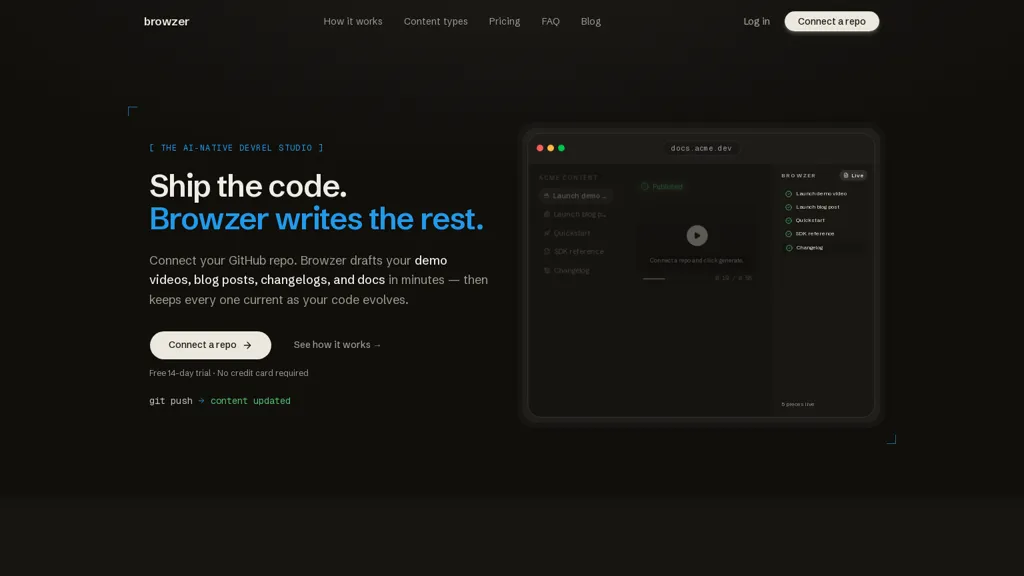
What is Browzer?
Browzer connects to a GitHub repository and generates technical content directly from source code and comments. It drafts demo videos, blog posts, changelogs, quickstarts, cookbooks, and reference documentation based on code structure and examples.
Generated assets include narrated walkthroughs with captions, SEO-ready posts with structured data, and runnable code samples. On each merge Browzer detects API or signature changes and updates affected docs, samples, and posts so content stays aligned with the codebase.
Drafts are available for review or can be configured to publish automatically, and changelog entries are generated from merged PRs. Generated content can be published to a documentation site or blog and remains synchronized as the repository evolves.
Browzer details
- Company
- Browzer Labs, Inc.
- Jurisdiction
- Delaware, USA
- Built for
- Individuals
Browzer tech specs
- Works with
- Anthropic / Claude
- Integrations
- GitHub
Browzer pricing
Free trial- Free trial
- 14 days
Verify on the official pricing page.
Start free trialBrowzer's key features
-
Connects to a GitHub repository and generates technical content from source code and comments
-
Generates demo videos, blog posts, changelogs, quickstarts, cookbooks, and reference documentation from code structure and examples
-
Produces narrated walkthroughs with captions, SEO-ready posts with structured data, and runnable code samples
-
Detects API and signature changes on each merge and updates affected documentation, samples, and posts
-
Provides reviewable drafts, configurable automatic publishing, and generates changelog entries from merged PRs
Browzer use cases
-
Create and maintain auto-updating API documentation directly from your GitHub repo using Browzer, automatically detecting API changes on merge and synchronizing reference pages and runnable examples so your SDKs and teams always have accurate, versioned docs
-
Generate runnable quickstarts, code samples and interactive sandbox snippets from real repository code using Browzer, complete with executable examples and narrated demo walkthrough videos for faster developer onboarding and reproducible tutorials
-
Produce SEO-ready developer blog posts and automated changelogs from commit history and inline comments using Browzer, turning PR diffs into publishable release notes and discoverable posts to keep users informed with no manual writing
Browzer user reviews
Would you recommend Browzer?
Who is Browzer for?
-
Technical writers and documentation teams
-
Developer advocates (devrel) and community managers
-
Software engineers, sdk and library maintainers
-
Open-source project maintainers
-
Documentation engineers and docs-as-code teams
-
Api owners and developer experience (dx) teams
-
Engineering managers and product leads who need synchronized docs
-
Content and product marketing teams for developer-focused products
Browzer FAQ
Is Browzer free?
Not permanently. Browzer gives you a free trial of 14 days, after which a paid plan is required. Plans include Starter at $49/mo, Growth at $199/mo, Scale at $499/mo and Max at $999/mo.
Is Browzer safe to use?
Browzer is operated by Browzer Labs, Inc., registered in Delaware, USA.
What are the best alternatives to Browzer?
The closest alternatives to Browzer are Code2Docs, RepoClip, AutoKT, AutoCodeDocs and DocuWriter.ai. You can compare them side by side in the alternatives section further down this page.
What does Browzer do with my data?
Browzer states that customer content is not used to train its models. Its privacy policy states that personal data is not sold or shared for marketing purposes. Data may be shared with third-party service providers that help run the product.
Does Browzer have an API?
Yes. Browzer offers an API, so you can call it from your own applications instead of using the interface directly.
Who made Browzer?
Browzer is built and operated by Browzer Labs, Inc., a company registered in Delaware, USA.
Which AI models does Browzer use?
Browzer is built on Anthropic / Claude. Which models you can reach may depend on your plan.
What does Browzer integrate with?
Browzer connects with GitHub.
Compliance, privacy and billing terms are as stated in each product's own published documentation and have not been independently verified by TopAI.tools.


