
What is BestMaker AI?
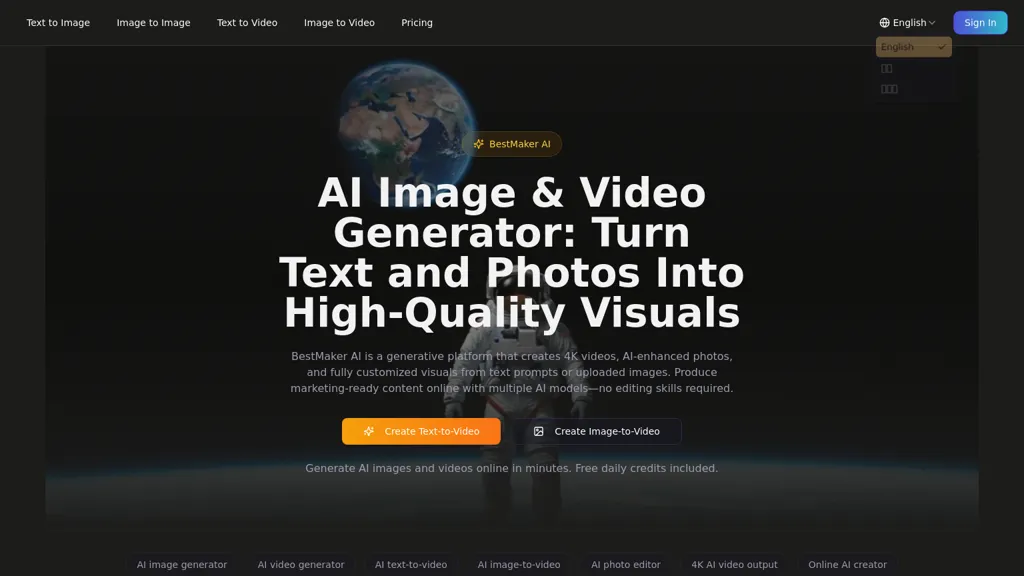
Bestmaker ai is an AI image & video generator that converts text prompts and photo uploads into high-resolution images and 4K videos.The platform integrates an ai image generator, ai video generator, text-to-video and image-to-video workflows in a single browser-based workspace for creators, marketers, and studios.
Multimodal AI models handle scene composition, camera moves, video style transfer and outpainting while a template library and storyboard tools accelerate production.Built-in ai photo editing tools remove objects, change backgrounds, retouch product shots and create mockups using natural-language prompts.
Additional features include intelligent video editing, ai dubbing and speech synthesis, and export-ready cinematic rendering suitable for campaigns.Cloud storage and encryption support secure file handling and centralized asset management.
BestMaker AI details
- Built for
- Individuals
- Data residency
- Global
BestMaker AI tech specs
- Works with
- Kling Tencent / Hunyuan MiniMax
BestMaker AI pricing
FreemiumVerify on the official pricing page.
View plansBestMaker AI's key features
-
Text- and photo-driven generation of high-resolution images and 4K videos
-
Browser-based unified workspace integrating image and video generators plus text-to-video and image-to-video workflows
-
Multimodal AI models for scene composition, camera moves, video style transfer, and outpainting
-
Built-in AI photo editing via natural-language prompts (object removal, background replacement, retouch, mockups)
-
Intelligent video editing, AI dubbing and speech synthesis, and export-ready cinematic rendering
BestMaker AI use cases
-
Create polished 4K product demo and marketing videos from simple text prompts and product photos using Bestmaker AI’s text-to-video and image-to-video workflows — apply scene composition, outpainting and cinematic rendering, add dubbing and edits in-browser, and keep final assets safe with encrypted cloud storage
-
Convert photo shoots into high-resolution hero images and extended scenes by using Bestmaker AI’s natural-language photo editing and outpainting, then generate storyboard-based 4K videos with pre-built templates and fine-tune scenes with intuitive editing tools for ads, landing pages, or social posts
-
Produce multilingual training, explainer, or social video series by feeding prompts and illustrative images into Bestmaker AI, use storyboard templates to structure episodes, auto-dub voiceovers in different languages, render in 4K directly in the browser, and manage versions securely in encrypted cloud storage
BestMaker AI user reviews
Based on 4 reviews, 50% of users recommend BestMaker AI, rated highly for value for money.
Liked for
Disliked for
Would you recommend BestMaker AI?
Who is BestMaker AI for?
-
Content creators
-
Creative agencies
-
Video producers
-
Brand managers
-
Post-production/editing teams
BestMaker AI FAQ
Is BestMaker AI free?
Partly. BestMaker AI has a free plan with usage limits, and paid plans unlock the full feature set. Plans include Basic at $5.75/mo and Special offer best deal at $13.25/mo.
What are the best alternatives to BestMaker AI?
The closest alternatives to BestMaker AI are Clipfly AI Video Generator, HeyGen, Meta Image Generator, DeepAI and Video Generator - A2E.ai . You can compare them side by side in the alternatives section further down this page.
What does BestMaker AI do with my data?
Its privacy policy states that personal data is not sold or shared for marketing purposes. Data may be shared with third-party service providers that help run the product. Customer data is held in Global.
Which AI models does BestMaker AI use?
BestMaker AI is built on Kling, Tencent / Hunyuan and MiniMax. Which models you can reach may depend on your plan.
Compliance, privacy and billing terms are as stated in each product's own published documentation and have not been independently verified by TopAI.tools.


