
What is ArchRender?
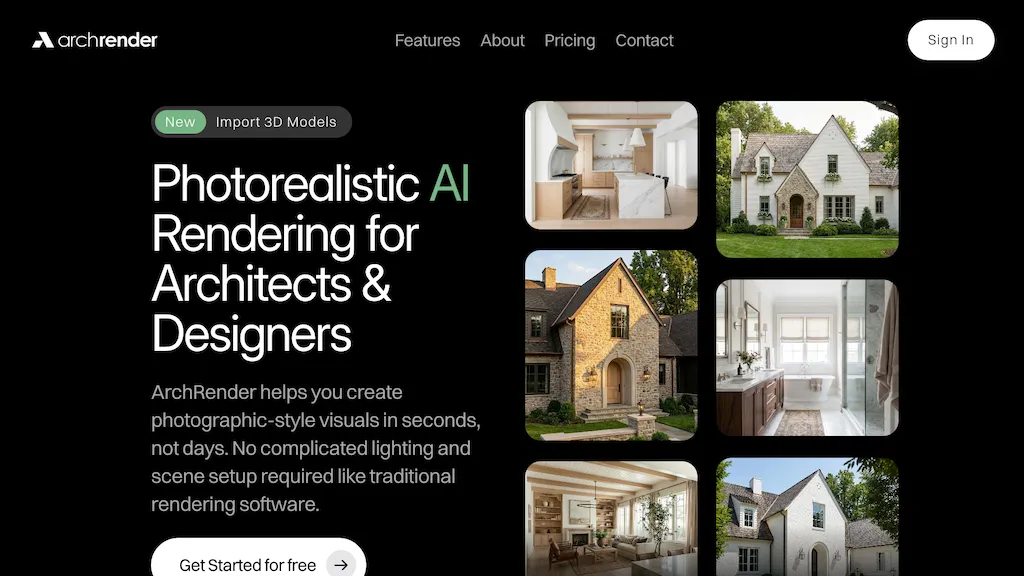
Archrender is an AI rendering platform for architects and designers that generates photorealistic architectural visualizations from imported 3D models in seconds to days.It supports common 3D file formats like OBJ, FBX, and GLB and provides camera controls for angle, field of view, and aspect ratio to create export-ready scenes.
Lighting and environment tools include time-of-day, seasonal visualization, and selectable surroundings to evaluate light, shadows, and atmosphere.Prompt-driven controls and moodboard uploads let users specify materials, finishes, style, and lighting using natural language and reference images.
Edit mode, saved prompts, versioning, and project-based organization support iterative workflows, multiple variations, and ongoing updates without overwriting previous work.4K upscaling and export options enable delivery of interior and exterior renders for client presentations, planning reviews, and print or digital assets.
ArchRender details
- Jurisdiction
- United States
- Built for
- Individuals
ArchRender pricing
Free trialVerify on the official pricing page.
Start free trialArchRender's key features
-
Photorealistic rendering from imported 3D models
-
Supports common 3D file formats (OBJ, FBX, GLB)
-
Camera controls (angle, field of view, aspect ratio) for export-ready scenes
-
Lighting and environment tools (time-of-day, seasonal visualization, selectable surroundings)
-
Prompt-driven controls and moodboard uploads to specify materials, finishes, style, and lighting via natural language and reference images
ArchRender use cases
-
Produce photorealistic interior presentation renders for client approvals without complex software, using camera controls, time-of-day lighting and moodboard-driven materials to iterate finishes quickly and export 4K images for proposals and portfolios
-
Create compelling exterior day/night visualizations for marketing and listings by adjusting environment settings and material finishes to match branding, leveraging photorealistic rendering and 4K export for brochures and online galleries
-
Streamline design review workflows by importing revised OBJ/FBX/GLB models and using versioned edits to compare camera angles, lighting scenarios and material options, enabling fast stakeholder sign-off with high-resolution 4K exports
ArchRender user reviews
Based on 4 reviews, 75% of users recommend ArchRender, rated highly for ease of use.
Liked for
Disliked for
Would you recommend ArchRender?
Who is ArchRender for?
-
Architectural designers
-
Interior designers
-
3d visualizers
-
Landscape architects
-
Real estate developers
ArchRender FAQ
Is ArchRender free?
Not permanently. ArchRender gives you a free trial, after which a paid plan is required. Plans include Basic at $39/mo or $29/mo (yearly), Pro at $59/mo or $49/mo (yearly) and Studio at $139/mo or $119/mo (yearly).
What are the best alternatives to ArchRender?
The closest alternatives to ArchRender are ReRender AI, RenderAI, mnml.ai, HomeVisualizer.AI and ArchiVinci. You can compare them side by side in the alternatives section further down this page.
What does ArchRender do with my data?
ArchRender states that customer content is not used to train its models. Its privacy policy states that personal data is not sold or shared for marketing purposes. Data may be shared with third-party service providers that help run the product.
Compliance, privacy and billing terms are as stated in each product's own published documentation and have not been independently verified by TopAI.tools.


