Best Opal Alternatives in 2026
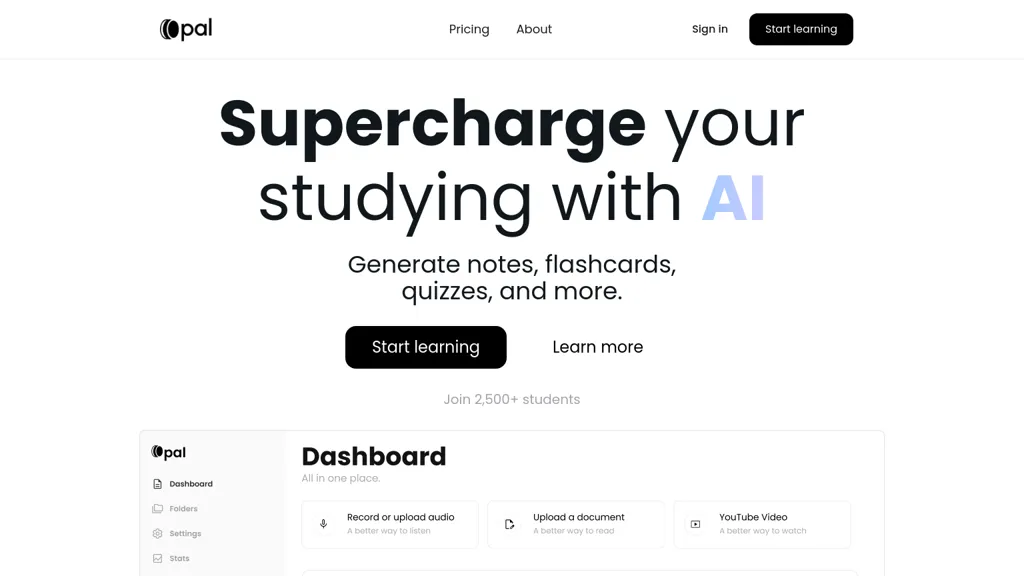
No user reviews yet FreemiumOpal converts PDFs, text, audio, and YouTube videos into AI‑generated notes, flashcards, and quizzes. It tracks study performance, offers analytics and personalized repetition, supports multiple languages, and stores data with bank‑level security.
We've ranked 29 Opal alternatives, including 23 with a free plan. Rankings are based on feature coverage and user feedbacks.
Top-rated alternatives include KardsAI - Instant Flashcard, Flashcard generator, and NoteKnight.
29 Opal Alternatives & Competitors, Ranked by User Reviews
Click Compare on any tool to compare it side-by-side with Opal.
#1
KardsAI - Instant Flashcard
Flashcard Maker – KardsAI transforms PDFs, slides, documents, images, and free‑text into instant, multi‑language flashcards. It offers quizzes, spaced‑repetition, progress tracking, offline access, and voice‑enabled tests for mobile and desktop study.
#2
Flashcard generator
Upload PDFs, documents, presentations, images, audio, or video to automatically generate spaced‑repetition flashcards. AI extracts key points; cards can be edited, shared, and collaborated on. An iOS app allows on‑the‑go study and knowledge organization.
#3
NoteKnight
Generate AI flashcards from notes or slides in seconds, add concise explanations, audio, and active recall games. Mobile‑friendly, organize into folders, mark favorites, import/export decks for students and educators, streamlining review and retention for learners.
#4
JungleAI
JungleAI is a flashcard and study prep tool that generates multiple-choice questions from PDFs, slides, and textbooks. It uses AI-driven spaced repetition to enhance retention and supports rapid input from diverse sources.
#5
StudyX.ai
StudyX is an AI‑powered platform that converts lecture recordings, PDFs, and videos into organized notes, generates spaced‑repetition flashcards, creates custom quizzes from uploaded content, and supports text, image, PDF, and YouTube inputs across web, Discord, and a browser extension.
#6
Mind Grasp
Mindgrasp converts PDFs, documents, audio, video, and URLs into organized study assets. It auto‑creates notes, summaries, flashcards, and quizzes, and offers a 24/7 AI tutor and real‑time progress tracking across devices for students and professionals.
- Personalized recommendations
- Custom collections
- Save favorites
Already a member? Sign in
#7
StudyFlash AI
StudyFlash is an AI tool that simplifies studying by creating and managing flashcards in three easy steps. It helps users achieve study-life balance by enhancing efficiency and effectiveness, catering to both students and professionals.
#8
anki-decks.com
AnkiDecks automatically turns PDFs, PowerPoints, Word files, ePub, and YouTube videos into Anki flashcards in seconds. Supporting 50+ languages, it creates various card types, exports directly to Anki Desktop or Android, and offers in‑browser reviewing with FSRS scheduling.
#9
Memrizz AI Flashcard Generator
Upload slides, notes, or recordings (≤50 MB) and AI creates 80–100 flashcards per 500 words. Pick Basic, Cloze, or Image‑Occlusion cards, set difficulty, support 20+ languages, and export decks to Anki.
#10
knowt.com
Knowt turns uploaded PDFs, slides, videos, or audio into interactive study aids. AI generates summaries, flashcards, quizzes, and spaced‑repetition decks, supporting STEM, humanities, languages, and exam prep. Teachers can import Quizlet sets and track class progress.
#11
PDF2Anki
Memo AI is a workspace that ingests PDFs, videos, websites, and text, extracting structured content into semantic chunks with vector embeddings for hybrid keyword‑semantic retrieval. It generates flashcards, tests, summaries, mind maps, and supports active‑recall, spaced repetition, multilingual AI models.
#12
EasyNoteAI
EasyNoteAI converts audio, video, PDFs into structured notes, offering real‑time transcription, summaries, quizzes, flashcards, mind‑maps, and interactive questioning. Users upload lectures, YouTube links, or research papers; the platform generates summaries, key‑point lists, and supports multilingual translation for students, professionals, and researchers worldwide.
#13
Studygenie
Studygenie turns uploaded lecture slides, textbooks, or handwritten notes into targeted learning assets—quizzes, spaced‑repetition flashcards, mock tests, audio summaries, and a document‑based conversational tutor—enabling efficient, self‑paced exam preparation aligned with course outlines for students.
#14
SuperStudentAI
SuperStudentAI lets students upload PDFs to generate quizzes, flashcards, and explanations. It offers an on‑demand AI tutor, exam simulator, spaced‑repetition tools, multilingual workspaces, progress tracking, and concise summaries for faster learning.
#15
Ace it
Ace It converts handwritten or digital notes into flashcards, quizzes, and concise summaries, tailoring content to individual study styles. It suggests related YouTube videos and streamlines preparation, aiding retention through focused practice.
#16
Study Fetch
StudyFetch converts uploaded course materials into a structured learning system, generating personalized study schedules, milestone plans, quizzes, flashcards, and interactive game challenges. It offers AI tutoring, live lecture capture, and supports educators and institutions.
#17
dende
Dende converts PDFs, notes, and lectures into exam-style quizzes, flashcards, and AI study guides, offering customizable study plans, spaced-repetition flashcards, multi-language practice questions, adjustable difficulty, PDF upload, and calendar sync for focused exam preparation.
#18
Student AI
StudentAI consolidates academic tools: auto‑generates practice tests, quizzes from PDFs, drafts papers with citations, summarizes documents, converts YouTube lectures to timestamped notes, offers mock interviews, APA referencing, 24/7 AI tutors across subjects, study planning, flashcards, and group collaboration.
#19
Quizgecko
Quizgecko turns PDFs, slides, videos, and webpages into structured courses with interactive quizzes, flashcards, notes, and podcasts. It auto‑generates various question types, tracks progress, lets users customize difficulty, share content, and embed in LMS or corporate training.
#20
LoveStudy
Lovestudy.ai is an AI-driven educational tool that creates customized flashcards, quizzes, and notes from various formats, enhancing study efficiency. It also generates podcasts for auditory learning, supporting multiple languages for diverse users.
#21
Revisely
Revisely uses AI to produce flashcards, quizzes, notes, and video summaries for students, teachers, and professionals. It auto‑generates spaced‑repetition flashcards, graded multiple‑choice and short‑answer quizzes, and concise summaries of PDFs, slides, and transcripts.
#22
Turinq AI
TurinQ converts PDFs, videos, notes, or URLs into quizzes, flashcards, and study guides in 90+ languages. It offers AI grading, feedback, spaced‑repetition review, and LMS export, all accessible via a mobile app and Chrome extension.
#23
OmniSets AI
OmniSets automatically converts notes, PDFs, and PowerPoint files into structured flashcards, offering question/answer, fill‑in‑the‑blank, and other card types. It supports spaced repetition, quizzes, matching games, and problem‑solving exercises, with progress tracking and import/export from Quizlet and Anki.
#24
StudyCards App
StudyCards lets users build custom flashcard decks with AI help, supporting multiple languages, swipe review, repeat listening, and TTS. Import/export CSVs, study on Apple Watch or Android Wear, share decks, and generate content via ChatGPT Wizard.
#25
Flashka
Flashka automatically creates spaced‑repetition flashcards from uploaded notes, highlighting key passages. It offers quizzes with explanations, active‑recall typing tests, image‑occluded cards, multi‑device support, and an AI tutor in 100+ languages across diverse subjects.
#26
StudyFox
Studyfox AI enhances the learning experience by offering tools such as an AI note taker, quiz maker, homework assistance, and summarizers for PDFs and videos. It integrates with major LMS platforms to streamline study processes for students.
#27
Gizmo
Gizmo converts videos, PDFs, notes, and slides into concise study points and flashcards, syncs with Quizlet, lets users build quizzes and track progress, and organizes searchable sets for efficient review by high‑school and university students and teachers.
#28
Quizlet AI
Quizlet is a versatile study platform offering customizable flashcards, practice tests, and interactive learning activities. It fosters collaborative learning through a vast community sharing thousands of subject-specific sets.
#29
StudyNinja
StudyNinja is an AI‑powered study platform that lets students set goals, manage tasks, take collaborative notes, track assignments, and receive personalized tutoring. Its web interface supports real‑time collaboration, calendar integration, and export to PDF or Word.
Frequently Asked Questions
Why look for Opal alternatives?
Common reasons users switch from Opal:
- Feature gaps: teams needing specific capabilities like Generate Notes may find a more focused alternative better suited to their workflow.
- Flexibility: exploring alternatives helps find tools that better match your team size, integrations, and budget.
What is the best alternative to Opal?
Based on 7 user reviews, KardsAI - Instant Flashcard (85.7% positive) ranks as the top Opal alternative. Flashcard Maker – KardsAI transforms PDFs, slides, documents, images, and free‑text into instant, multi‑language flashcards. It offers quizzes, spaced It is available on a Subscription plan.
How do the top Opal alternatives compare?
| Tool | Pricing | Starting Price | User Rating |
|---|---|---|---|
| Opal this tool | Freemium | $5/mo | — |
| KardsAI - Instant Flashcard | Subscription | — | 85.7% (7) |
| Flashcard generator | Freemium | $3.99/mo | 100% (1) |
| NoteKnight | Subscription | $1.99/mo | 100% (1) |
| JungleAI | Free trial | — | 76.7% (30) |
| StudyX.ai | Freemium | $12.99/mo | 80% (5) |
Are there free Opal alternatives?
Yes, 23 free alternatives found in our list: Flashcard generator, JungleAI, StudyX.ai. and 20 more — use the pricing filter above to see them all.
What should I look for in a Opal alternative?
- Core capabilities: confirm the tool supports Generate Notes, Generate Flashcards, Analyze Study Performances.
- Pricing transparency: look for clear free plan, trial period, or tiered pricing — avoid tools that hide costs.
- User reviews: check both the satisfaction percentage and the number of reviews; a high score from few users is less reliable.
- Integrations: verify it connects with your existing stack before committing.
- Support and updates: active development and responsive support are strong signals of a maintained product.
Which Opal alternative has the highest user rating?
Flashcard generator has the highest satisfaction score among Opal alternatives, with 100% positive from 1 user review. It is available on a Freemium plan starting from $3.99/mo.
What are Opal alternatives used for?
- Generate Notes
- Generate Flashcards
- Analyze Study Performances
- Organize Documents
- translate texts