
Top 29 Code Explainer Alternatives in 2026
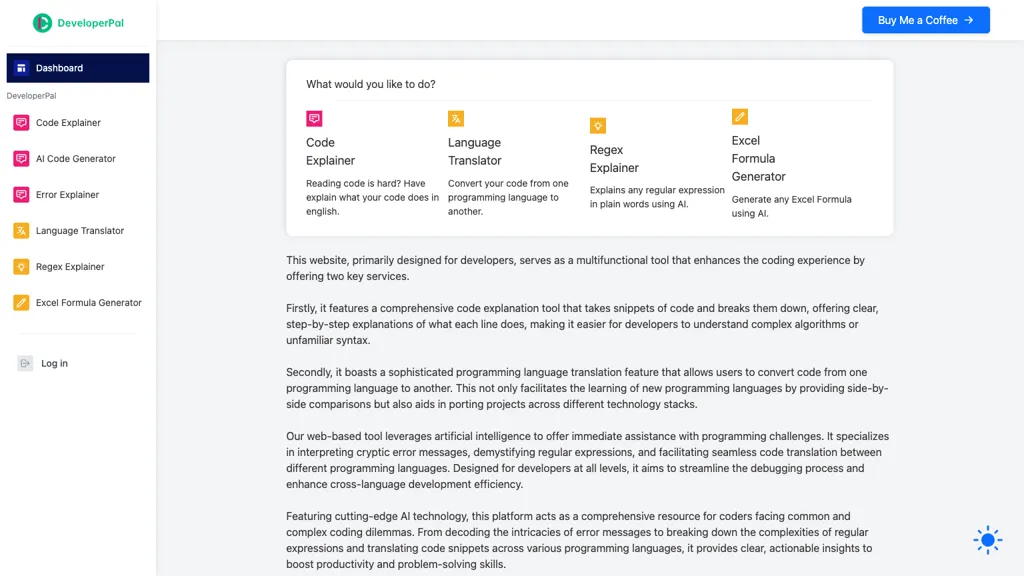
No user reviews yet FreemiumDeveloperPal is an AI web platform that line‑by‑line explains code, translates snippets across languages, interprets errors, and demystifies regex. It also generates Excel formulas, aiding debugging, learning, and project porting for developers of all levels.
We've ranked 29 Code Explainer alternatives, including 26 with a free plan. Rankings are based on feature coverage and user feedbacks.
Top-rated alternatives include CodePal, Replit, and CodeConvert AI.
29 Code Explainer Alternatives & Competitors, Ranked by User Reviews
Click Compare on any tool to compare it side-by-side with Code Explainer.
 #1
CodePal
#1
CodePal
CodePal is an AI chat assistant delivering instant code suggestions, snippets, and project templates for developers. It covers tasks like web page recreation, password generation, GPT‑2 fine‑tuning, and ESP32 control. It integrates with workflows, highlights community projects, and provides a newsletter.
 #2
Replit
#2
Replit
Replit is a collaborative browser-based IDE with AI-powered tools for software development, real-time multiplayer editing and deployment, templates and tutorials, and hosting and monetization options.
 #3
CodeConvert AI
#3
CodeConvert AI
Codeconvert AI is an AI-powered tool that automates code conversion across over 25 programming languages, eliminating the need for manual conversion. It supports a wide range of programming languages and is user-friendly.
 #4
Formulas HQ
#4
Formulas HQ
Formulas HQ automates Excel, Google Sheets, VBA, and Apps Script formula, regex, and script creation, explains each step, and offers multilingual support with a ChatGPT assistant for troubleshooting. It speeds up data cleaning, analysis, and automation for analysts and developers.
 #5
Regex.ai
#5
Regex.ai
Regex.ai generates regular expression patterns from highlighted text snippets, offering syntax validation and instant matching feedback. Developers, analysts, QA testers can quickly extract emails, logs, or validate data, with copy‑paste ready expressions for workflow integration.
 #6
Aider.chat
#6
Aider.chat
Aider is an AI-powered pair programming tool that helps developers collaborate with LLMs for editing, refactoring, and debugging code within Git repositories. It supports multiple languages and integrates with IDEs and editors for real-time updates.
- Catch deals before they expire
- Unlock tools matched to you
- Show off your AI stacks
Already a member? Sign in
 #7
Claude Code
#7
Claude Code
Claude Code is an AI-powered coding assistant that operates within the terminal, automating tasks like editing files, fixing bugs, executing tests, and managing git workflows. It enhances developer productivity through natural language commands and real-time support.
 #8
TalkPal
#8
TalkPal
Talkpal is an AI‑powered language tutor supporting 80+ languages with interactive modes like speaking, writing, call, photo, and roleplay. It provides real‑time feedback on pronunciation, grammar, and vocabulary, personalizes practice, tracks progress, and offers certificate‑ready assessments.
 #9
Trae AI
#9
Trae AI
Trae is an adaptive AI-powered IDE that boosts coding efficiency through dynamic task allocation, real-time previews, multimodal understanding of images, tailored code generation, and smart autocompletion, enhancing developer collaboration and workflow.
 #10
AI Excel Bot
#10
AI Excel Bot
AI Excel Bot translates natural‑language prompts into accurate Excel or Google Sheets formulas—SUMIF, VLOOKUP, array functions—providing step‑by‑step explanations and on‑demand VBA script generation. Available as a Chrome extension or add‑in for quick, in‑app access.
 #11
CodingFleet
#11
CodingFleet
CodingFleet is a comprehensive AI-powered coding suite designed to streamline programming workflows. It offers tools like code generation, real-time assistance, code explanation, enhancement, conversion, and automated testing, all supported by an interactive chat feature for continuous guidance.
 #12
AI Code Mentor
#12
AI Code Mentor
AI Code Mentor analyzes pasted JavaScript, Python, HTML, and CSS, providing detailed explanations, complexity metrics, automated refactoring, and code‑review alerts for errors and best‑practice violations, helping learners and developers improve code quality and efficiency.
 #13
DevBooster
#13
DevBooster
DevBooster is an AI coding assistant that enhances productivity by providing real-time code validation, intelligent code translation across 100+ languages, step-by-step explanations, automated documentation generation, and a library of curated code samples for improved collaboration and workflow.
 #14
CodeMate
#14
CodeMate
CodeMate AI is a VS Code plugin that translates natural‑language prompts into code, providing pull‑request reviews, bug and security analysis, refactoring, debugging, optimization, and documentation generation. It supports GitHub, Bitbucket, GitLab, Azure DevOps, and runs locally for secure, scalable operation.
 #15
InterviewPal
#15
InterviewPal
InterviewPal offers AI‑powered interview coaching, weekly updated question banks from top companies, and tools to build ATS‑friendly resumes, cover letters, and LinkedIn profiles. It tracks progress and gives instant feedback to accelerate job‑search preparation.
 #16
AICodeConvert
#16
AICodeConvert
AI Code Converter translates code snippets and natural‑language instructions into 50+ programming languages, offers code generation, debugging, optimization, and detailed explanations, and provides web and CLI interfaces for seamless IDE or pipeline integration.
 #17
Jetbrains IDE Plugin
#17
Jetbrains IDE Plugin
TLDR is an AI‑powered IDE plugin that converts selected code into concise plain‑English explanations. Supporting multiple languages, it helps teams quickly understand snippets, regex, and SQL, accelerating onboarding and debugging within JetBrains IDEs.
 #18
Relace
#18
Relace
Relace is an AI tool that enhances coding workflows through code retrieval, merging, and generation, facilitating rapid modifications in large codebases while ensuring accuracy and enterprise-level security compliance.
 #19
CodeAI
#19
CodeAI
CodeAI turns plain‑English app concepts into editable code for frameworks like Next.js, auto‑generating components, routing, and deployment scripts. It integrates with GitHub and offers one‑click hosting on Vercel, Netlify, and Supabase, plus a template library.
 #20
StableCode
#20
StableCode
StableCode is an innovative LLM-powered AI tool for coding assistance and learning. It enhances programmer productivity while serving as a resourceful teaching aid for beginners.
 #21
StudyPal
#21
StudyPal
StudyPal is an AI-powered Chrome extension that assists students with real-time homework help, detailed explanations, and personalized study resources, enhancing comprehension and reducing stress across various e-learning platforms.
 #22
Paird.ai
#22
Paird.ai
Paird.ai is a collaborative AI tool enabling real-time code generation and feedback for teams. Select a language, set project goals, and improve coding skills with customized suggestions and lessons. Ideal for seamless code collaboration and skill enhancement.
 #23
Formula Generator
#23
Formula Generator
AI Prompts generates Excel and Google Sheets formulas from natural‑language prompts, supporting budgeting, forecasting, and reporting. It refines outputs via prompt engineering, debugs existing sheets, and integrates with Zapier, Make, and webhooks for real‑time automation.
 #24
Excelbot
#24
Excelbot
ExcelBot is an AI tool that generates Excel formulas and VBA code from natural language input. It simplifies complex tasks, supports multiple languages, and enhances productivity by streamlining spreadsheet management for users of all skill levels.
 #25
Unfold AI
#25
Unfold AI
Unfold AI is a cutting-edge coding assistant that enhances developer efficiency by offering instant error fixes and supporting 20 programming languages. Boasting a 99% success rate, it delivers precise solutions and enables code generation from natural language inputs.
 #26
Atozai
#26
Atozai
AtozAi offers developers real‑time code debugging, language conversion, automated regex generation, detailed code explanations, and text‑to‑insight translations. It helps reduce debugging time, speed cross‑platform development, and improve maintenance for teams.
 #27
TeamPal
#27
TeamPal
TeamPal is a no‑code platform that lets teams build and deploy AI agents for sales, finance, HR, design, research, and development roles. With 80 templates, multi‑model support, and integrated plugins, it streamlines workflow automation and brand consistency across departments.
 #28
Pixelcode
#28
Pixelcode
Pixelcode is a Chrome extension that extracts code from screenshots, images, PDFs, and video frames, recognizes over 30 programming languages, preserves formatting, and copies snippets directly to the clipboard for use in any editor.
 #29
CodeCompanion
#29
CodeCompanion
CodeCompanion scans entire codebases to locate relevant files, providing an integrated terminal, browser, and shell execution. It auto‑corrects console errors, supports semantic search and custom instructions, stores data locally, and runs on Mac and Windows.
Frequently Asked Questions
Why look for Code Explainer alternatives?
Common reasons users switch from Code Explainer:
- Feature gaps: teams needing specific capabilities like Translate Code may find a more focused alternative better suited to their workflow.
- Flexibility: exploring alternatives helps find tools that better match your team size, integrations, and budget.
What is the best alternative to Code Explainer?
Based on 3 user reviews, CodePal (33.3% positive) ranks as the top Code Explainer alternative. CodePal is an AI chat assistant delivering instant code suggestions, snippets, and project templates for developers. It covers tasks like web page rec It is available on a Free plan.
How do the top Code Explainer alternatives compare?
| Tool | Pricing | Starting Price | User Rating |
|---|---|---|---|
| Code Explainer this tool | Freemium | — | — |
| CodePal | Free | — | 33.3% (3) |
| Replit | Subscription | — | 85% (20) |
| CodeConvert AI | Free trial | — | 77.8% (18) |
| Formulas HQ | Freemium | $433/mo | 100% (1) |
| Regex.ai | Freemium | — | — |
Are there free Code Explainer alternatives?
Yes, 26 free alternatives found in our list: CodePal, CodeConvert AI, Formulas HQ. and 23 more — use the pricing filter above to see them all.
What should I look for in a Code Explainer alternative?
- Core capabilities: confirm the tool supports Translate Code, Analyze Errors, Generate Formulas.
- Pricing transparency: look for clear free plan, trial period, or tiered pricing — avoid tools that hide costs.
- User reviews: check both the satisfaction percentage and the number of reviews; a high score from few users is less reliable.
- Integrations: verify it connects with your existing stack before committing.
- Support and updates: active development and responsive support are strong signals of a maintained product.
Which Code Explainer alternative has the highest user rating?
Formulas HQ has the highest satisfaction score among Code Explainer alternatives, with 100% positive from 1 user review. It is available on a Freemium plan starting from $433/mo.
What are Code Explainer alternatives used for?
- Translate Code
- Analyze Errors
- Generate Formulas
- Explain Regular Expressions
- Optimize Spreadsheets