
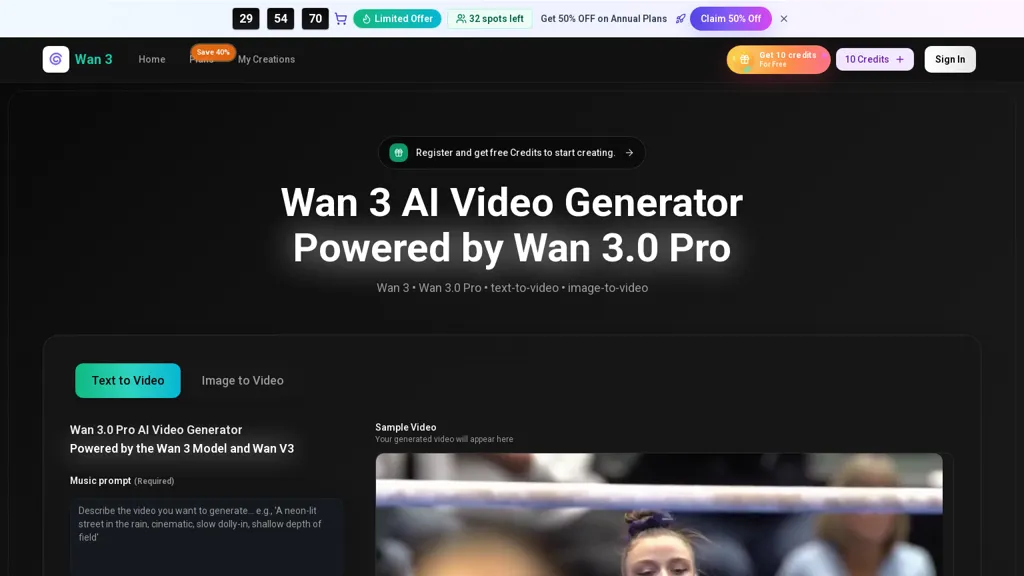
What is Wan3ai.app?
Wan 3 AI Video Generator is a prompt-driven text-to-video and image-to-video tool powered by the Wan 3.0 Pro and Wan V3 models.It supports multiple aspect ratios , HD output options, and short-form durations for social clips and ads.
The workflow lets creators generate multiple variations from one brief, preview and refine versions, and export production-ready assets for social, product pages, and ad campaigns.Batch generation and reusable prompt structures enable consistent visual style across episodes and channels, reducing revision cycles and maintaining brand alignment.
Use cases include rapid A/B testing of hooks, previs and shot planning for studios, onboarding SOP videos, and high-volume short-form content production.Target users include creators, editors, filmmakers, marketers, and growth teams who need faster iteration, repeatable output, and streamlined export for publishing.
Wan3ai.app details
- Built for
- Individuals
Wan3ai.app tech specs
- Works with
- OpenAI / Sora Google / Veo ByteDance / Seedance ByteDance / Seedream
Wan3ai.app pricing
Freemium- Auto-renewal
- Yes
Verify on the official pricing page.
View plansWan3ai.app's key features
-
Prompt-driven text-to-video and image-to-video generation
-
Supports multiple aspect ratios (16:9, 9:16, 4:3, 21:9, 1:1)
-
HD output and configurable short-form durations for social clips and ads
-
Generate multiple variations from one brief with preview, refinement, and export of production-ready assets
-
Batch generation and reusable prompt structures for consistent visual style across episodes and channels
Wan3ai.app use cases
-
Produce attention-grabbing short-form social videos from simple text or images using Wan 3 AI Video Generator, batch-create multiple aspect ratios (portrait, landscape, square) for each platform, preview versions, and export production-ready files to run rapid A/B tests across Instagram, TikTok, and YouTube Shorts
-
Generate scalable onboarding and training videos by converting slide decks or product screenshots into HD explainers with reusable prompts and version previews—automate batch generation for different languages or departments and export ready-to-publish assets for LMS or internal communications
-
Speed up previsualization and creative iteration for campaigns by turning script lines or concept art into multiple short-form video drafts, leverage prompt-driven variants and batch generation for fast A/B testing, compare versions in the preview tool, then export final cuts for high-volume content calendars and ads
Wan3ai.app user reviews
Would you recommend Wan3ai.app?
Who is Wan3ai.app for?
-
Content creators
-
Video editors
-
Film makers
-
Digital marketers
-
Growth teams
Wan3ai.app FAQ
Is Wan3ai.app free?
Partly. Wan3ai.app has a free plan with usage limits, and paid plans unlock the full feature set. Plans include Basic at $17.9/mo, Professional at $29.9/mo and Enterprise at $59.9/mo.
What are the best alternatives to Wan3ai.app?
The closest alternatives to Wan3ai.app are FreeWanVideo, wan-3.co, Imagineapp, Clipfly AI Video Generator and Wan2-7.io. You can compare them side by side in the alternatives section further down this page.
What does Wan3ai.app do with my data?
Wan3ai.app states that customer content may be used to train its models. Its privacy policy states that personal data is not sold or shared for marketing purposes. Data may be shared with third-party service providers that help run the product.
Does Wan3ai.app auto-renew or offer refunds?
Wan3ai.app subscriptions renew automatically until you cancel.
Which AI models does Wan3ai.app use?
Wan3ai.app is built on OpenAI / Sora, Google / Veo, ByteDance / Seedance and ByteDance / Seedream. Which models you can reach may depend on your plan.
Compliance, privacy and billing terms are as stated in each product's own published documentation and have not been independently verified by TopAI.tools.


