
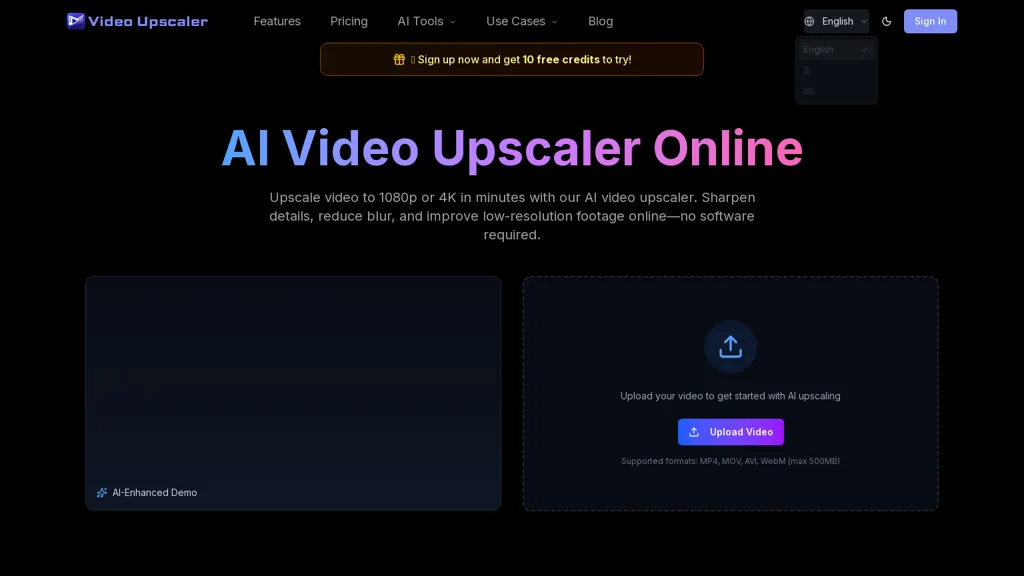
What is VideoUpscale?
Video Upscaler Online upscales video to 1080p, 2K and 4K using AI-based frame-by-frame enhancement.Reduces blur, compression artifacts and noise while sharpening edges and recovering visible detail for product demos, tutorials and archive footage.
Preserves natural motion to avoid jitter and supports high-frame-rate exports including 60fps for gaming and sports clips.Includes specialized models for restoration, denoising, animation/CG upscaling and motion-graphics workflows.
Operates in-browser with common formats (MP4, MOV, AVI, WEBM) and a straightforward upload → select output quality → download workflow; no desktop software required.Typical use cases.YouTube and social media clip enhancement, vintage video restoration, game recording upscaling and product demo improvement.
Controls include output resolution, denoise/restoration settings and frame-rate conversion to match target platforms.
VideoUpscale details
- Built for
- Individuals
- Data residency
- global
VideoUpscale pricing
FreemiumVerify on the official pricing page.
View plansVideoUpscale's key features
-
AI frame-by-frame video upscaling to 1080p, 2K and 4K
-
De-blur, denoise and compression-artifact reduction with edge sharpening and detail recovery
-
Preserves natural motion to avoid jitter and supports high-frame-rate exports (including 60fps)
-
Specialized AI models for restoration, denoising, animation/CG and motion-graphics workflows
-
Runs entirely in-browser with support for MP4, MOV, AVI, WEBM and a simple upload -> select output quality -> download workflow (no desktop software)
VideoUpscale use cases
-
Restore and upscale vintage family films and archival footage to 1080p/2K/4K using the in-browser AI video upscaler, removing noise, artifacts and blur while sharpening detail and preserving natural motion for smooth 60fps playback
-
Enhance YouTube, social or product demo videos to 4K/60fps with frame-by-frame denoising and detail restoration using the in-browser AI video upscaler, improving clarity and perceived production value without leaving your browser
-
Remaster indie film and documentary footage by applying specialized restoration and animation models to reduce compression artifacts and revive fine texture, producing broadcast-ready 2K/4K masters optimized for streaming platforms
VideoUpscale user reviews
Based on 1 review, 100% of users recommend VideoUpscale, rated highly for quality results.
Liked for
Would you recommend VideoUpscale?
Who is VideoUpscale for?
-
Video editors
-
Animation artists
-
Motion graphics designers
-
Archivists
-
Demo creators
VideoUpscale FAQ
Is VideoUpscale free?
Partly. VideoUpscale has a free plan with usage limits, and paid plans unlock the full feature set. Plans include Basic at $40/$21.9 mo, Pro at $60/$36.9 mo and Ultimate at $250/$148.9 mo.
What are the best alternatives to VideoUpscale?
The closest alternatives to VideoUpscale are Free AI Video Upscaler, HitPaw Online Video Enhancer, Vmake Video Enhancer, Upscale.media and Imgupscaler AI. You can compare them side by side in the alternatives section further down this page.
What does VideoUpscale do with my data?
VideoUpscale states that customer content is not used to train its models. Its privacy policy states that personal data is not sold or shared for marketing purposes. Data may be shared with third-party service providers that help run the product. Customer data is held in global.
Compliance, privacy and billing terms are as stated in each product's own published documentation and have not been independently verified by TopAI.tools.


