
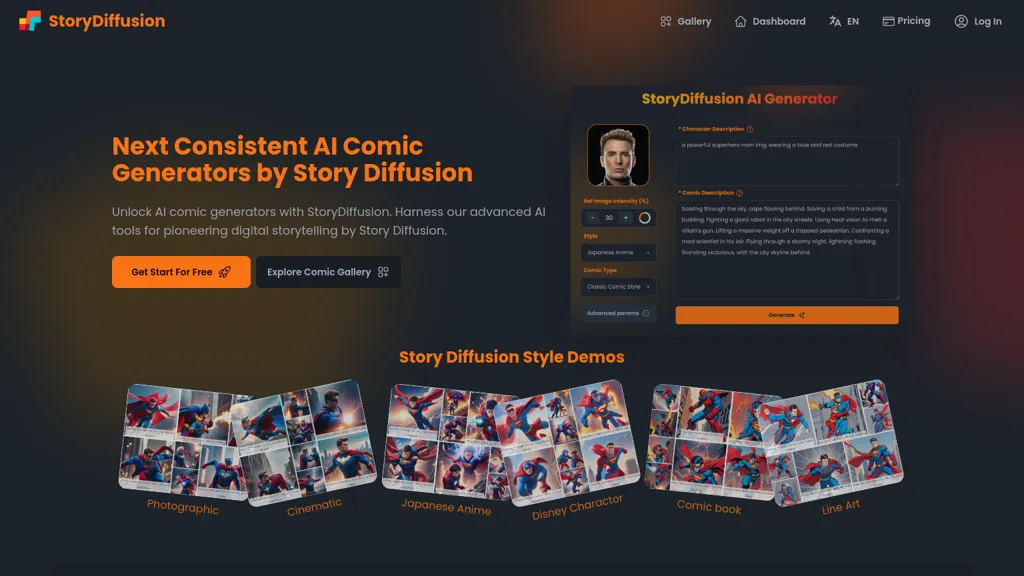
What is StoryDiffusion?
StoryDiffusion is an AI comic generator that produces consistent images and comics from text prompts. It supports high‑quality comic layout, character‑consistent illustration, and a range of comic styles, allowing creators to maintain visual continuity across serialized stories.
Users can upload reference photos to preserve character likenesses and convert generated panels into videos with narration, transitions, and pacing options. The platform offers a straightforward interface for novice and professional artists, includes privacy safeguards for personal data, and lets creators export or share finished works in common file formats.
StoryDiffusion pricing
SubscriptionVerify on the official pricing page.
View plansStoryDiffusion's key features
-
Consistent Image Generation
-
High-Quality Comics Creation
-
User-Friendly Interface
-
Character Consistency Across Series
-
Privacy and Data Protection
-
Text Prompt Image Generation
-
Convert Images to Videos
StoryDiffusion use cases
-
Generate a full comic storyboard for a short story, ensuring character likeness with reference uploads and high‑quality layouts for a quick pitch deck
-
Create narrated comic videos for educational content, converting panels into engaging video tutorials with automatic voice‑over and export to e‑learning formats
-
Produce a professional comic series from script prompts, maintaining consistent character design across chapters and exporting print‑ready PDFs for publishers
StoryDiffusion user reviews
Would you recommend StoryDiffusion?
Who is StoryDiffusion for?
-
Content creators
-
Graphic designers
-
Animation artists
-
Creative writers
-
Game developers
StoryDiffusion FAQ
How much does StoryDiffusion cost?
StoryDiffusion is a paid product with no free plan. Plans include Premium at $29.9, Starter at $7.99 and Standard at $9.99.
What are the best alternatives to StoryDiffusion?
The closest alternatives to StoryDiffusion are AIComicFactory.ai, Comik, LlamaGen.Ai, A Great Show and ComicInk. You can compare them side by side in the alternatives section further down this page.


