
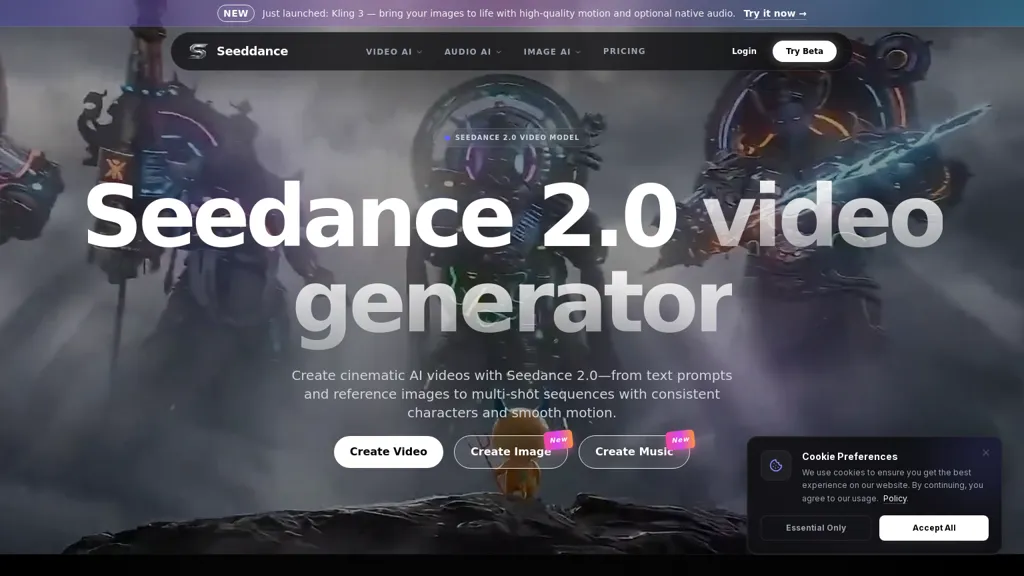
What is Seeddance.app?
Seedance 2.0 is an image-to-video AI studio for generating short video clips from images, text prompts, and media elements.Features include prompt-driven motion and style control, model selection (e.g.
, Kling 3), adjustable aspect ratio and duration, and optional audio and dubbing.Supports common image formats (JPG, PNG, WebP, HEIC) with a recommended minimum of 512x512 pixels and HD output; higher resolutions and longer durations available.
Includes tools for adding characters/objects, referencing image and video elements, avatar lip-sync, face swap, and frame extraction for image-to-video conversion.Workflow supports iterative prompt refinement, batch generation, and direct export/download for social channels, ads, websites, and presentations.
Target users include content creators, marketers, educators, and designers who need image animation, short ads, dubbing, and visual asset production.Browser-based studio provides a visual canvas, transitions, AI effects, and compatibility with standard video tags and common export formats.
Seeddance.app details
- Jurisdiction
- State of California, US
- Built for
- Individuals
- Data residency
- United States
Seeddance.app tech specs
- Works with
- xAI / Grok Kling ByteDance / Seedance
Seeddance.app pricing
Free trialSeeddance.app offers a free trial before requiring payment.
- Auto-renewal
- Yes
Verify on the official pricing page.
Start free trialSeeddance.app's key features
-
Image-to-video generation from images, text prompts, and media elements
-
Prompt-driven motion and style control with selectable models (e.g., Kling 3)
-
Adjustable output parameters: aspect ratio, duration, and resolutions (HD and higher)
-
Audio and dubbing capabilities including optional audio and avatar lip-sync
-
Editing and workflow tools: add characters/objects, face swap, frame extraction, batch generation, visual canvas with transitions/AI effects, and direct export/download in common formats
Seeddance.app use cases
-
Create eye-catching social ad videos from product images and text prompts using Seedance 2.0, apply motion/style control and model selection to match brand aesthetics, batch-generate multiple creative variants and export optimized formats for Instagram, TikTok and presentation decks
-
Produce lip-synced avatar explainer videos for e-learning or product demos by uploading a character image and script, leverage avatar lip-sync and face-swap to match speakers, fine-tune motion and style for professional, presentation-ready clips
-
Generate personalized video greetings, testimonials, or influencer-style clips by face-swapping user photos into animated scenes, use prompt-driven motion and batch generation to scale campaigns, and export shareable short videos for email and social
Seeddance.app user reviews
Based on 3 reviews, 67% of users recommend Seeddance.app, rated highly for quality results.
Liked for
Disliked for
Would you recommend Seeddance.app?
Who is Seeddance.app for?
-
Content creators
-
Video editors
-
Designers
-
Social media managers
-
Educators
Seeddance.app FAQ
Is Seeddance.app free?
Not permanently. Seeddance.app gives you a free trial, after which a paid plan is required.
What are the best alternatives to Seeddance.app?
The closest alternatives to Seeddance.app are Seedance2.studio, Seedance, Seedance.io, Seedance2.art and seedance2.com. You can compare them side by side in the alternatives section further down this page.
What does Seeddance.app do with my data?
Its privacy policy states that personal data is not sold or shared for marketing purposes. Data may be shared with third-party service providers that help run the product. Customer data is held in United States.
Does Seeddance.app auto-renew or offer refunds?
Seeddance.app subscriptions renew automatically until you cancel.
Which AI models does Seeddance.app use?
Seeddance.app is built on xAI / Grok, Kling and ByteDance / Seedance. Which models you can reach may depend on your plan.
Compliance, privacy and billing terms are as stated in each product's own published documentation and have not been independently verified by TopAI.tools.


