
What is Roost AI?
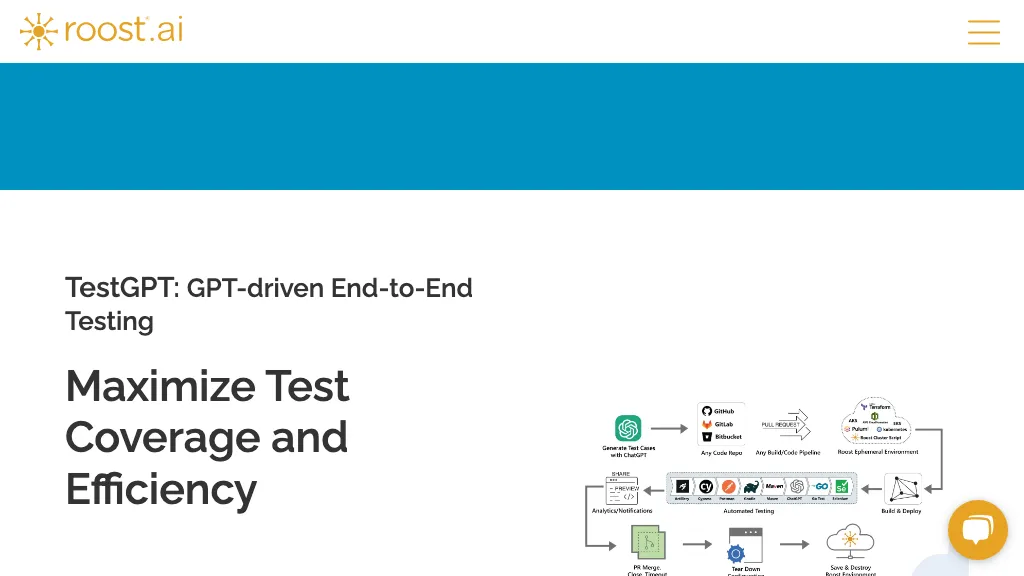
RoostGPT is an AI‑driven testing copilot that generates unit and API test cases for Java, Go, and other languages. The platform uses large language models to automatically produce test scripts, uncover edge cases that may be missed by manual testing, and achieve complete coverage in a single pass.
RoostGPT also performs static vulnerability scanning of source code and logs to detect data leaks or insecure patterns. It integrates with common DevOps toolchains, allowing teams to embed automated test creation into continuous integration pipelines.
Developers use the tool to reduce manual test writing time, while QA engineers benefit from higher coverage and fewer missed bugs. Security teams leverage the vulnerability analysis feature to meet compliance standards. The solution is available in multiple deployment models, supporting on‑premise, cloud, and hybrid environments.
Roost AI details
- Company
- Zettabytes
- Stated compliance
- SOC 2, GDPR
Compliance as stated in Roost AI's own published documentation.
Roost AI tech specs
- Cloud
- Azure
- Integrations
- Jira GitHub GitLab
Roost AI pricing
FreemiumRoost AI offers a free plan with paid upgrades available.
Verify on the official pricing page.
View plansRoost AI's key features
-
Automated test case generation
-
100% test coverage guarantee
-
Java, Go, API testing
-
Static vulnerability detection
-
Flexible deployment options
-
Integration with DevOps tools
-
Instant preview environments
Roost AI use cases
-
Automatically generate comprehensive unit tests for a newly written Java module, integrate with Jenkins and get 100% code coverage in one pass
-
Create AI‑powered API test suites for Go services, uncovering edge cases and generating Postman collections ready for CI integration
-
Run static vulnerability scanning on every pull request across multiple languages, instantly flagging OWASP Top 10 issues and suggesting fixes within the CI pipeline
Roost AI user reviews
Based on 1 review, 100% of users recommend Roost AI, rated highly for quality results.
Liked for
Would you recommend Roost AI?
Who is Roost AI for?
-
Software developers
-
Quality assurance engineers
-
Devops engineers
-
Automation engineers
-
Release managers
Roost AI FAQ
Is Roost AI free?
Partly. Roost AI has a free plan with usage limits, and paid plans unlock the full feature set.
Is Roost AI safe to use?
Roost AI states SOC 2 and GDPR compliance in its own published documentation. Roost AI is operated by Zettabytes.
What are the best alternatives to Roost AI?
The closest alternatives to Roost AI are Programming Helper and QAEverest. You can compare them side by side in the alternatives section further down this page.
What does Roost AI do with my data?
Roost AI states that customer content may be used to train its models. Its privacy policy states that personal data is not sold or shared for marketing purposes. Data may be shared with third-party service providers that help run the product.
Does Roost AI have an API?
Yes. Roost AI offers an API, so you can call it from your own applications instead of using the interface directly.
Who made Roost AI?
Roost AI is built and operated by Zettabytes.
What does Roost AI integrate with?
Roost AI connects with Jira, GitHub and GitLab.
Compliance, privacy and billing terms are as stated in each product's own published documentation and have not been independently verified by TopAI.tools.

