
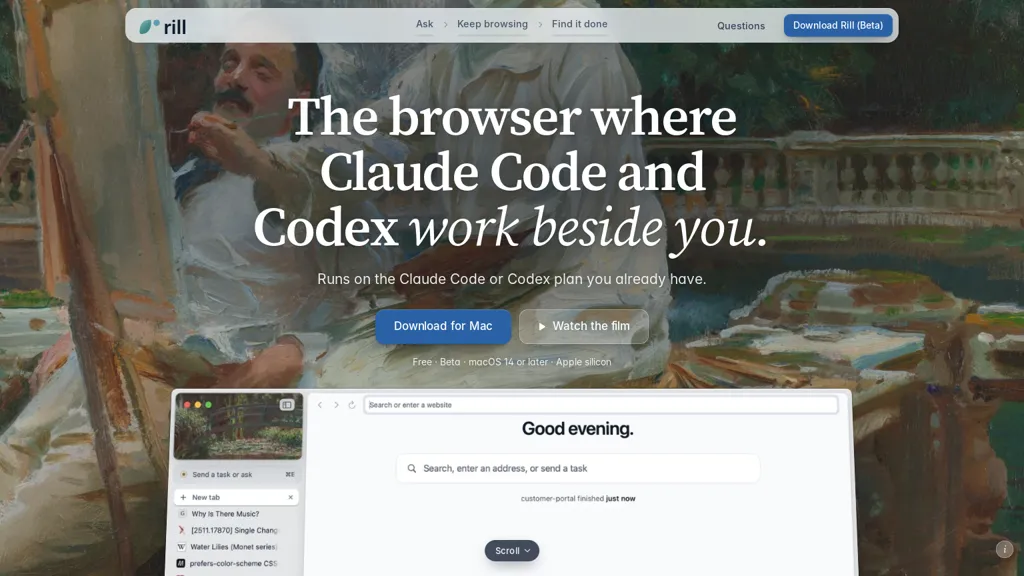
What is Rill Browser?
Rill is a macOS browser that runs Claude Code and Codex agents alongside your browsing sessions. It lets you send tasks from any page and keeps agents working in separate tabs while you continue browsing. Tabs and agent activity are grouped by project so requests, results, and edits land in the right place.
Agents browse pages in isolated tabs without using your logins and remain read-only until you allow edits; web tasks stop before payment or sensitive steps unless explicitly approved. A searchable history logs pages visited and agent actions, and finished work is marked across projects.
Passwords and history are stored locally and integrated with the system keychain, and AI features operate under your Claude Code or Codex account. Additional tools include on-page prompting, multi-tab comparison, and optional voice input for issuing tasks.
Rill Browser pricing
FreeThis tool is free to use, with no credit card required.
Verify on the official pricing page.
Get started freeRill Browser's key features
-
Runs Claude Code and Codex agents inside a macOS browser alongside browsing sessions
-
Send tasks from any page and keep agents working concurrently in separate tabs
-
Group tabs and agent activity by project so requests, results, and edits are associated correctly
-
Agents browse pages in isolated, read-only tabs without using your logins and stop before payment or sensitive steps unless approved
-
Searchable history of pages visited and agent actions with finished work marked across projects
Rill Browser use cases
-
Audit and refactor a client's multi-page website using Rill's macOS browser by running Claude Code agents in isolated project tabs to send page tasks, compare multi-tab suggestions, and require approval before applying edits while keeping credentials secure in the system keychain
-
Compile privacy-first competitive research dossiers by opening target sites in project-based agent tabs and using Codex agents and in-page AI prompts to extract structured data, compare results across tabs, and retain a searchable agent history for traceability without exposing data externally
-
Prototype and test automated checkout or API integration flows by letting isolated agent browsing simulate transactions, storing secrets in the system keychain and requiring manual approval before any live edits or payments, with searchable agent history to audit every step
Rill Browser user reviews
Would you recommend Rill Browser?
Who is Rill Browser for?
-
Software developers
-
Ai/ml engineers
-
Product managers
-
Researchers and knowledge workers
-
Content creators and technical writers
-
Qa engineers and testers
-
Ux/ui and web designers
-
Security- and privacy-conscious professionals
-
Power macos users and productivity-focused professionals
Rill Browser FAQ
Is Rill Browser free?
Yes. Rill Browser is free to use and does not require a credit card.
What are the best alternatives to Rill Browser?
The closest alternatives to Rill Browser are OpenCode.ai, HappyCapy.ai, Agent.exe, Ego Lite and Claudia. You can compare them side by side in the alternatives section further down this page.
Does Rill Browser have an API?
Yes. Rill Browser offers an API, so you can call it from your own applications instead of using the interface directly.


