
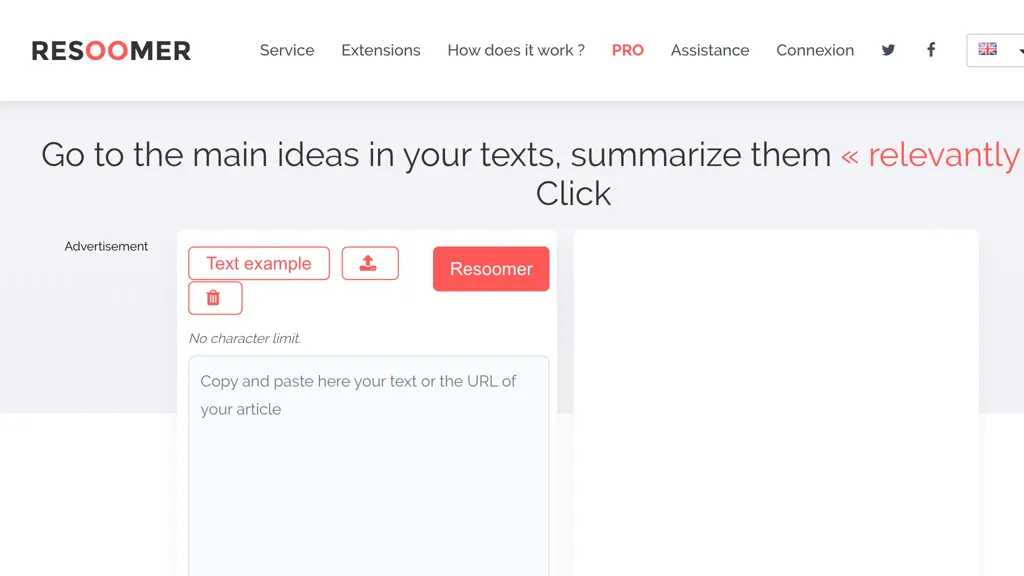
What is Resoomer?
Resoomer is an AI summarizer that extracts key points from web articles, PDFs, DOCX, EPUB, and plain text.
It automatically identifies arguments, main ideas, and facts in academic, news, and business documents.
The tool works by highlighting and condensing long passages in a single click, supporting students, researchers, writers, and professionals who need concise overviews.
Resoomer offers a text editor, paraphraser, synonymizer, and word counter, allowing users to edit, rephrase, or refine the summary directly in the browser.
It is compatible with multiple file formats and supports several languages.
The interface delivers instant output, making it suitable for quick reviews, lesson planning, editorial workflows, or research preparation.
Resoomer details
- Jurisdiction
- France
Resoomer pricing
FreemiumResoomer offers a free plan with paid upgrades available.
Verify on the official pricing page.
View plansResoomer's key features
-
Summarize documents with one click
-
Supports PDF, EPUB, DOCX, ODT, TXT files
-
Browser extensions for article summarization
-
Text editor with synonymizer and paraphraser
-
Translator and spell checker integrated
-
Word counter and text comparator
-
Identify and extract key ideas automatically
Resoomer use cases
-
Generate concise, editable summaries of long research articles for quick study notes
-
Condense large PDF contracts into key clauses for lawyers to review efficiently
-
Create paraphrased versions of marketing copy to avoid plagiarism while maintaining tone in multiple languages
Resoomer user reviews
Based on 18 reviews, 61% of users recommend Resoomer, rated highly for value for money.
Liked for
Disliked for
Would you recommend Resoomer?
Who is Resoomer for?
-
Content researchers
-
Knowledge students
-
Information personnel
-
Text journalists
-
Summarization editors
Resoomer FAQ
Is Resoomer free?
Partly. Resoomer has a free plan with usage limits, and paid plans unlock the full feature set.
Is Resoomer safe to use?
Resoomer carries the TopAI.tools verified mark, which we award after a manual review of pricing transparency, published terms, public following and working functionality.
Is Resoomer good?
Resoomer has a 61% recommendation rate from 18 reviewers on TopAI.tools. Reviewers rate it highest on value for money and quality of results.
What are the best alternatives to Resoomer?
The closest alternatives to Resoomer are TLDR This, Linnk.AI, Linnk, iSummarizer and iBriefPage. You can compare them side by side in the alternatives section further down this page.


