
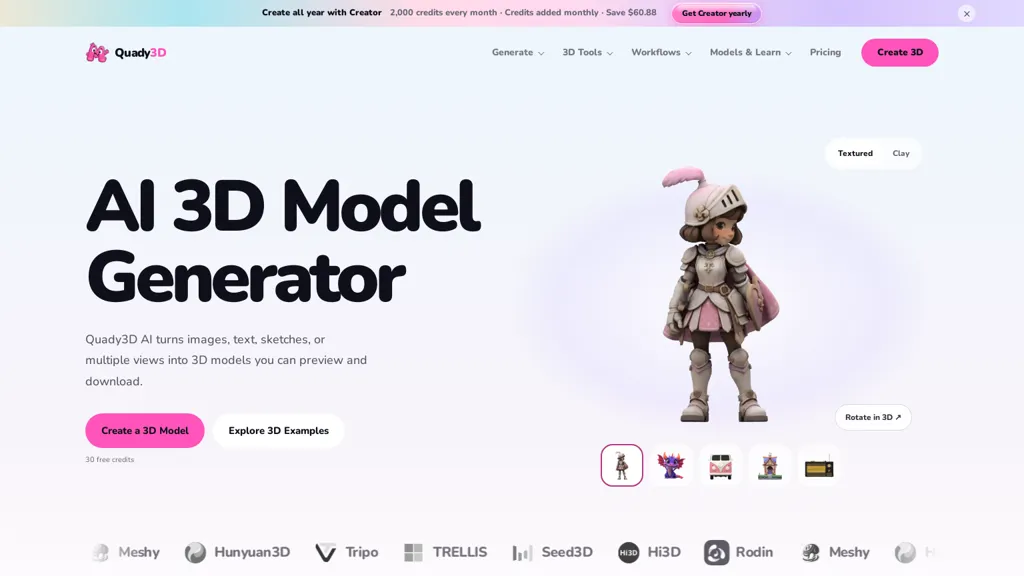
What is Quady3d?
Quady3D AI converts images, text, sketches, or multiple views into inspectable 3D models. It provides image-to-3D, text-to-3D, sketch-to-3D and multi-view workflows with selectable model backends. Tools include texture generation, retexturing, PBR material creation, low-poly generation, and character animation options.
Create and refine models in the browser, adjust mesh and material settings, and export files compatible with game engines, 3D editors, and printing workflows. The workspace supports side-by-side model comparisons, geometry and texture inspection, and iterative refinement before download.
Documentation and examples explain image-to-3D techniques, model selection, and steps for preparing outputs for games or 3D printing. Commercial use depends on rights to input sources and the licensing of the chosen model; review terms before publishing or selling results.
Quady3d pricing
Free trialVerify on the official pricing page.
Start free trialQuady3d's key features
-
Convert images, text, sketches, or multiple views into inspectable 3D models
-
Multiple workflows (image-to-3D, text-to-3D, sketch-to-3D, multi-view) with selectable model backends
-
Texture and material tools: texture generation, retexturing, and PBR material creation
-
Mesh processing and animation: low-poly generation, adjustable mesh settings, and character animation options
-
Browser-based editing with side-by-side model comparison, geometry/texture inspection, iterative refinement, and export to game engines, 3D editors, or 3D printing formats
Quady3d use cases
-
Create game-ready low-poly characters and environment props from concept sketches, reference images or text prompts using Quady3D AI’s sketch/image/text-to-3D pipelines, automatically generate PBR materials and perform low-poly reduction and mesh optimization in-browser for direct FBX/GLTF export to Unity or Unreal without manual retopology
-
Produce accurate, inspectable 3D product prototypes from multi-view photos or simple text descriptions with Quady3D AI, refine meshes and materials, run print-ready checks and export high-resolution STL/OBJ for 3D printing or manufacturing workflows
-
Turn marketing images or copy into animated, textured 3D assets for web, AR or interactive demos using Quady3D AI’s texture generation, animation options and material adjustment tools, then export glTF/GLB for cookie-free web viewers or AR platforms
Quady3d user reviews
Would you recommend Quady3d?
Who is Quady3d for?
-
3d artists
-
Game developers
-
Indie game developers
-
Character artists and animators
-
Concept artists
-
Product and industrial designers
-
3d printing hobbyists and makers
-
Ar/vr developers
-
Vfx artists
-
Technical artists
-
Asset creators and marketplace sellers
-
Educators and students
Quady3d FAQ
Is Quady3d free?
Not permanently. Quady3d gives you a free trial, after which a paid plan is required. Plans include 200 credits pack at $9.99, Basic at $10.00/mo, Creator at $24.92/mo and 1,500 credits pack at $29.99.
What are the best alternatives to Quady3d?
The closest alternatives to Quady3d are AI3DGen, Tripo3D, Image3D AI, Alpha3D and To3D.AI. You can compare them side by side in the alternatives section further down this page.


