
What is Prompt Octopus?
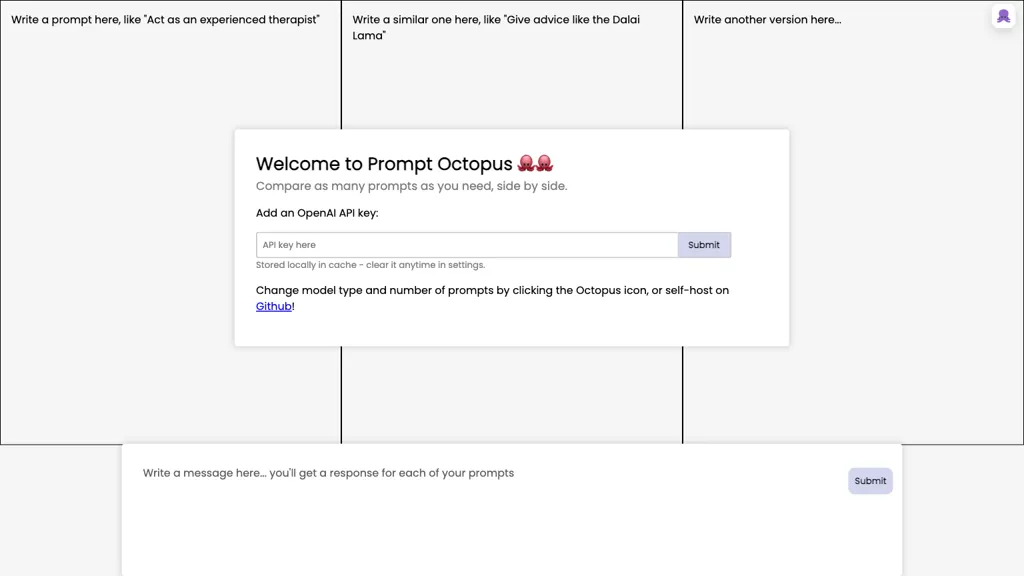
Prompt Octopus is a prompt engineering tool that allows developers to evaluate prompts across 40 + language‑model APIs, including OpenAI, Anthropic, DeepSeek, Mistral, Grok, and many others. It integrates with Visual Studio Code through an extension, letting users highlight a prompt, choose one or more models, and view the resulting outputs side by side within the editor.
Results are displayed in real‑time, enabling quick comparison of model behavior, accuracy, and response quality. Users can save prompts and model preferences for future reuse, streamlining iterative experimentation. API keys are stored locally on the user’s machine and are never transmitted to Prompt Octopus servers, ensuring privacy and compliance.
The tool offers a free tier that allows a limited number of comparisons, encouraging experimentation without immediate cost. Prompt Octopus supports a workflow for developers, data scientists, and AI researchers who need a fast, code‑centric way to benchmark and refine prompts.
Prompt Octopus pricing
SubscriptionPricing details aren't listed here — check the official pricing page below.
Verify on the official pricing page.
View plansPrompt Octopus's key features
-
Side-by-side prompt comparison
-
Supports 40+ LLM models
-
VSCode extension integration
-
Local API key storage
-
Free trial with 10 comparisons
-
Save prompt and model preferences
-
Unlimited usage on paid plan
Prompt Octopus use cases
-
Compare GPT‑4, Claude 3, and other LLM outputs for a single bug‑fixing prompt right inside VS Code, saving the best version for reuse in future projects
-
Benchmark 40+ language‑model APIs on a code‑refactoring task, automatically generating a side‑by‑side report that lets developers pick the most efficient model without leaving the editor
-
Iteratively test and refine prompts for automated unit‑test generation, storing prompt templates locally and swapping between API keys to quickly evaluate new providers
Prompt Octopus user reviews
Would you recommend Prompt Octopus?
Who is Prompt Octopus for?
-
Technology developers
-
Creative designers
-
Strategic planners
-
Data analysts
-
System administrators
Prompt Octopus FAQ
Is Prompt Octopus free?
No. Prompt Octopus is a paid product and requires a paid plan to use.
What are the best alternatives to Prompt Octopus?
The closest alternatives to Prompt Octopus are RepoPrompt, Robocoder, Nailedit and RubberDuck. You can compare them side by side in the alternatives section further down this page.
Does Prompt Octopus have an API?
Yes. Prompt Octopus offers an API, so you can call it from your own applications instead of using the interface directly.


