
What is Polycam?
Polycam
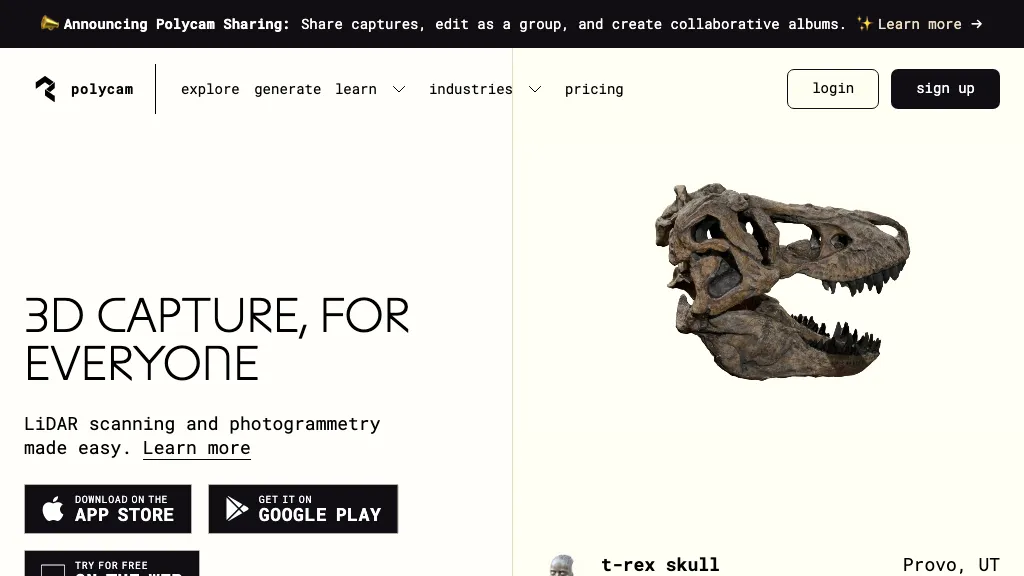
Polycam enables cross‑platform 3D capture and drone mapping for professionals who need accurate spatial data. It uses spatial AI and photogrammetry, including LiDAR support, to generate high‑precision 3D models of objects, interiors, and outdoor sites.
Built‑in tools produce customizable 2‑D floor plans, calculate areas, and record measurements in real time. The platform supports instant sharing, collaboration, and integration with CAD, Unity, Unreal, Blender, Maya, and other design pipelines. Users in architecture, engineering, construction, product design, forensics, and media can streamline documentation, measurement, and virtual walkthrough creation without specialized hardware.
Polycam details
- Company
- Polycam Inc.
- Built for
- Businesses and teams
- Data residency
- United States
Polycam pricing
Freemium- Free trial
- 7 days
- Auto-renewal
- Yes
Verify on the official pricing page.
View plansPolycam's key features
-
Cross-platform 3D scanning
-
AI-powered photogrammetry
-
LiDAR-based measurement capture
-
Instant 2D floor plan creation
-
Drone footage to 3D models
-
Collaborative 3D sharing
-
Spatial AI object capture
Polycam use cases
-
Generate accurate floor plans and area measurements for interior renovation projects directly from smartphone photos, eliminating manual drafting and speeding up the design approval process.
-
Seamlessly import high‑resolution 3D scans of a new product prototype into Blender and Unreal Engine, allowing designers to iterate on visual effects and virtual reality experiences without re‑scanning.
-
Use drone‑captured LiDAR data in Polycam to create a detailed outdoor site model for environmental impact assessments, automatically producing a GIS‑compatible mesh that can be exported to AutoCAD for engineering analysis.
Polycam user reviews
Based on 16 reviews, 62% of users recommend Polycam, rated highly for quality results.
Liked for
Disliked for
Would you recommend Polycam?
Main competitors of Polycam
Here are some of the major competitors comparisons vs. Polycam.


Who is Polycam for?
-
3d scanners
-
Lidar technicians
-
Photogrammetry engineers
-
Content creators
-
Product designers
Polycam FAQ
Is Polycam free?
Partly. Polycam has a free plan with usage limits, and paid plans unlock the full feature set. Plans include Pro start free trial at 1 mo: $17.991 year: $99.99.
Is Polycam safe to use?
Polycam is operated by Polycam Inc.. Polycam carries the TopAI.tools verified mark, which we award after a manual review of pricing transparency, published terms, public following and working functionality. It has a substantial audience that is independently measured month to month.
Is Polycam good?
Polycam has a 62% recommendation rate from 16 reviewers on TopAI.tools. Reviewers rate it highest on quality of results and value for money.
What are the best alternatives to Polycam?
The closest alternatives to Polycam are Luma AI, Tripo3D, GetFloorPlan, Flypix and AI3DGen. You can compare them side by side in the alternatives section further down this page.
What does Polycam do with my data?
Polycam states that customer content may be used to train its models. Its privacy policy states that personal data is not sold or shared for marketing purposes. Data may be shared with third-party service providers that help run the product. Customer data is held in United States.
Does Polycam auto-renew or offer refunds?
Polycam subscriptions renew automatically until you cancel.
Is there a mobile app for Polycam?
Yes. Polycam has a mobile app alongside its web version.
Who made Polycam?
Polycam is built and operated by Polycam Inc..
Compliance, privacy and billing terms are as stated in each product's own published documentation and have not been independently verified by TopAI.tools.


