
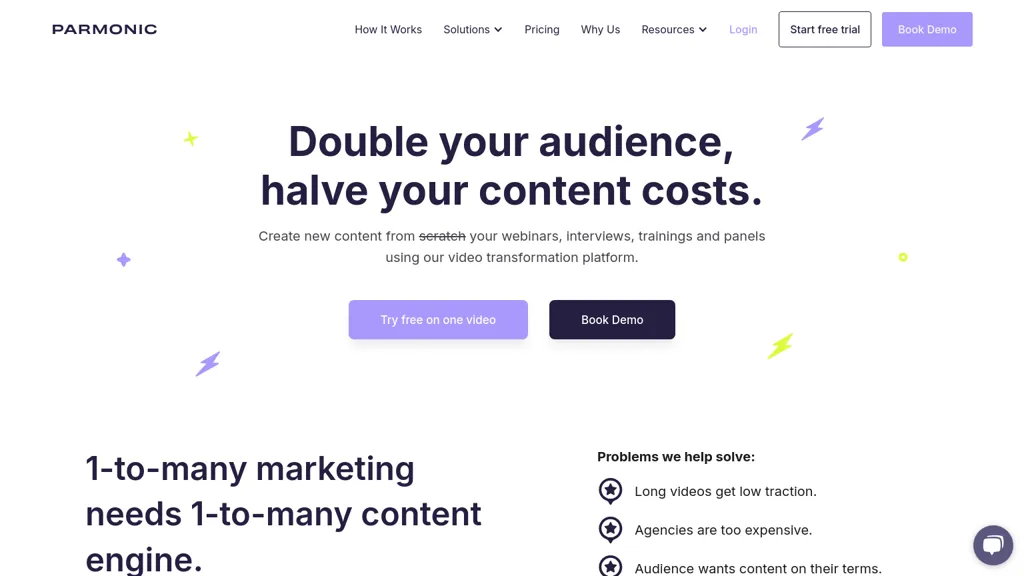
What is parmonic.com?
Parmonic, AI‑driven video editing and content repurposing platform that transforms long webinars, presentations, demos, and interviews into short, consumable assets for marketing and internal training. It automatically extracts key moments, creates social media clips, audiograms, and multilingual subtitles, while cleaning audio, removing filler words, and adding branding elements.
The system supports integration with major webinar hosts, marketing automation tools, and analytics platforms, enabling teams to embed generated content directly into LMS, websites, and lead‑generation funnels. Designed for non‑video editors, Parmonic offers a single‑click workflow that reduces production time, cuts costs, and improves engagement metrics across LinkedIn, X, YouTube, and other channels.
parmonic.com details
- Built for
- Businesses and teams
parmonic.com tech specs
- Analytics
- Google Analytics
- Integrations
- HubSpot
parmonic.com pricing
FreemiumVerify on the official pricing page.
View plansparmonic.com's key features
-
Extract key moments from videos
-
Auto clean audio, remove fillers
-
Generate multilingual subtitles automatically
-
Create social media clips, audiograms
-
Integrate with webinar & marketing tools
-
Customize AI models for enterprise
parmonic.com use cases
-
Generate branded, filler‑free audiograms from a monthly industry webinar and push them to LinkedIn, Twitter, and email newsletters in a single click
-
Extract the top five key moments from a CEO interview, auto‑generate multilingual subtitles, and embed the clips into an LMS learning module for global employees
-
Repurpose a multi‑hour product launch presentation into 30‑second teaser clips, clean the audio, add company branding, and publish them across YouTube Shorts, Instagram Reels, and marketing dashboards
parmonic.com user reviews
Based on 1 review, 100% of users recommend parmonic.com, rated highly for quality results.
Liked for
Would you recommend parmonic.com?
Who is parmonic.com for?
-
Video editors
-
Marketing managers
-
Content strategists
-
Digital marketers
-
Data analysts
parmonic.com FAQ
Is parmonic.com free?
Partly. parmonic.com has a free plan with usage limits, and paid plans unlock the full feature set. Plans include Pro for a single team at $799/mo (billed annually) and Basic for small companies at $399/mo (billed yearly) or $499/mo with no contract.
What are the best alternatives to parmonic.com?
The closest alternatives to parmonic.com are AIVideoSummarizer.io, SNAPVID, wondershare.net, Podsqueeze and SubEasy. You can compare them side by side in the alternatives section further down this page.
What does parmonic.com do with my data?
Its privacy policy states that personal data is sold or shared for marketing purposes. Data may be shared with third-party service providers that help run the product.
What does parmonic.com integrate with?
parmonic.com connects with HubSpot.
Compliance, privacy and billing terms are as stated in each product's own published documentation and have not been independently verified by TopAI.tools.


