
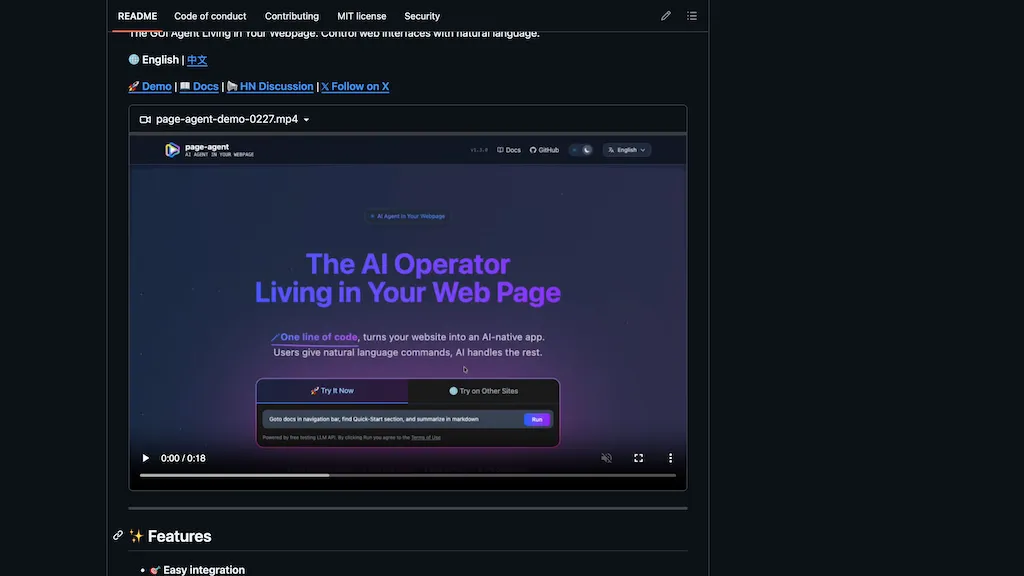
What is Page-agent?
page-agent is an in-page JavaScript GUI agent that enables natural-language control of web interfaces and browser automation.It provides text-based DOM manipulation, screenshot capture, and multi-modal LLM integration for executing commands like "click login button" or "fill form" Developers can integrate via a single script tag or npm package and use the programmatic API to run agents in-browser, in headless environments, or via a Python/extension workflow.
Optional Chrome extension and multi-page agent features support cross-tab tasks and larger automation flows, while an MCP server option enables external clients to control browsers.Common use cases include building SaaS AI copilots, automating complex ERP/CRM workflows, smart form filling, and improving web accessibility through voice and screen-reader interactions.
Documentation and examples cover installation, model configuration, and programmatic execution for application developers, QA engineers, and accessibility teams.
Page-agent pricing
FreeThis tool is free to use, with no credit card required.
Verify on the official pricing page.
Get started freePage-agent's key features
-
In-page JavaScript GUI agent for natural-language control of web interfaces and browser automation
-
Text-based DOM manipulation (e.g., click buttons, fill forms)
-
Screenshot capture
-
Multi-modal LLM integration to interpret and execute commands
-
Multiple integration and deployment options: single script tag or npm package, programmatic API for in-browser, headless, Python/extension workflows; optional Chrome extension/multi-page agents and MCP server for cross-tab and external control
Page-agent use cases
-
Automate end-to-end web testing and UI regression with page-agent by giving plain-English instructions to click elements, fill forms, follow cross-tab flows, take screenshots, and produce annotated reports—running in-browser or headless and using LLMs to generate and refine test cases
-
Create voice-enabled, accessible web workflows for users with disabilities by embedding the in-page agent to enable natural-language or voice commands for smart form filling, dynamic DOM updates, cross-tab navigation, and real-time feedback without additional front-end changes
-
Build lightweight browser-based data extraction and monitoring pipelines that use text-based DOM queries and LLM-driven parsing to scrape content, follow links across tabs, capture screenshots, and export structured data to extensions or external endpoints with error recovery and automation control
Page-agent user reviews
Based on 1 review, 100% of users recommend Page-agent, rated highly for quality results.
Liked for
Would you recommend Page-agent?
Who is Page-agent for?
-
Application developers
-
Frontend/web developers
-
Saas product builders
-
Qa engineers
-
Automation engineers
Page-agent FAQ
Is Page-agent free?
Yes. Page-agent is free to use and does not require a credit card.