
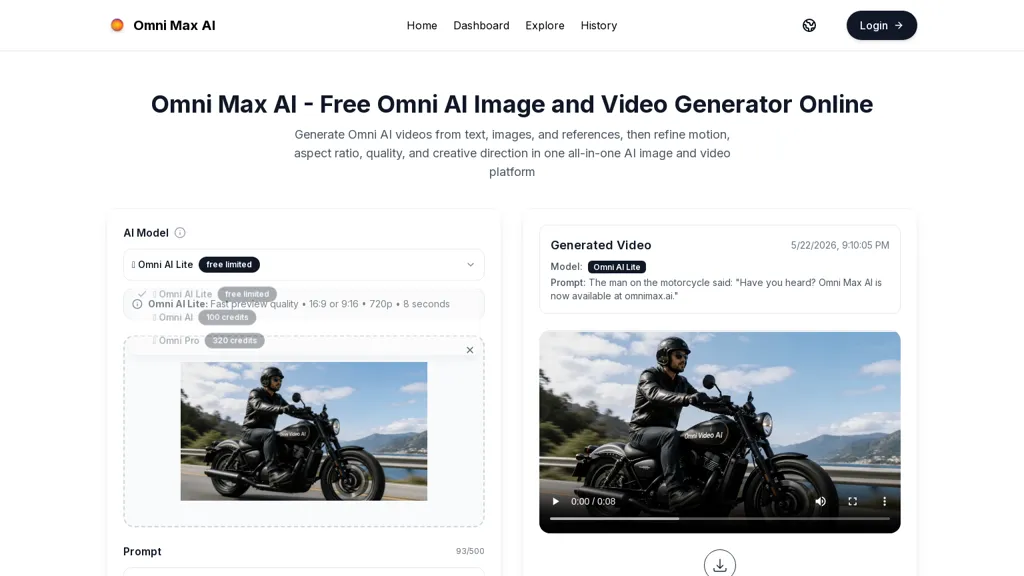
What is omnimax.ai?
OmniMax.ai is an AI image and video generator that combines text-to-image and text-to-video workflows.It accepts prompts, images, and video references to produce images and short videos with controls for aspect ratio, duration, motion refinement, and output quality.
Natural-language video editing lets users describe changes to replace objects, refine motion, adjust style, or remix scenes without timeline-based tools.Visual reference and style controls help creators maintain a consistent look across images, animations, and product visuals.
Audio-ready storytelling supports timed dialogue, ambience, and music cues for social storytelling, explainer scenes, and short branded videos.Integrated generation, animation, editing, and publishing workflows streamline asset management for marketers, creators, and product teams producing campaign visuals at scale.
omnimax.ai pricing Freemium
omnimax.ai offers a free plan with paid upgrades available.
Verify on the official pricing page.
View plansomnimax.ai user reviews
Would you recommend omnimax.ai?
omnimax.ai's key features
-
Combined text-to-image and text-to-video generation workflows
-
Multi-modal input support (prompts, images, video references)
-
Adjustable generation controls (aspect ratio, duration, motion refinement, output quality)
-
Natural-language video editing for object replacement, motion refinement, style adjustment, and scene remixing without timeline tools
-
Audio-ready storytelling with timed dialogue, ambience, and music cue integration
omnimax.ai use cases
-
Produce high-converting short promotional videos and matching stills from simple text prompts using Omni Max AI's text-to-video and text-to-image generators, control aspect ratio, duration and motion for each platform and deliver audio-ready cuts timed to voiceover or music
-
Automate multi-platform campaign asset creation by generating consistent visual styles and prompt-based animations across dozens of aspect ratios and durations, then batch-edit timing and quality to produce on-brand ads, social reels and banners without manual resizing
-
Rapidly iterate product imagery and explainer clips using natural-language video editing and visual style references to swap backgrounds, change lighting or animate product shots, exporting final assets optimized for web, mobile and broadcast with audio-ready synchronization
Who is it for?
-
Marketing teams
-
Content creators
-
Social media managers
-
Brand and product teams
-
Creative agencies
-
Advertisers
-
Motion designers and animators
-
Video editors
-
Influencers
-
Small business owners