
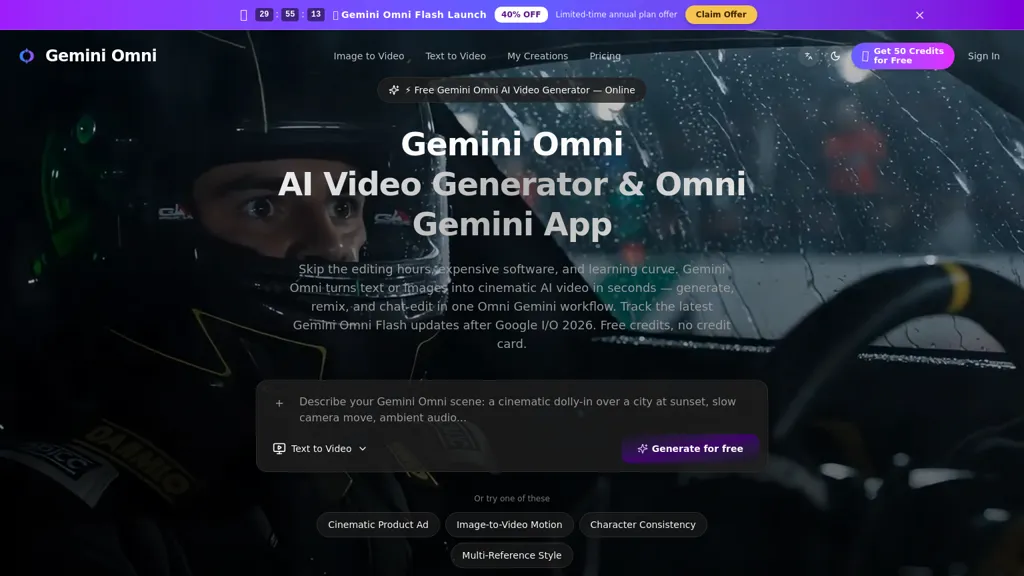
What is omni-gemini.com?
omni-gemini.com is an AI video generation workspace that combines text-to-video, image-to-video, storyboard-to-video and reference-guided workflows.It supports structured prompts for subject, camera movement, lighting, and visual style, plus controls for resolution, aspect ratio and output formats.
The tool preserves reference images and clips to maintain character continuity and visual consistency across multi-shot sequences.Built-in comparison and revision tools enable rapid iteration, side-by-side version review, and prompt-driven refinements without rebuilding projects.
Audio-alignment features keep motion timing and rhythm synchronized with rendered visuals.Team and production workflows benefit from a single multimodal workspace that reduces tool-switching and preserves creative context.
Developer-focused API endpoints support automated text, image and transition generation for integration into production pipelines.
omni-gemini.com pricing
FreemiumVerify on the official pricing page.
View plansomni-gemini.com's key features
-
Supports text-to-video, image-to-video, storyboard-to-video, and reference-guided workflows
-
Structured prompt controls for subject, camera movement, lighting, and visual style plus resolution, aspect ratio, and output format settings
-
Preserves reference images and clips to maintain character continuity and visual consistency across multi-shot sequences
-
Built-in comparison and revision tools with side-by-side version review and prompt-driven refinements without rebuilding projects
-
Developer-focused API endpoints for automated text, image, and transition generation for integration into production pipelines
omni-gemini.com use cases
-
Produce polished marketing and social media videos from simple text prompts or storyboard inputs using Gemini Omni, preserving visual continuity across shots, aligning voiceover or music automatically, and comparing revisions to iterate quickly without complex editing software
-
Convert product images and branding assets into dynamic product demo or ad videos with reference-guided transformations, structured prompt controls for consistent style, and APIs to automate generation and localization across your content pipeline
-
Create training, explainer, or e-learning videos by turning scripts and storyboards into timed, audio-aligned sequences, collaborating across multimodal inputs, using revision comparison to review changes and exporting via APIs for LMS or platform integration
omni-gemini.com user reviews
Would you recommend omni-gemini.com?
Who is omni-gemini.com for?
-
Film directors
-
Video producers
-
Motion designers
-
Animators
-
Vfx artists
-
Storyboard artists
-
Content creators (youtubers/social media)
-
Advertising and marketing agencies
-
Production studios
-
Indie filmmakers
-
Creative directors
-
Post-production editors
-
Game developers
-
Developers / pipeline engineers
omni-gemini.com FAQ
Is omni-gemini.com free?
Partly. omni-gemini.com has a free plan with usage limits, and paid plans unlock the full feature set. Plans include Mini plan at $15.00/mo or $108/year, Standard plan at $50.00/mo or $360/year and Plus plan at $99.00/mo or $720/year.
Does omni-gemini.com have an API?
Yes. omni-gemini.com offers an API, so you can call it from your own applications instead of using the interface directly.