
What is MosMos?
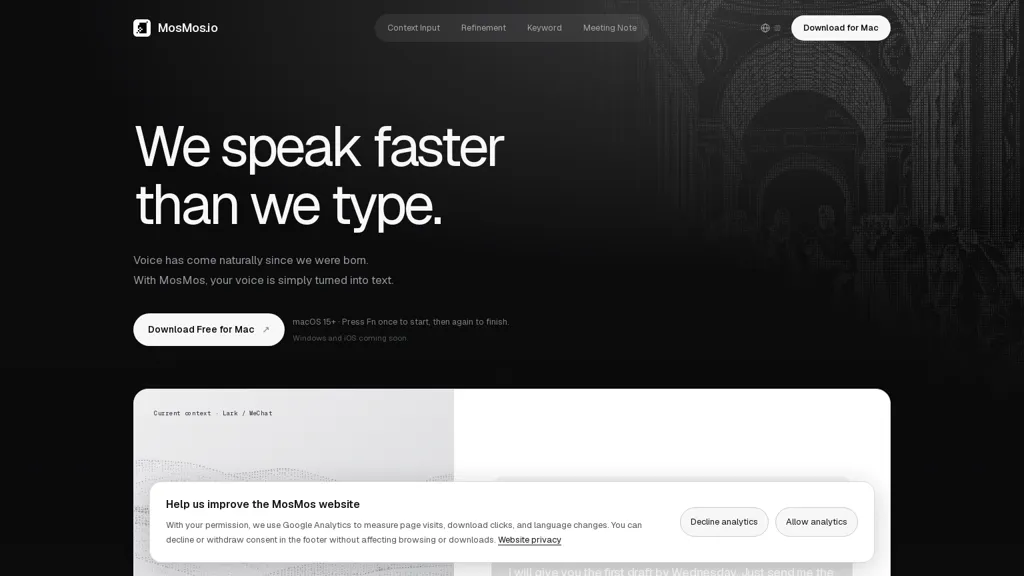
MosMos converts spoken words to text in real time, enabling voice-to-text input across apps via a single shortcut. It applies context-aware refinement with selectable levels (Basic, Standard, Advanced) to preserve or rewrite voice input for clarity. The app retains user-defined keywords and names to improve recognition and keep proper nouns intact. For meetings it produces continuous transcription with speaker identification, extracts summaries, key takeaways, and to-do items. Transcripts and summaries are pasted into the active text field or saved locally for later review. MosMos supports in-app use for chats, emails, documents, and terminals and includes a recording mode for longer sessions.
MosMos pricing
FreeThis tool is free to use, with no credit card required.
Verify on the official pricing page.
Get started freeMosMos's key features
-
Real-time speech-to-text across apps via a single shortcut
-
Context-aware refinement with selectable levels (Basic, Standard, Advanced) to preserve or rewrite voice input
-
Retention of user-defined keywords and names to improve recognition and preserve proper nouns
-
Continuous meeting transcription with speaker identification and automatic extraction of summaries, key takeaways, and to-do items
-
Outputs pasted into the active text field or saved locally; supports in-app use (chats, emails, documents, terminals) and a recording mode for longer sessions
MosMos use cases
-
Transcribe meetings in real time with MosMos using a single shortcut, get speaker-identified transcripts with automated summaries, key takeaways and to-dos, and save locally for secure record-keeping
-
Dictate emails, reports and documents across any app with MosMos system-wide voice typing, preserve user-defined names/keywords and apply context-aware refinement levels for high accuracy without manual correction
-
Record interviews and client calls with MosMos to produce timestamped, keyword-preserving transcripts, automatically extract meeting summaries and follow-up action items, and export or store locally for compliance and easy search
MosMos user reviews
Would you recommend MosMos?
Who is MosMos for?
-
Busy professionals
-
Meeting hosts and participants
-
Remote workers and distributed teams
-
Administrative assistants and note-takers
-
Writers and content creators
-
Journalists and interviewers
-
Podcasters and audio producers
-
Students and researchers
-
Developers and engineers (terminal users)
-
Customer support and sales teams
-
People with speech or mobility disabilities
-
Productivity-focused multitaskers
MosMos FAQ
Is MosMos free?
Yes. MosMos is free to use and does not require a credit card.
What are the best alternatives to MosMos?
The closest alternatives to MosMos are VoiceType, WriteVoice, TalkTastic, superwhisper and Voicy. You can compare them side by side in the alternatives section further down this page.


