
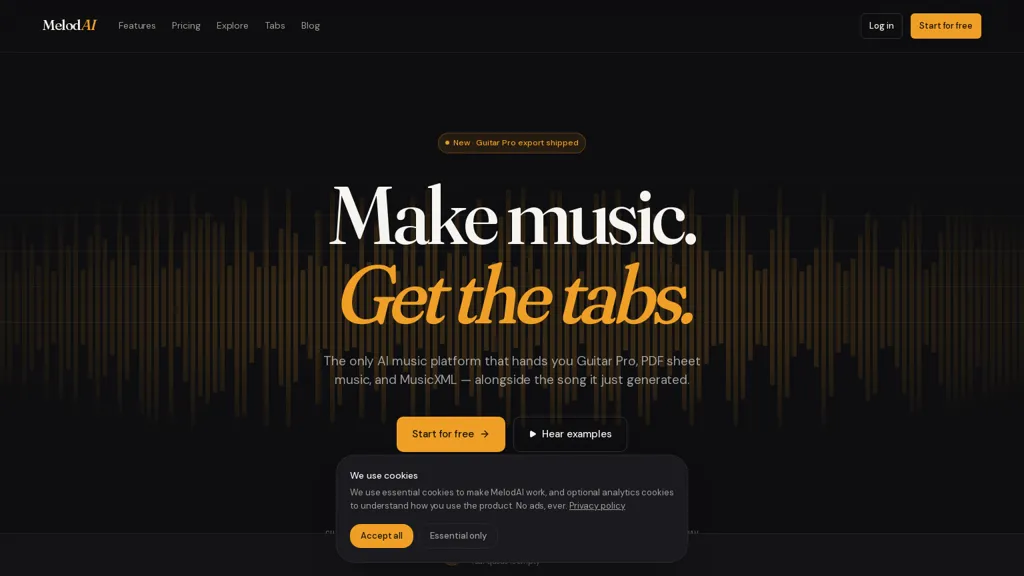
What is MelodAI?
MelodAI is an AI-assisted music composition tool for musicians, producers, and songwriters.It acts as an AI melody generator and songwriting assistant for creating melodies, chord progressions, and arrangements.
The platform offers adjustable style, key, and tempo controls to tailor outputs to specific genres and production needs.Export options include MIDI and audio stems for integration with DAWs and music production workflows.
Editing tools and presets enable quick refinement of generated material and template-based arrangement.Collaboration and file-sharing features support co-writing and review across projects.
MelodAI pricing
Freemium- Auto-renewal
- Yes
Verify on the official pricing page.
View plansMelodAI user reviews
Based on 9 reviews, 88.9% of users recommend MelodAI, rated highly for quality results.
Liked for
Disliked for
Would you recommend MelodAI?
MelodAI's key features
-
AI-assisted melody, chord progression, and arrangement generation
-
Adjustable style, key, and tempo controls
-
MIDI and audio stems export for DAW integration
-
Editing tools, presets, and template-based arrangement
-
Collaboration and file-sharing for co-writing and review
MelodAI use cases
-
Prototype full song ideas fast by generating melodies, chord progressions, and arrangement templates in Melodai with adjustable key, tempo and genre-specific presets, then export MIDI and audio stems for immediate DAW integration and further production
-
Co-write and iterate on toplines and harmonies with collaborators in real time using Melodai's AI melody generator and arrangement editor, quickly tweak style and structure, and export stems or MIDI for finishing in your preferred sequencer
-
Create adaptive theme variations and stems for games, commercials, or film by using Melodai's genre presets and tempo/key controls to produce multiple mood-specific arrangements, then export separated audio stems and MIDI for sound design, mixing, or licensing
Our verdict on MelodAI
MelodAI offers a compelling approach to music creation through AI, but like all nascent technologies, it has both strengths and weaknesses. It’s a powerful tool for inspiration and rapid prototyping, yet doesn't replace the creative process entirely.
Pros
- Rapid Song Generation: MelodAI generates complete musical arrangements (including vocals, instruments, and tabs) in seconds – significantly faster than traditional composition methods.
- Versatile Output Formats: Provides output in Guitar Pro (.gp5), PDF sheet music, MusicXML, and MIDI, catering to a wide range of users and workflows.
- AI-Powered Tab Transcription: The automatic tab transcription feature is remarkably accurate and saves considerable time compared to manual transcription.
- Creative Inspiration: Excellent for sparking ideas – even if the initial output isn't perfect, it can serve as a starting point for further development.
- Commercial Use Rights (Paid Plans): All paid plans grant full commercial rights, enabling users to incorporate generated music into various projects (videos, podcasts, etc.).
- User-Friendly Interface: The intuitive interface makes it easy for both beginners and experienced musicians to quickly start generating music.
Cons
- Creative Control Limitations: While prompts offer control, the AI’s output isn't always perfectly aligned with a user's precise vision. It requires iteration and refinement.
- Potential for Generic Results: If prompts are too vague or generic, the generated music can sound somewhat formulaic and lack distinctive character.
- Reliance on Prompt Quality: The quality of the output heavily depends on the detail and clarity of the user's prompt – it’s a skill in itself to craft effective prompts.
- Not a Replacement for Musicianship: MelodAI is a tool, not a substitute for musical talent. The generated music often requires human editing and arrangement to achieve its full potential.
- Transcription Accuracy Variations: While generally accurate, transcription accuracy can vary depending on the complexity of the music (e.g., dense polyphonic textures).
- Free Tier Limitations: The free tier has significant restrictions – watermarked files and limited song generation – which may not be suitable for serious projects.
MelodAI FAQ
What exactly does MelodAI do?
MelodAI is an AI music generation tool that creates complete musical arrangements based on your descriptions. It generates audio with vocals, instruments (guitar, bass, piano, drums), and simultaneously produces corresponding guitar tabs in formats like Guitar Pro, PDF, MusicXML, and MIDI.
How accurate are the generated guitar tabs?
Our tab engine achieves 98%+ note accuracy on monophonic lines. Accuracy can be slightly lower for dense polyphonic mixes, but you can regenerate or manually edit the tabs to ensure perfect precision.
What types of music can I generate?
You can generate virtually any genre! From pop and rock to classical, jazz, electronic, and more. The quality depends on your prompt's detail and clarity – the more specific you are, the better.
What does a ‘prompt’ actually mean?
A prompt is simply the description you give MelodAI to tell it what kind of song you want. This can include genre, tempo (BPM), key, instrumentation (e.g., 'synth leads,' 'punchy drums'), and even lyrical ideas.
What formats do I receive the music in?
MelodAI provides tabs in Guitar Pro (.gp5), PDF sheet music, MusicXML for professional notation software, and MIDI files. This flexibility allows you to play along with the generated song on various instruments and platforms.
Can I use MelodAI-generated music commercially?
Yes! All paid plans include a commercial license, allowing you to use the generated music in YouTube videos, podcasts, client deliverables, or any other commercial project. The free tier is non-commercial and watermarked.
What is a Guitar Pro file (.gp5)?
GP5 is the standard tab format used by Guitar Pro, TuxGuitar, and most tab editors. It's designed for easily viewing and playing guitar tabs.
Do I own the music I generate?
On any paid plan, you fully own the generated music with full commercial rights. The free tier is non-commercial and watermarked.
How long does it take to generate a song?
Typically, song generation takes under 20 seconds for one variation – around 14 seconds on average. We offer multiple variations for exploration.
What if I want to edit the generated tabs or music?
The generated files (GP5, PDF, MusicXML, MIDI) are fully editable using standard tab editors and notation software. You can also regenerate sections of the song based on your preferences.
What happens if I exceed my plan limits?
You can top up with $5 for 20 extra generations, or upgrade to a higher tier for more unlimited generations. We never auto-charge you.
Is there a time limit on using the generated music?
No! You have full rights to use the music you generate with any paid plan indefinitely.
What are the system requirements for MelodAI?
MelodAI runs entirely in your web browser (Chrome, Firefox, Safari, Edge) and doesn't require any special software installations.
Is there a refund policy?
Yes, we offer a 7-day refund on annual plans. Please contact our support team for details.
How do I get support if I have questions or issues?
Visit our Blog and Resources section at [insert blog address here] or email us at [email protected]
Who is MelodAI for?
-
Music producers
-
Songwriters
-
Composers
-
Beatmakers
-
Arrangers


 FunkoPop
 PapiaNo
 Zanobia
How do you guys compare to Suno AI?
Hi Miekie, good morning! Great question! Both platforms generate full songs from text prompts, but we focus on a few things Suno doesn't offer: What MelodAI adds on top: - Guitar, bass, piano drums tabs, meaning we transcribe your generated song into playable tabs automatically - We also transcribe the MIDI, WAV, song tabs PDF, separate vocals, drums, bass, and instruments from any track - But the feature we like the most on our studio is actually the live chord display while the song plays, meaning we generate and give you on screen the live chords of the music, so while the music is playing you can actually follow it with your guitar and learn how to play it! This is what trully makes those musics you generate your own! And this is free! So in sum, the core generation quality is comparable since we also use state-of-the-art AI under the hood. MelodAI is the better pick if you're a musician who wants to actually play what you generate, not just listen to it. Give it a try, you get free credits on signup! We also have this promo code going on in case you want to upgrade to any paid subscription, use MELODAI_LAUNCH50 on checkout to get 50 more credits, enjoy! Best regards, João Ferreira
That's great