
What is Mathbuddy AI?
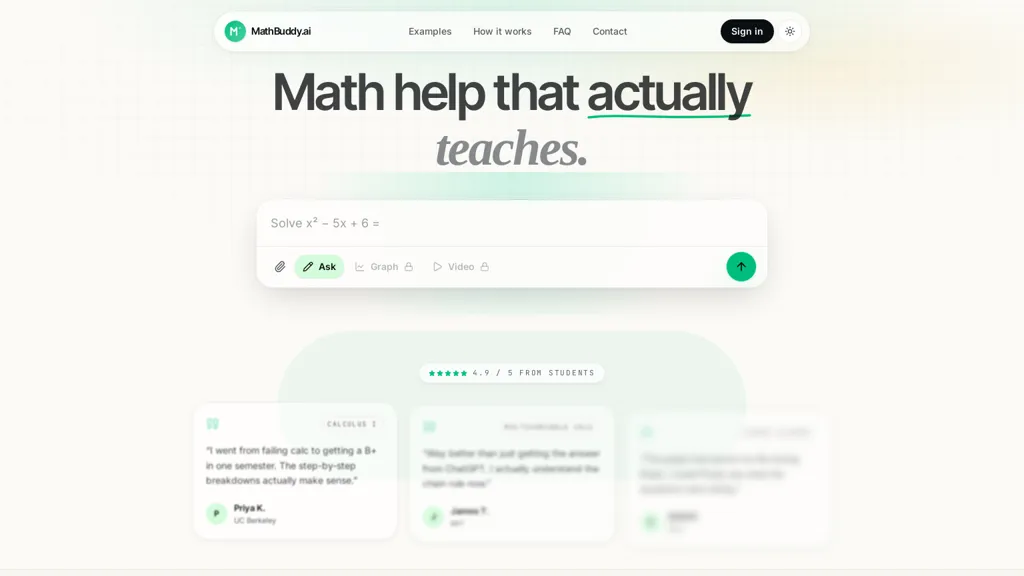
Mathbuddy is an AI math solver that delivers step-by-step solutions for algebra, calculus, multivariable calculus, and linear algebra problems.It accepts typed input, uploaded PDFs, and photos of handwritten notes using OCR to parse and interpret equations.
Interactive graphing tools visualize functions, allow point manipulation, and generate plots to support conceptual understanding.Short whiteboard-style video explanations are produced from solved problems to reinforce procedures and solution logic.
A unified study workspace stores problems, notes, and tool outputs across phone, tablet, and laptop for consistent revision.Suitable for students, tutors, and educators, it supports homework help, practice problem generation, and exam preparation.
Mathbuddy AI tech specs
- Works with
- OpenAI / GPT
Mathbuddy AI pricing
FreemiumMathbuddy AI offers a free plan with paid upgrades available.
Verify on the official pricing page.
View plansMathbuddy AI's key features
-
Step-by-step problem solver for algebra, calculus, multivariable calculus, and linear algebra
-
Multi-input parsing: typed input, uploaded PDFs, and photos of handwritten notes via OCR
-
Interactive graphing tools that visualize functions, allow point manipulation, and generate plots
-
Automatic generation of short whiteboard-style video explanations from solved problems
-
Unified cross-device study workspace syncing problems, notes, and tool outputs across phone, tablet, and laptop
Mathbuddy AI use cases
-
Solve and master homework and exam problems in algebra, calculus and multivariable calculus by uploading typed, PDF or handwritten questions to mathbuddy.ai — get OCR-parsed inputs, detailed step-by-step solutions, interactive function graphs and whiteboard-style video explanations, then review across devices with the synced study workspace
-
Create structured study guides and worked-problem libraries from lecture notes or PDFs: automatically parse and solve batches of problems (including linear algebra and multivariable calculus), produce annotated steps and interactive visualizations, and compile exportable, shareable synced workspaces for group study
-
Build engaging lesson materials and tutoring sessions by converting handwritten or typed problems into whiteboard-style video walkthroughs, annotating interactive graphs in real time, assigning practice sets with step-by-step hints, and tracking student progress through the cross-device synced workspace
Mathbuddy AI user reviews
Based on 1 review, 100% of users recommend Mathbuddy AI, rated highly for quality results.
Liked for
Would you recommend Mathbuddy AI?
Who is Mathbuddy AI for?
-
Students
-
Tutors
-
Educators
-
Homework helpers
-
Math enthusiasts
Mathbuddy AI FAQ
Is Mathbuddy AI free?
Partly. Mathbuddy AI has a free plan with usage limits, and paid plans unlock the full feature set.
What are the best alternatives to Mathbuddy AI?
The closest alternatives to Mathbuddy AI are AIMath.com, AI math solver, AIMath, Mathful and MathGPT AI. You can compare them side by side in the alternatives section further down this page.
What does Mathbuddy AI do with my data?
Its privacy policy states that personal data is not sold or shared for marketing purposes. Data may be shared with third-party service providers that help run the product.
Which AI models does Mathbuddy AI use?
Mathbuddy AI is built on OpenAI / GPT. Which models you can reach may depend on your plan.
Compliance, privacy and billing terms are as stated in each product's own published documentation and have not been independently verified by TopAI.tools.


I tried Mathbuddy for some calculus and algebra problems, the step-by-step solutions are useful when I want to understand the method. Being able to upload a photo of a handwritten problem is super convenient, and the graphs help with problems where visualizing the function makes a difference. The video explanations are a nice bonus. All in all it’s a practical study tool.