
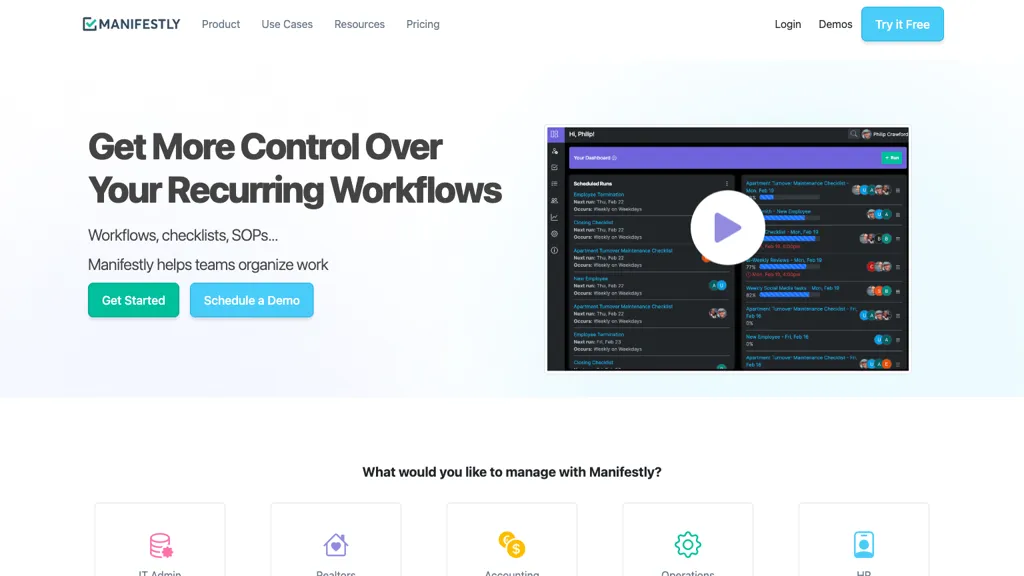
What is Manifestly 3.0?
Manifestly is a workflow automation platform that turns SOPs into scheduled checklists with role‑based assignments, due dates, and reminders. It captures proof of completion through forms, photos, files, and digital signatures, creating an audit‑ready history for compliance reviews.
Conditional logic and custom dashboards enable teams to monitor progress, identify gaps, and refine processes in real time. Native integrations with Slack, Microsoft Teams, Notion, Salesforce, and Zapier, plus API and webhook support, allow tasks to be triggered automatically from existing systems.
SAML SSO and granular permission controls ensure secure access and governance across departments. The platform is suitable for HR onboarding, IT administration, customer onboarding, and other operational workflows in sectors such as finance, manufacturing, and real‑estate.
Manifestly 3.0 details
- Company
- Manifestly, LLC
- Built for
- Businesses and teams
- Data residency
- United States
- Stated compliance
- SOC 2, GDPR
Compliance as stated in Manifestly 3.0's own published documentation.
Manifestly 3.0 tech specs
- Works with
- OpenAI / GPT Anthropic / Claude Google / Gemini
- Cloud
- Azure
- Integrations
- Zapier Slack Microsoft Teams
Manifestly 3.0 pricing
Free- Free trial
- 14 days
Verify on the official pricing page.
Get started freeManifestly 3.0's key features
-
Conditional logic for tasks
-
Role based task assignments
-
Due dates and reminders
-
Data collection via forms
-
Customizable dashboards and reporting
-
SAML SSO and access control
-
Webhooks and API integrations
Manifestly 3.0 use cases
-
Automate the onboarding workflow by turning the employee orientation SOP into a role‑based checklist with due dates, Slack reminders, and completion proof via forms and signatures—providing an audit‑ready history and real‑time progress dashboard
-
Convert the manufacturing inspection SOP into an automated checklist that captures photos, files, and signatures for each inspection step, integrates with Notion for instant reporting, and triggers Teams alerts for overdue tasks while maintaining audit‑ready compliance
-
Streamline healthcare compliance by mapping data‑handling SOPs to role‑based tasks, using SAML SSO for secure access, sending reminder notifications via Slack, and storing proof of completion to produce audit‑ready histories and real‑time monitoring dashboards
Manifestly 3.0 user reviews
Based on 1 review, 100% of users recommend Manifestly 3.0, rated highly for quality results.
Liked for
Would you recommend Manifestly 3.0?
Who is Manifestly 3.0 for?
-
Workflow automation engineers
-
Dashboard designers
-
Team communicators
-
Task managers
-
Template administrators
Manifestly 3.0 FAQ
Is Manifestly 3.0 free?
Yes. Manifestly 3.0 is free to use and does not require a credit card.
Is Manifestly 3.0 safe to use?
Manifestly 3.0 states SOC 2 and GDPR compliance in its own published documentation. Manifestly 3.0 is operated by Manifestly, LLC. It has a substantial audience that is independently measured month to month.
What are the best alternatives to Manifestly 3.0?
The closest alternatives to Manifestly 3.0 are Suzan. You can compare them side by side in the alternatives section further down this page.
What does Manifestly 3.0 do with my data?
Its privacy policy states that personal data is not sold or shared for marketing purposes. Data may be shared with third-party service providers that help run the product. Customer data is held in United States.
Does Manifestly 3.0 have an API?
Yes. Manifestly 3.0 offers an API, so you can call it from your own applications instead of using the interface directly.
Who made Manifestly 3.0?
Manifestly 3.0 is built and operated by Manifestly, LLC.
Which AI models does Manifestly 3.0 use?
Manifestly 3.0 is built on OpenAI / GPT, Anthropic / Claude and Google / Gemini. Which models you can reach may depend on your plan.
What does Manifestly 3.0 integrate with?
Manifestly 3.0 connects with Zapier, Slack and Microsoft Teams.
Compliance, privacy and billing terms are as stated in each product's own published documentation and have not been independently verified by TopAI.tools.
