
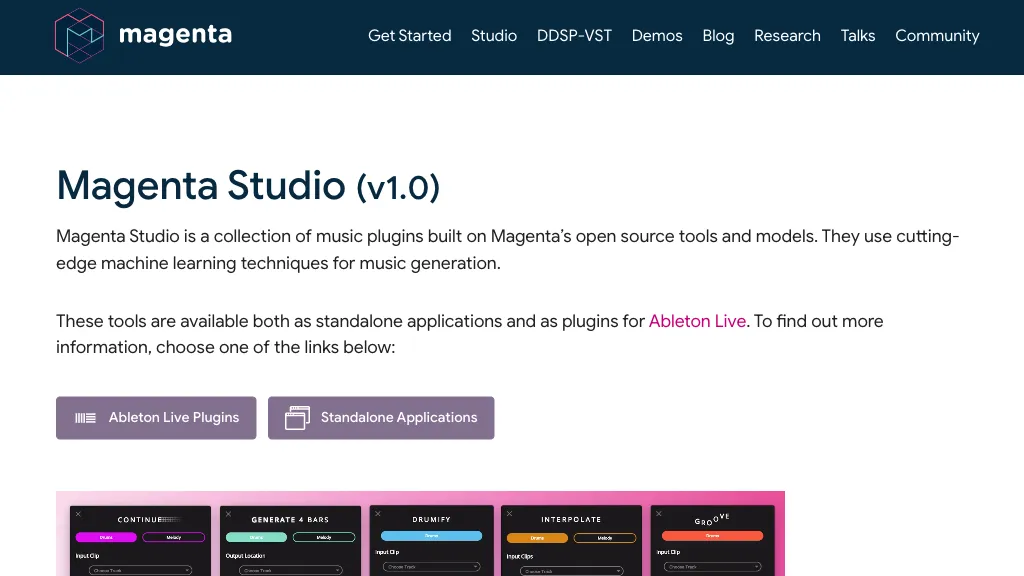
What is Magenta Studio?
Magenta Studio is an Ableton Live plugin that applies machine‑learning models to MIDI clips. It offers five tools—Continue, Groove, Generate, Drumify, and Interpolate—each designed to augment or transform existing music. Continue uses recurrent neural networks to extend melodies or drum patterns up to 32 measures, while Generate produces new 4‑bar phrases without input.
Groove adjusts timing and velocity of drum clips to emulate a human performance, and Drumify creates drum accompaniment based on the rhythm of any input melody, bassline, or chord progression. Interpolate blends two input clips to produce a series of intermediate versions, useful for smooth transitions or creative exploration.
Magenta Studio pricing
FreemiumMagenta Studio offers a free plan with paid upgrades available.
Verify on the official pricing page.
View plansMagenta Studio's key features
-
Generate 4-bar musical phrases
-
Continue melodies with RNN
-
Interpolate between two clips
-
Humanize drum timing and velocity
-
Drumify creates grooves from rhythms
-
Uses VAE for music generation
-
Works as MIDI Ableton Live plugin
Magenta Studio use cases
-
Extend a jazz solo effortlessly with Magenta Studio's Continue function, letting the AI generate flowing melodic phrases that fit the existing MIDI loop and maintain musical coherence—no need to compose by hand.
-
Add realistic groove to a house track by applying Groove, which subtly offsets every note to mimic human timing; perfect for producers who want swing without manually quantizing.
-
Create full drum accompaniments on the fly using Drumify, generating professional‑sounding patterns that adapt to the key and tempo of your project, enabling instant percussion backing for any genre.
Magenta Studio user reviews
Would you recommend Magenta Studio?
Who is Magenta Studio for?
-
Music producers
-
Instrumental musicians
-
Music composers
-
Sound designers
-
Audio engineers
Magenta Studio FAQ
Is Magenta Studio free?
Partly. Magenta Studio has a free plan with usage limits, and paid plans unlock the full feature set.
What are the best alternatives to Magenta Studio?
The closest alternatives to Magenta Studio are MusicCreator.AI, Musicful, Create Music AI, Music Muse and Melodycraft.app. You can compare them side by side in the alternatives section further down this page.


