
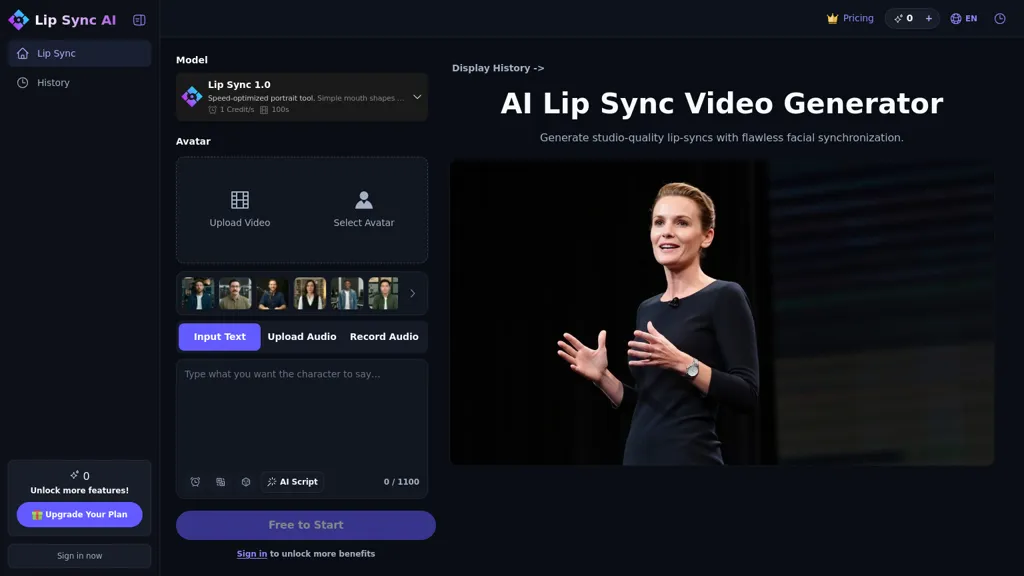
What is Lip Sync AI?
Lip Sync AI, Lip Sync AI is a lip sync animation generator that creates synchronized lip movements for videos and AI-generated avatars. It accepts video uploads or URLs and audio files or embedded tracks, with Standard and Precision modes for faster or higher-quality synchronization.
The tool supports multi-speaker workflows (up to six faces), handles varied head angles and facial features, and maps mouth shapes across languages and dialects for video localization and dubbing. Features include preview and adjustment controls, exportable downloads, and compatibility with text-to-speech or uploaded audio.
Lip Sync AI details
- Jurisdiction
- United States
- Built for
- Individuals
Lip Sync AI pricing
FreemiumVerify on the official pricing page.
View plansLip Sync AI's key features
-
Ultra-realistic lip sync generation with automatic facial expression and mouth-shape adjustment to match any audio
-
Multi-face/multi-speaker synchronization (supports up to 6 faces) with ability to select specific faces to sync
-
Robust lip-tracking across varied head positions and movements, including side profiles, tilted heads, minimal mouth movement, and beards
-
Language and dialect-agnostic synchronization supporting any language or dialect, including singing and rap
-
Selectable lip-sync modes (Standard for fast results, Precision for high-quality) with preview, adjustment, and download workflow
Lip Sync AI use cases
-
Localize and dub training courses, marketing videos, and product demos by mapping translated audio to original speakers' mouth shapes—use Precision mode for frame-accurate results, preview and fine-tune timing, then export ready-to-publish video files.
-
Animate AI avatars, virtual presenters, and game characters by generating high-precision mouth movements from voice lines—supporting multi-speaker scenes (up to six faces) and cross-language mouth-shape mapping so performances can be reused across languages.
-
Sync and polish multi-speaker interviews, podcasts, or recorded panels by automatically lip-syncing new or cleaned-up audio with Standard mode for quick drafts or Precision mode for broadcast-quality alignment, using preview/adjust controls before exporting final clips.
Lip Sync AI user reviews
Based on 1 review, 100% of users recommend Lip Sync AI, rated highly for value for money.
Liked for
Would you recommend Lip Sync AI?
Who is Lip Sync AI for?
-
Video editors
-
Avatar designers
-
Content creators
-
Technical specialists
-
Audio engineers
Lip Sync AI FAQ
Is Lip Sync AI free?
Partly. Lip Sync AI has a free plan with usage limits, and paid plans unlock the full feature set. Plans include Basic at $15.99/mo, Basic (monthly) at $19.99/mo, Standard at $39.99/mo and Standard (yearly) at $49.99/mo.
What are the best alternatives to Lip Sync AI?
The closest alternatives to Lip Sync AI are Lipsync AI, LipSyncAI.co, LipDub AI, AILipSync.com and LipsyncX. You can compare them side by side in the alternatives section further down this page.
What does Lip Sync AI do with my data?
Its privacy policy states that personal data is not sold or shared for marketing purposes. Data may be shared with third-party service providers that help run the product.
Compliance, privacy and billing terms are as stated in each product's own published documentation and have not been independently verified by TopAI.tools.


