
What is Heyo?
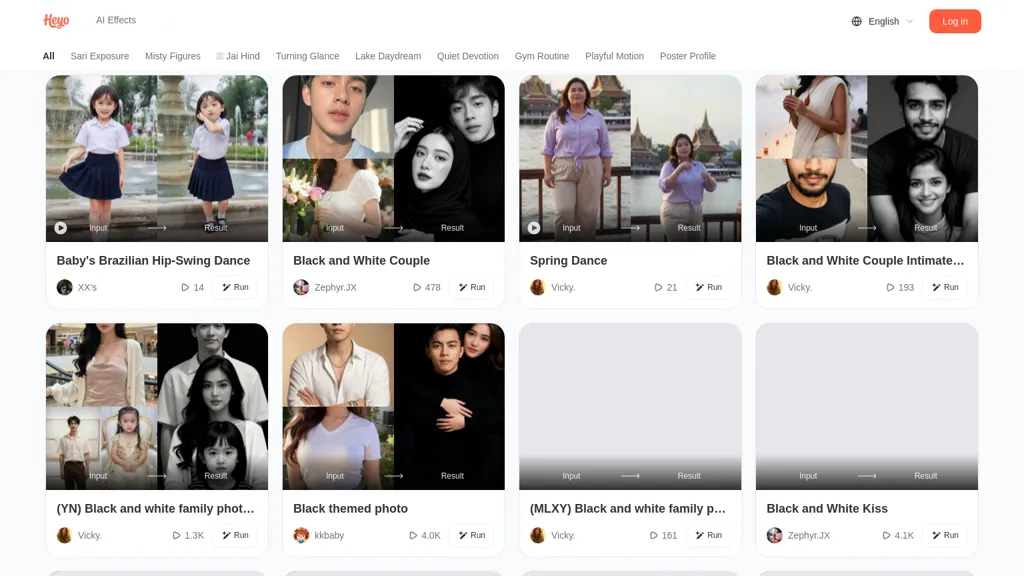
Heyo is an AI video maker that converts photos and short clips into stylized motion posters, looped animations, and profile videos using AI effects.It offers photo-to-video conversion, exposure and mist effects, black-and-white and thematic filters, and automated motion enhancements (for gestures, dances, and subtle facial turns).
The tool accepts varied inputs: selfies, family photos, couple shots, close-ups, and short dance clips—and applies presets for different themes and occasions.Outputs are optimized for social media and suitable for profile headers, short promotional clips, reels, and animated wallpapers.
The tool can be useful for content creators, social media managers, photographers, and casual users seeking share-ready, stylized video content.
Heyo pricing
FreemiumHeyo offers a free plan with paid upgrades available.
Verify on the official pricing page.
View plansHeyo's key features
-
Photo-to-video conversion from photos and short clips
-
Exposure and mist AI effects
-
Black-and-white and thematic filters
-
Automated motion enhancements for gestures, dances, and subtle facial turns
-
Accepts varied inputs (selfies, family photos, close-ups, short dance clips) and applies themed presets
Heyo use cases
-
Create eye-catching motion posters from static photos and short clips for Instagram Reels, TikTok and Facebook using Heyo's exposure, mist and thematic filters plus automated motion enhancements to emphasize gestures and subtle facial turns, producing looped, share-ready videos without additional editing tools
-
Develop professional profile videos and looping avatars for social media bios, livestreams and team pages by converting headshots into stylized black-and-white or themed animations optimized for profile aspect ratios and fast loading, giving accounts a polished, dynamic presence
-
Produce engaging product teasers and promotional looped animations for e-commerce listings and paid ads by applying Heyo's motion-poster effects and exposure boosts to highlight product details and create autoplay-friendly social assets that increase click-through and conversions
Heyo user reviews
Would you recommend Heyo?
Who is Heyo for?
-
Content creators
-
Short-form video creators
-
Profile/header designers
-
Photographers
-
Social media managers
Heyo FAQ
Is Heyo free?
Partly. Heyo has a free plan with usage limits, and paid plans unlock the full feature set.
What are the best alternatives to Heyo?
The closest alternatives to Heyo are AliveMoment, LivePortrait, Beatmo.live, LumeFlow AI and Movely.ai. You can compare them side by side in the alternatives section further down this page.


