
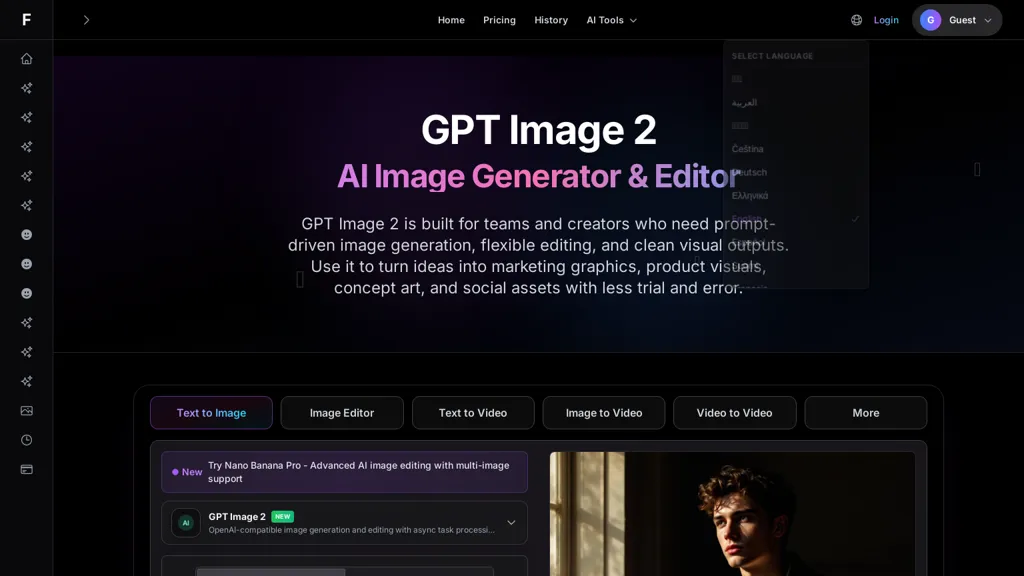
What is GPT Image 2 - Fooocus?
GPT image 2 is an AI image generator and editor that converts natural-language prompts into images and supports prompt-driven text-to-image generation and multi-image editing workflows.It supports OpenAI-compatible generation, multi-image reference inputs, async task processing, and single-image edits per task for iterative refinement.
Designers and marketing teams can produce marketing creatives, product visuals, concept art, social assets, thumbnails, and blog illustrations with control over composition, lighting, camera angle, and color palette.
The editing workflow accepts targeted follow-up instructions to change backgrounds, adjust framing, refine subject details, and switch between realistic and stylized outputs without rebuilding the concept.
Prompt-first controls let users add style, layout, and brand direction to reduce trial-and-error, deliver cleaner composition, and produce outputs that need less manual cleanup.Common use cases include fast design exploration, ad mockups, hero images, product storytelling, and rapid iteration for production-ready visual assets.
GPT Image 2 - Fooocus pricing Subscription
Pricing details aren't listed here — check the official pricing page below.
Verify on the official pricing page.
View plansGPT Image 2 - Fooocus user reviews
Would you recommend GPT Image 2 - Fooocus?
GPT Image 2 - Fooocus's key features
-
Natural-language prompt-driven text-to-image generation
-
Multi-image reference inputs and multi-image editing workflows
-
OpenAI-compatible generation
-
Asynchronous task processing for generation and edits
-
Single-image edits per task with targeted follow-up instructions for iterative refinement (background, framing, subject details, style)
GPT Image 2 - Fooocus use cases
-
Create high-converting marketing creatives and ad variations using prompt-driven image generation with precise composition, lighting and color controls, then iterate with single-image edits and multi-image references to rapidly A/B test visuals for campaigns
-
Create pixel-perfect product mockups and packaging visuals from simple prompts and reference photos, refining camera angle, materials and lighting through iterative single-image edits to prepare assets for e-commerce, print and ads
-
Develop concept art, storyboards and campaign visuals using multi-image references and prompt-first controls to lock composition and mood, asynchronously generate multiple versions and apply targeted follow-up edits for fast creative review and production
Who is it for?
-
Graphic designers
-
Art directors
-
Marketing teams
-
Social media managers
-
Content creators
-
Product designers
-
Creative agencies
-
Brand managers
-
Advertisers
-
E-commerce teams