
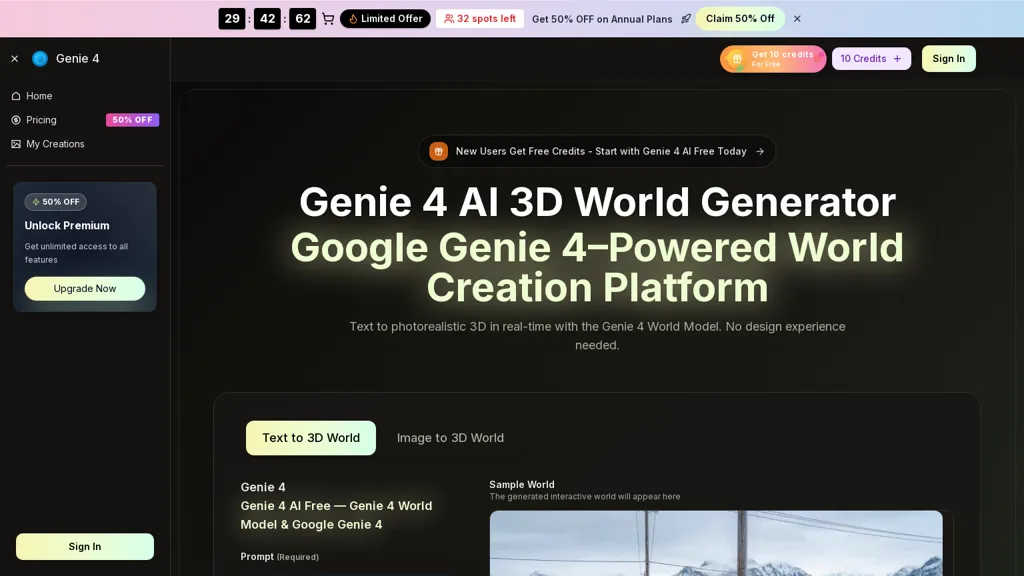
What is Genie4 AI?
Genie 4 generates interactive, explorable 3D worlds from text prompts and images in a browser-based workflow.It produces real-time scenes at 24 fps and 720p resolution with short-term environmental consistency lasting several minutes.
Built-in physics models (gravity, fluids, material behaviors) enable realistic interactions for simulations and agent training.Prompt-based editing lets users change weather, add objects, tweak lighting, and trigger events with immediate scene updates.
Supports image-to-3D conversion, export of playable scenes and captured sequences for game engines, streaming, or lab pipelines.Target users include researchers, educators, simulation and robotics teams, and creators building interactive training, teaching, or creative environments.
Genie4 AI details
- Built for
- Individuals
Genie4 AI pricing
Free trial- Auto-renewal
- Yes
Verify on the official pricing page.
Start free trialGenie4 AI's key features
-
Browser-based generation of interactive, explorable 3D worlds from text prompts and images
-
Real-time scene rendering at 24 fps and 720p with short-term environmental consistency
-
Built-in physics models (gravity, fluids, material behaviors) for realistic interactions
-
Prompt-based editing to change weather, add objects, tweak lighting, and trigger events with immediate scene updates
-
Image-to-3D conversion and export of playable scenes and captured sequences for game engines, streaming, or lab pipelines
Genie4 AI use cases
-
Create realistic interactive training simulations for emergency responders by turning site photos and text prompts into explorable 3D worlds with built-in real-time physics, iterate instantly via prompt-based editing in the browser, and export playable scenarios for remote trainees and debriefs
-
Rapidly prototype architectural and interior walkthroughs by converting sketches or images into detailed 3D scenes, tweak layouts and materials using the browser-based editor and prompt-driven edits, simulate occupant interactions with physics, and export playable sequences for client review
-
Develop immersive product demos and e-learning modules by converting product images into 3D assets, composing interactive scenes with text prompts, validate behavior with real-time physics simulation, and export shareable playable scenes for marketing, sales enablement, or hands-on training
Genie4 AI user reviews
Based on 5 reviews, 20% of users recommend Genie4 AI, rated highly for value for money.
Liked for
Disliked for
Would you recommend Genie4 AI?
Who is Genie4 AI for?
-
Learning designers
-
Content creators
-
Game developers
-
Vr/ar developers
-
Simulation engineers
Genie4 AI FAQ
Is Genie4 AI free?
Not permanently. Genie4 AI gives you a free trial, after which a paid plan is required. Plans include Basic at $17.9/mo, Professional at $29.9/mo and Enterprise at $59.9/mo.
What are the best alternatives to Genie4 AI?
The closest alternatives to Genie4 AI are 3D AI Studio, Formy3d.com, Tripo3D, AI3DGen and To3D.AI. You can compare them side by side in the alternatives section further down this page.
What does Genie4 AI do with my data?
Genie4 AI states that customer content may be used to train its models. Its privacy policy states that personal data is not sold or shared for marketing purposes. Data may be shared with third-party service providers that help run the product.
Does Genie4 AI auto-renew or offer refunds?
Genie4 AI subscriptions renew automatically until you cancel.
Compliance, privacy and billing terms are as stated in each product's own published documentation and have not been independently verified by TopAI.tools.


