
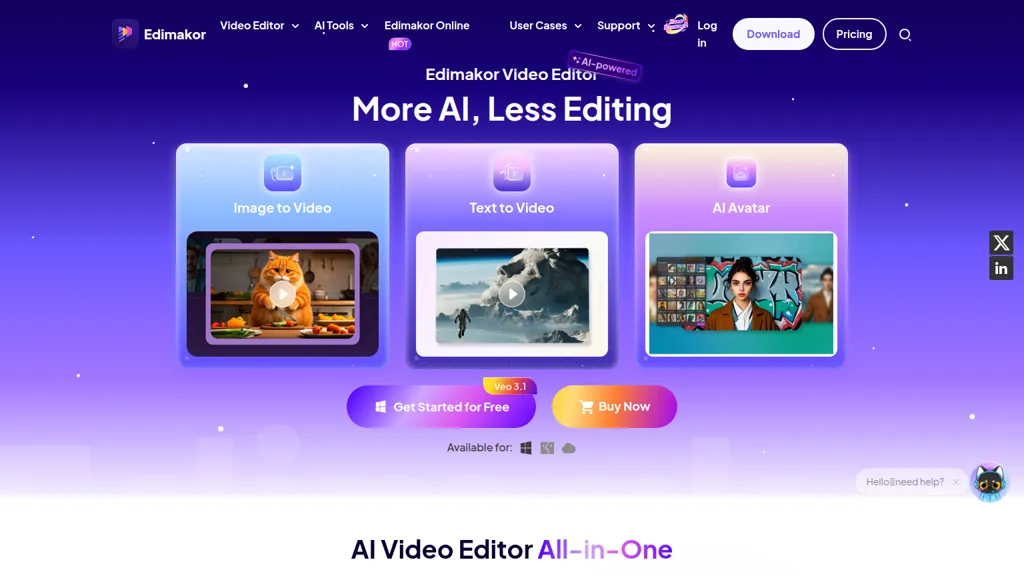
What is HitPaw Edimakor?
HitPaw Edimakor is an AI video editor that combines text-to-video, image-to-video, and AI avatar tools with traditional timeline editing for Windows, Mac, and web.It offers auto subtitle and speech-to-text, video translation and dubbing with 400+ AI voices, and voice cloning across multiple languages for creators localizing content.
Features include face swap, background and watermark removal, motion tracking, keyframing, masking, and speed ramping, plus an audio editor, voice changer, and AI music generator.Built-in AI script and clip makers automate script-to-video and one-click short-clip creation for social platforms like YouTube, TikTok, and Instagram.
The platform provides 50k+ stock assets, 50k+ templates, filters, transitions, and 1000+ text animations to streamline production workflows.Use cases include social media creators, educators, marketers, and localization teams seeking automated editing, rapid content repurposing, and multilingual distribution.
HitPaw Edimakor details
- Company
- HITPAW CO.,LIMITED
- Jurisdiction
- Hong Kong Special Administrative Region of the People's Republic of China
- Built for
- Individuals
HitPaw Edimakor tech specs
- Works with
- OpenAI / Sora Google / Veo Google / Nano Banana Kling MiniMax / Hailuo
- Integrations
- Discord
HitPaw Edimakor pricing
Freemium- Auto-renewal
- Yes
Verify on the official pricing page.
View plansHitPaw Edimakor's key features
-
AI Video Generator (text-to-video with automatic script generation and matching clips, voiceovers, and music)
-
AI Subtitle & Translation with dubbing (auto-generate subtitles and translate/dub into 130+ languages)
-
Text-based Editing & Silence Detection (remove video clips by deleting corresponding text and detect/remove silence)
-
AI Face/Avatar Tools (face swap, custom avatars, talking photos, AI lip-sync, and voice clone)
-
AI Video Enhancement & Editing Tools (upscale to 4K, motion tracking, video stabilization, background removal, noise/vocal removal)
HitPaw Edimakor use cases
-
Create professional multilingual marketing and product demo videos using HitPaw Edimakor's text-to-video editor and pre-built templates, automatically generate subtitles and translate/dub into multiple languages with 400+ voices or a cloned brand voice—ready for global campaigns without extra tools
-
Produce polished e-learning and training courses by converting slides and images into narrated videos with image-to-video and AI avatar generation, automate speech-to-text transcripts and subtitles for accessibility, then refine each lesson with timeline editing and advanced effects
-
Turn long-form interviews, webinars or livestreams into bite-sized social clips using the one-click clip maker and timeline editor, add AI-generated captions, multilingual dubbing or voice cloning for consistent narration, and apply trendy templates for TikTok/YouTube shorts
HitPaw Edimakor user reviews
Would you recommend HitPaw Edimakor?
Who is HitPaw Edimakor for?
-
Video creators
-
Video editors
-
Digital animators
-
Dubbing artists
-
Social media managers
HitPaw Edimakor FAQ
Is HitPaw Edimakor free?
Partly. HitPaw Edimakor has a free plan with usage limits, and paid plans unlock the full feature set. Plans include Edimakor ai web 3-day-trial at $9.99/mo, 1 month at $19.95, 1 year at $49.95 and Perpetual at $69.95.
Is HitPaw Edimakor safe to use?
HitPaw Edimakor is operated by HITPAW CO.,LIMITED, registered in Hong Kong Special Administrative Region of the People's Republic of China. It has a substantial audience that is independently measured month to month.
What are the best alternatives to HitPaw Edimakor?
The closest alternatives to HitPaw Edimakor are Vidnoz, Dupdub, HeyGen, BlipCut and Translate.Video. You can compare them side by side in the alternatives section further down this page.
What does HitPaw Edimakor do with my data?
HitPaw Edimakor states that customer content is not used to train its models. Its privacy policy states that personal data is not sold or shared for marketing purposes. Data may be shared with third-party service providers that help run the product.
Does HitPaw Edimakor auto-renew or offer refunds?
HitPaw Edimakor subscriptions renew automatically until you cancel.
Who made HitPaw Edimakor?
HitPaw Edimakor is built and operated by HITPAW CO.,LIMITED, a company registered in Hong Kong Special Administrative Region of the People's Republic of China.
Which AI models does HitPaw Edimakor use?
HitPaw Edimakor is built on OpenAI / Sora, Google / Veo, Google / Nano Banana, Kling and MiniMax / Hailuo. Which models you can reach may depend on your plan.
What does HitPaw Edimakor integrate with?
HitPaw Edimakor connects with Discord.
Compliance, privacy and billing terms are as stated in each product's own published documentation and have not been independently verified by TopAI.tools.


