
What is Driverbook?
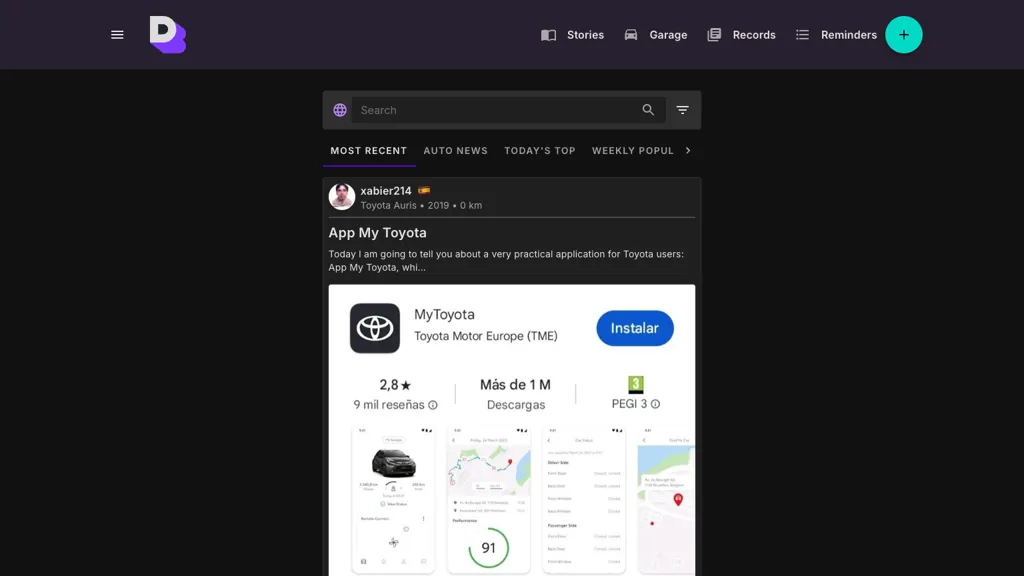
Driverbook is a vehicle management application that lets users record and organize trip data, vehicle maintenance, and mileage. The interface supports dark and light themes and enables searching by story, model, or date to quickly locate specific records.
Users can create, edit, and reset log entries for each vehicle, and set reminders for upcoming maintenance or service intervals. An in‑app assistant offers contextual help for entering data and managing profiles. The app automatically tracks usage metrics such as model year, odometer readings, and trip distance, providing an audit trail that can be filtered by weekly, monthly, or annual views.
Driverbook pricing Freemium
Driverbook offers a free plan with paid upgrades available.
Verify on the official pricing page.
View plansDriverbook user reviews
Based on 1 review, 100.0% of users recommend Driverbook, rated highly for ease of use.
Liked for
Would you recommend Driverbook?
Driverbook's key features
-
Dark mode support
-
Light theme enabled
-
Search by story entries
-
Record driver log entries
-
Set driving reminders
-
Assistant integration feature
-
Make and model selection
Driverbook use cases
-
Track and analyze fleet fuel consumption with Driverbook’s mileage logs, automatically flagging high‑usage routes and saving fuel costs
-
Stay on top of maintenance schedules for every vehicle using Driverbook’s reminders and audit trail, preventing costly breakdowns and extending vehicle lifespan
-
Generate detailed vehicle history reports for auditors or insurance claims with Driverbook’s searchable records by model, date, and story, ensuring compliance and transparency
Who is it for?
-
Community managers
-
Digital marketers
-
Maintenance technicians
-
Automotive owners
-
Vehicle enthusiasts