
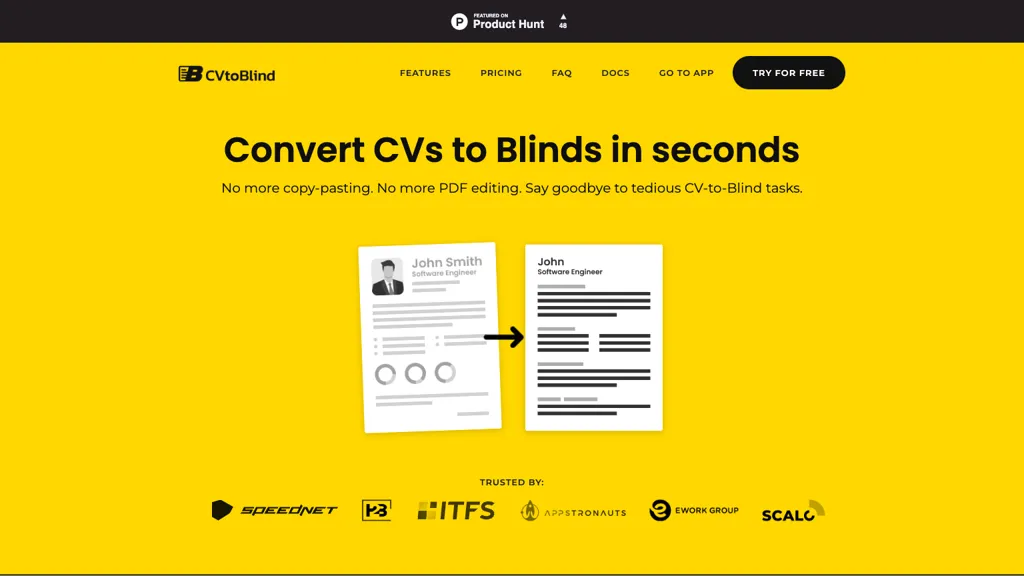
What is CVtoBlind?
CVtoBlind transforms resume processing by automatically extracting and organizing candidate information into your company’s branded templates. It supports bulk uploads of PDF, DOCX, PNG, and JPG files, allowing teams to handle multiple resumes at once.
The AI‑powered editor lets you customize fields, drag and drop content, anonymize data, and generate concise summaries for each profile. Completed profiles can be downloaded as PDF or Word documents and shared directly with stakeholders. CVtoBlind offers API integration for seamless workflow automation, and all operations are conducted within GDPR‑compliant data centers in the European Union.
CVtoBlind details
- Built for
- Businesses and teams
- Data residency
- All data storage and processing are conducted within the European Union
- Stated compliance
- GDPR
Compliance as stated in CVtoBlind's own published documentation.
CVtoBlind pricing
Free trialVerify on the official pricing page.
Start free trialCVtoBlind's key features
-
Auto‑extract resume data
-
Upload multiple files at once
-
Drag‑and‑drop profile editor
-
AI‑generated summary
-
Download PDF and DOCX
-
Use branded company templates
-
API integration for workflows
CVtoBlind use cases
-
Process thousands of resumes in a single bulk upload, anonymize personal details for blind hiring, and export neatly formatted PDFs or Word files for HR teams
-
Use the drag‑and‑drop editor to customize résumé templates for brand consistency, then generate instant summary PDFs that recruiters can share with hiring managers
-
Integrate the GDPR‑compliant API into your ATS, automatically parsing candidate data from PDFs or DOCXs into structured JSON for seamless workflow and data security
CVtoBlind user reviews
Would you recommend CVtoBlind?
Who is CVtoBlind for?
-
Data analysts
-
Software developers
-
Technical directors
-
Compliance officers
-
Project managers
CVtoBlind FAQ
Is CVtoBlind free?
Not permanently. CVtoBlind gives you a free trial, after which a paid plan is required. Plans include Plan a at $9.99/mo, Plan b at $19.99/mo and Plan c at $29.99/mo.
Is CVtoBlind safe to use?
CVtoBlind states GDPR compliance in its own published documentation.
What are the best alternatives to CVtoBlind?
The closest alternatives to CVtoBlind are PDF.ai, Extracta.ai, Resumecoach.com, Resume Maker and AI Resume builder - for Recuriters. You can compare them side by side in the alternatives section further down this page.
What does CVtoBlind do with my data?
Its privacy policy states that personal data is not sold or shared for marketing purposes. Data may be shared with third-party service providers that help run the product. Customer data is held in All data storage and processing are conducted within the European Union.
Does CVtoBlind have an API?
Yes. CVtoBlind offers an API, so you can call it from your own applications instead of using the interface directly.
Compliance, privacy and billing terms are as stated in each product's own published documentation and have not been independently verified by TopAI.tools.


