
What is Client Hub?
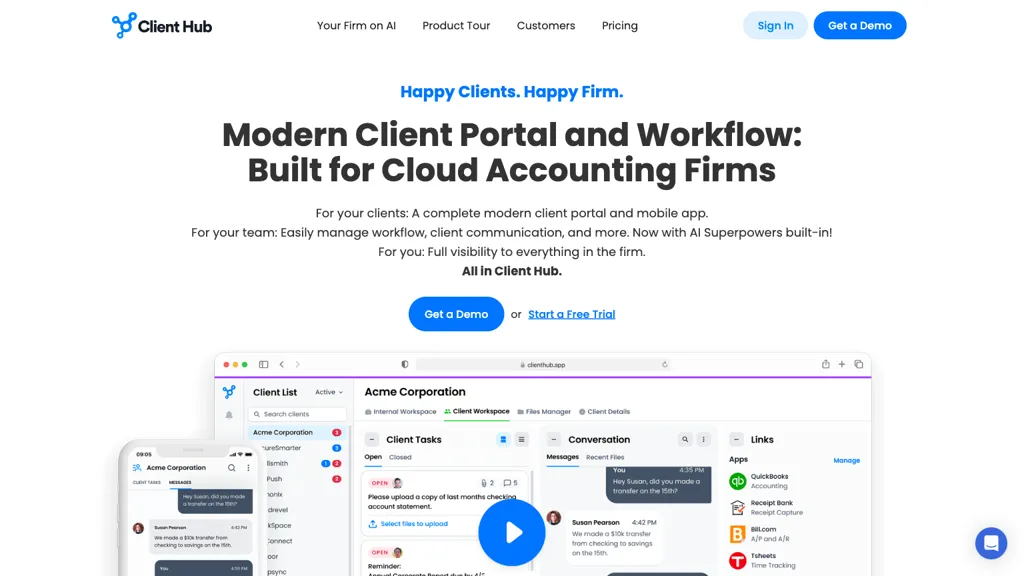
Client Hub offers accounting practice management with built‑in AI task automation, a client portal, and document exchange that keep workflows organized. The platform integrates directly with QuickBooks Online and Xero for real‑time transaction syncing and month‑end close assistance, while email integration lets users summarize threads, draft replies, and adjust tone with AI support.
Centralized task tracking, time logging, and secure file sharing help teams stay on schedule without email back‑and‑forth. Mobile access and role‑based permissions keep clients and staff connected from any device. Designed for bookkeepers, accountants, and firm managers, Client Hub consolidates practice management, bookkeeping workflows, and client communication into a single, secure interface.
Client Hub details
- Company
- Client Hub Solutions Inc.
- Jurisdiction
- United States (State of Florida)
- Built for
- Businesses and teams
- Data residency
- United States and Canada
Client Hub tech specs
- Integrations
- Zapier
Client Hub pricing
Free- Auto-renewal
- Yes
Verify on the official pricing page.
Get started freeClient Hub's key features
-
AI email drafting and summarization
-
QuickBooks and Xero integration
-
Client portal with file uploads
-
Workflow and task tracking
-
Document management with eSignatures
-
Mobile app for communication
Client Hub use cases
-
Automate client onboarding by leveraging Client Hub’s task automation and real‑time sync with QuickBooks Online, instantly creating client records and sending secure portal access without manual data entry
-
Manage tax return deadlines by using Client Hub’s task tracking, time logging, and email summarizer to keep the team aligned and automatically draft client reminders
-
Securely exchange financial documents through Client Hub’s client portal, enabling role‑based access and instant updates in Xero, so clients can review statements in real‑time while protecting sensitive data
Client Hub user reviews
Would you recommend Client Hub?
Who is Client Hub for?
-
Financial analysts
-
Accounting managers
-
Client support coordinators
-
Quickbooks integrators
-
Dashboard administrators
Client Hub FAQ
Is Client Hub free?
Yes. Client Hub is free to use and does not require a credit card.
Is Client Hub safe to use?
Client Hub is operated by Client Hub Solutions Inc., registered in United States (State of Florida). It has a substantial audience that is independently measured month to month.
What are the best alternatives to Client Hub?
The closest alternatives to Client Hub are Booke AI, Dext, Quanta, Receipt AI and Abstra workflows. You can compare them side by side in the alternatives section further down this page.
What does Client Hub do with my data?
Client Hub states that customer content may be used to train its models. Its privacy policy states that personal data is sold or shared for marketing purposes. Data may be shared with third-party service providers that help run the product. Customer data is held in United States and Canada.
Does Client Hub auto-renew or offer refunds?
Client Hub subscriptions renew automatically until you cancel.
Who made Client Hub?
Client Hub is built and operated by Client Hub Solutions Inc., a company registered in United States (State of Florida).
What does Client Hub integrate with?
Client Hub connects with Zapier.
Compliance, privacy and billing terms are as stated in each product's own published documentation and have not been independently verified by TopAI.tools.


